
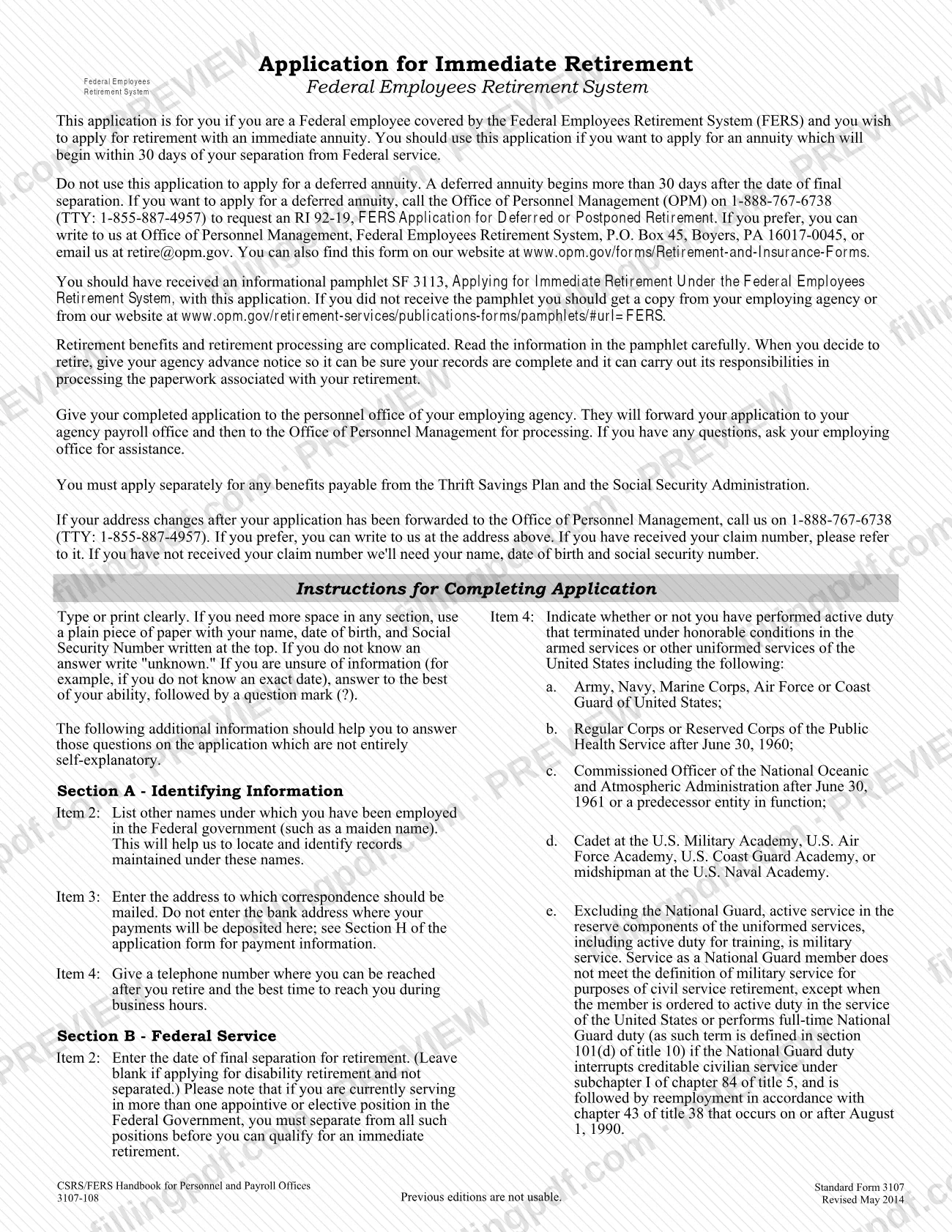
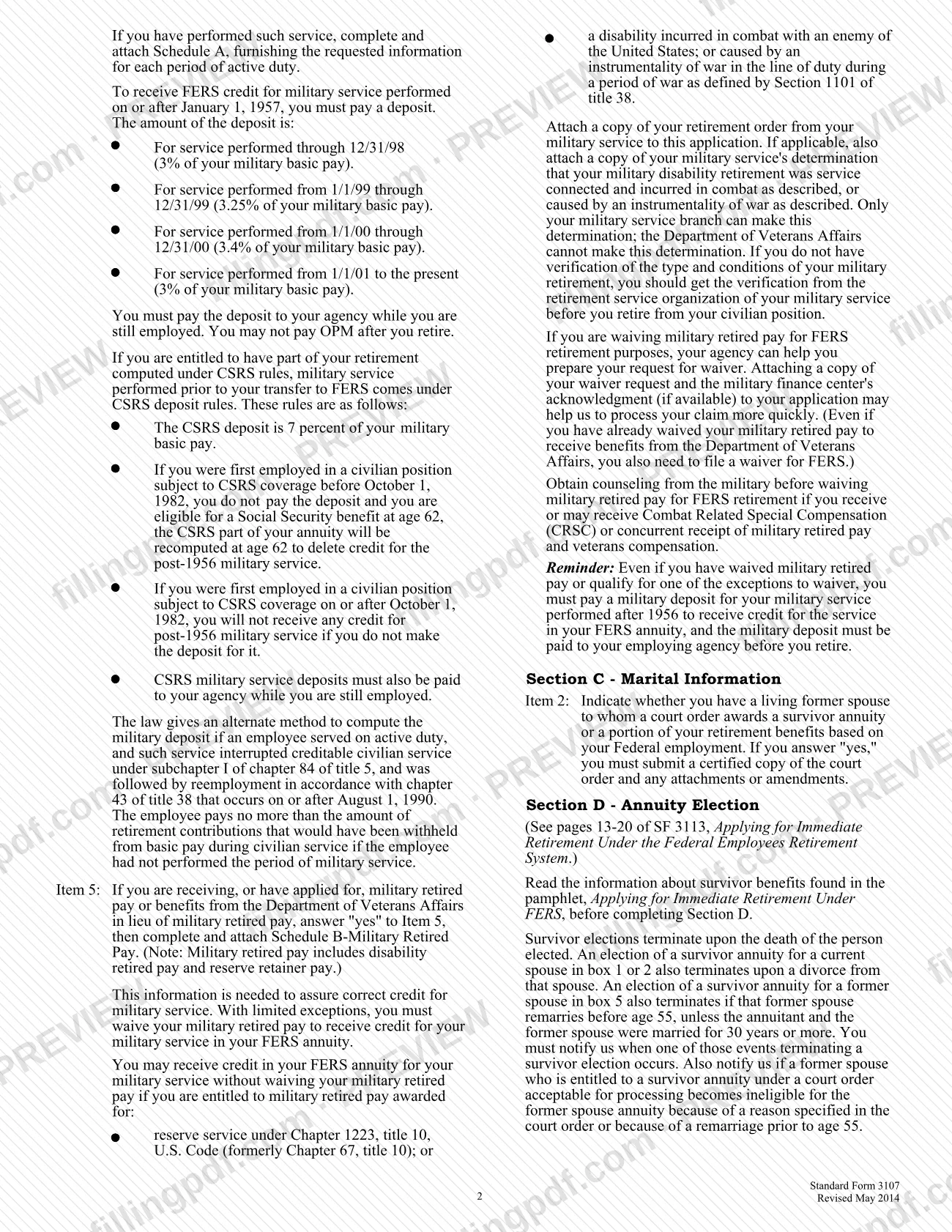
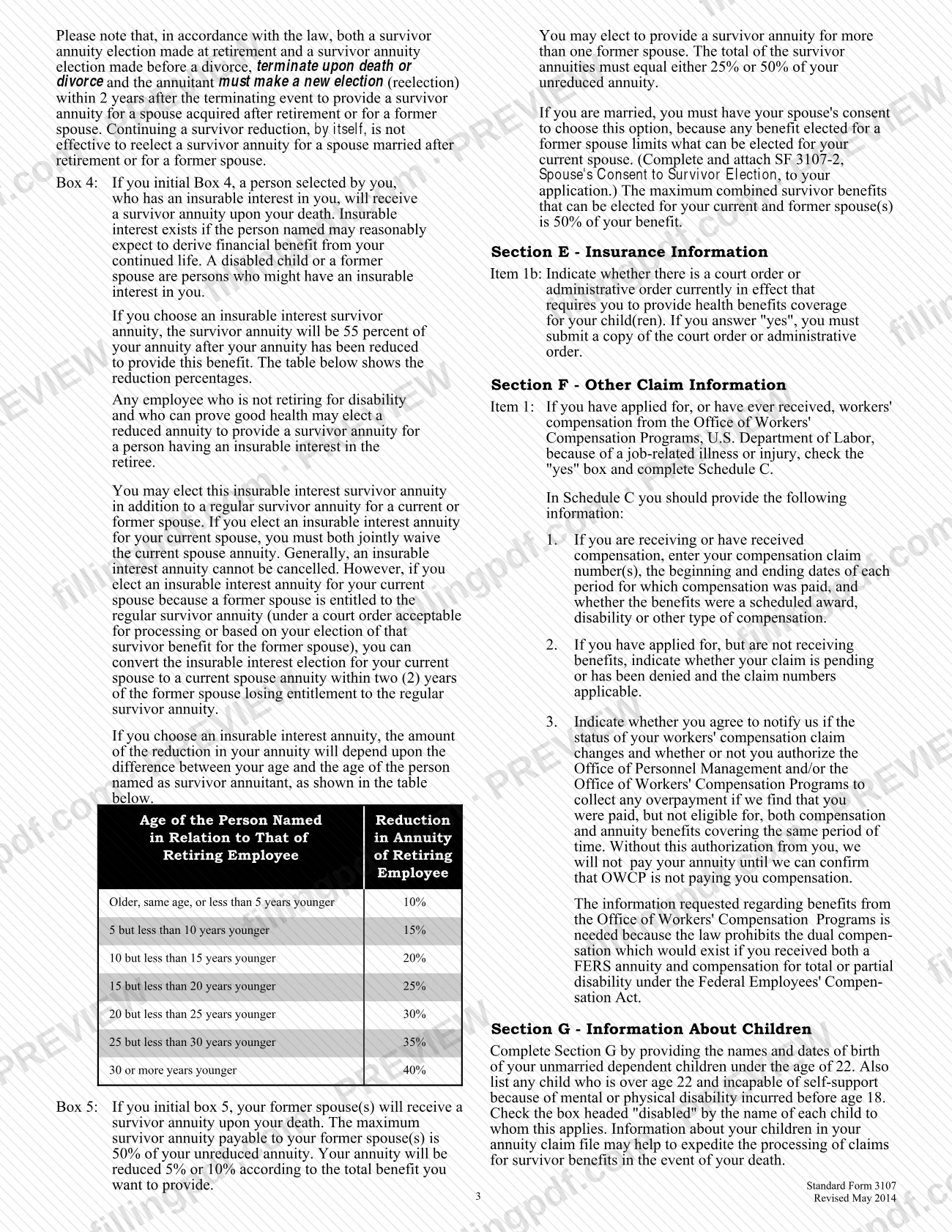
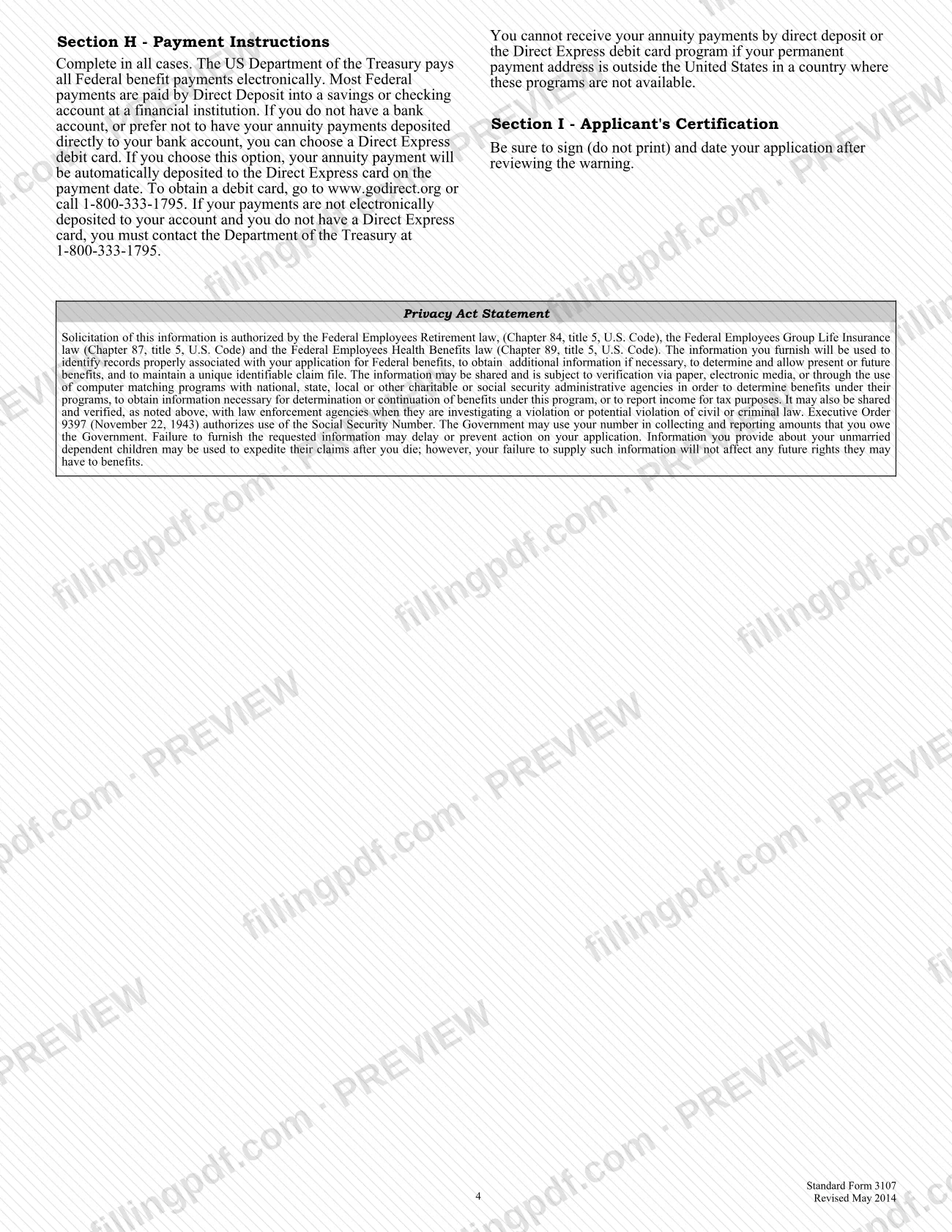
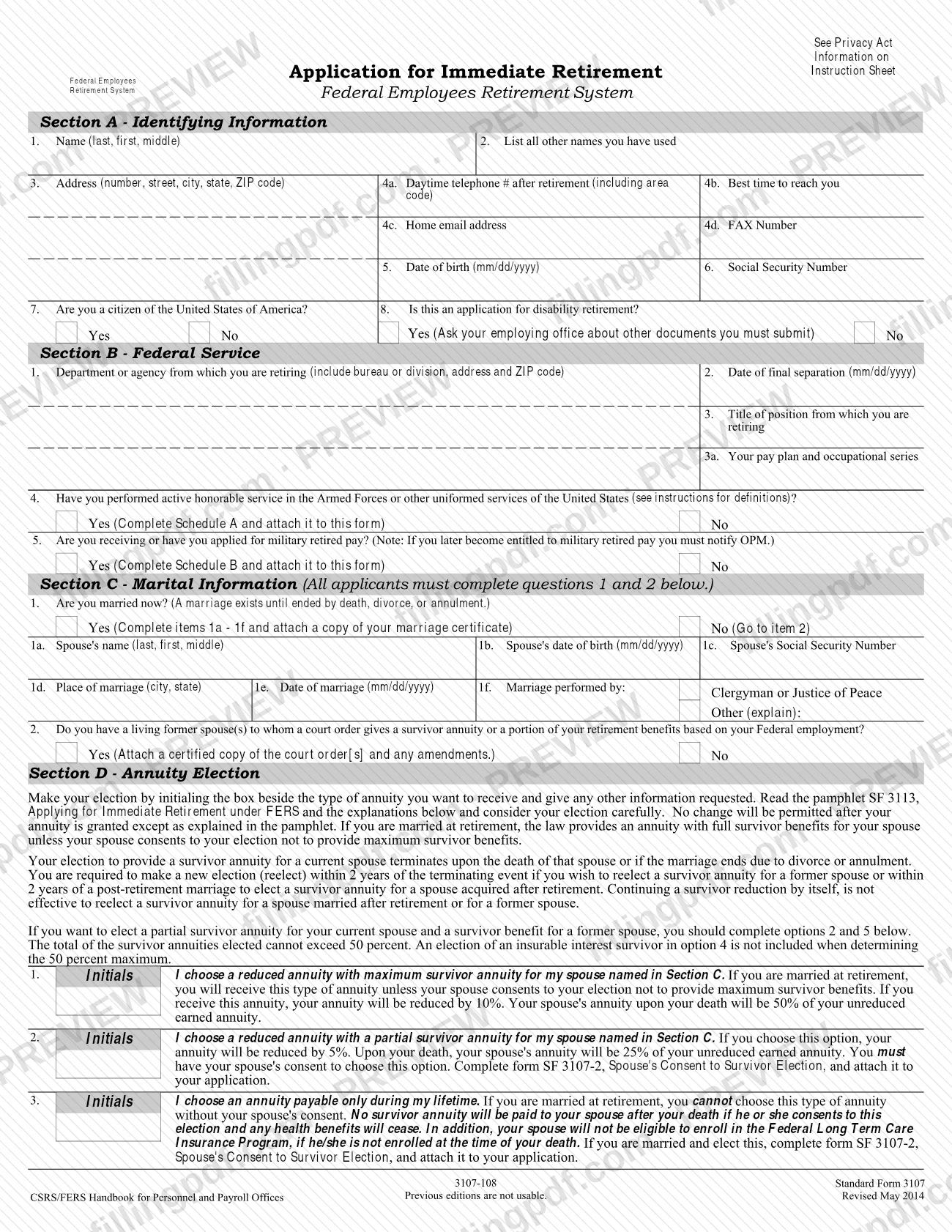
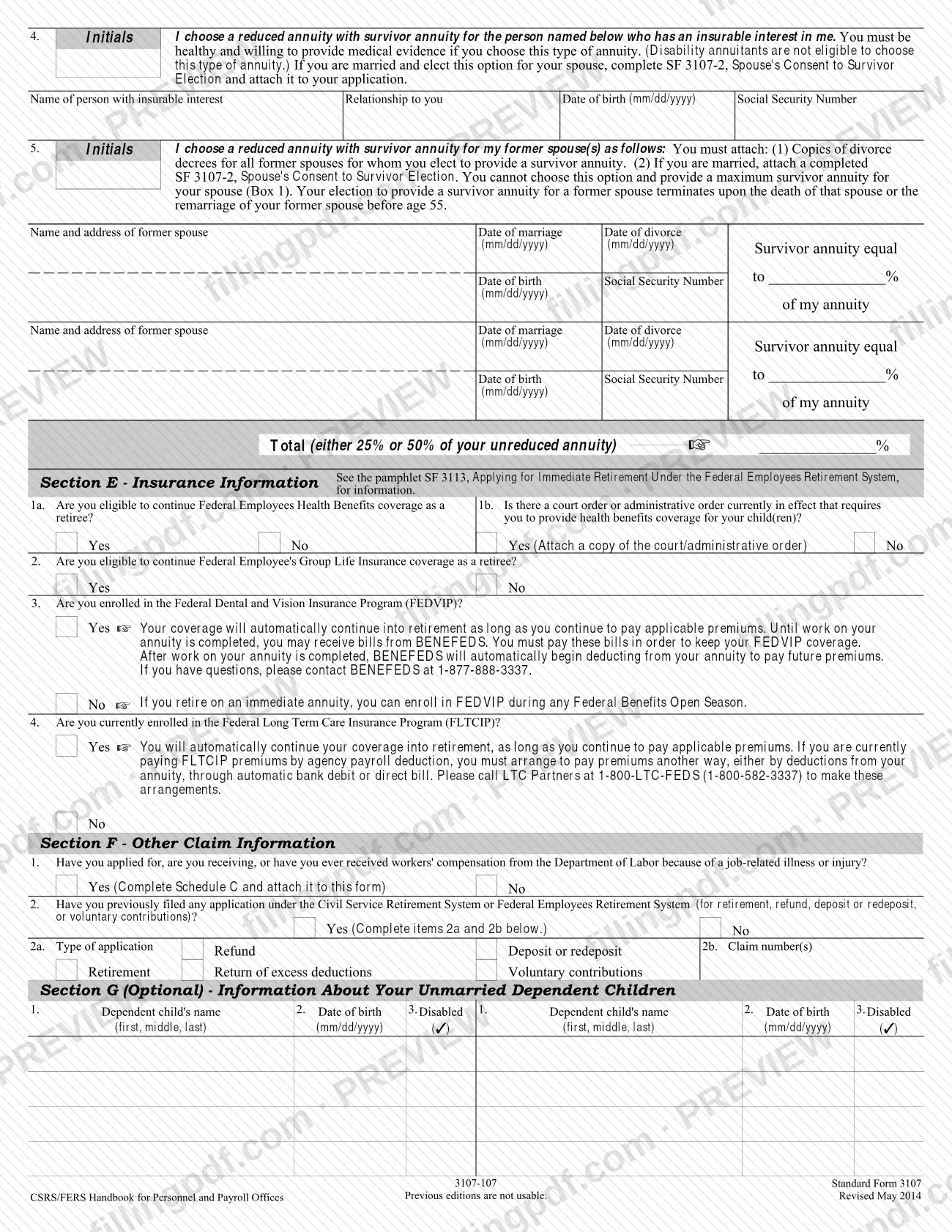
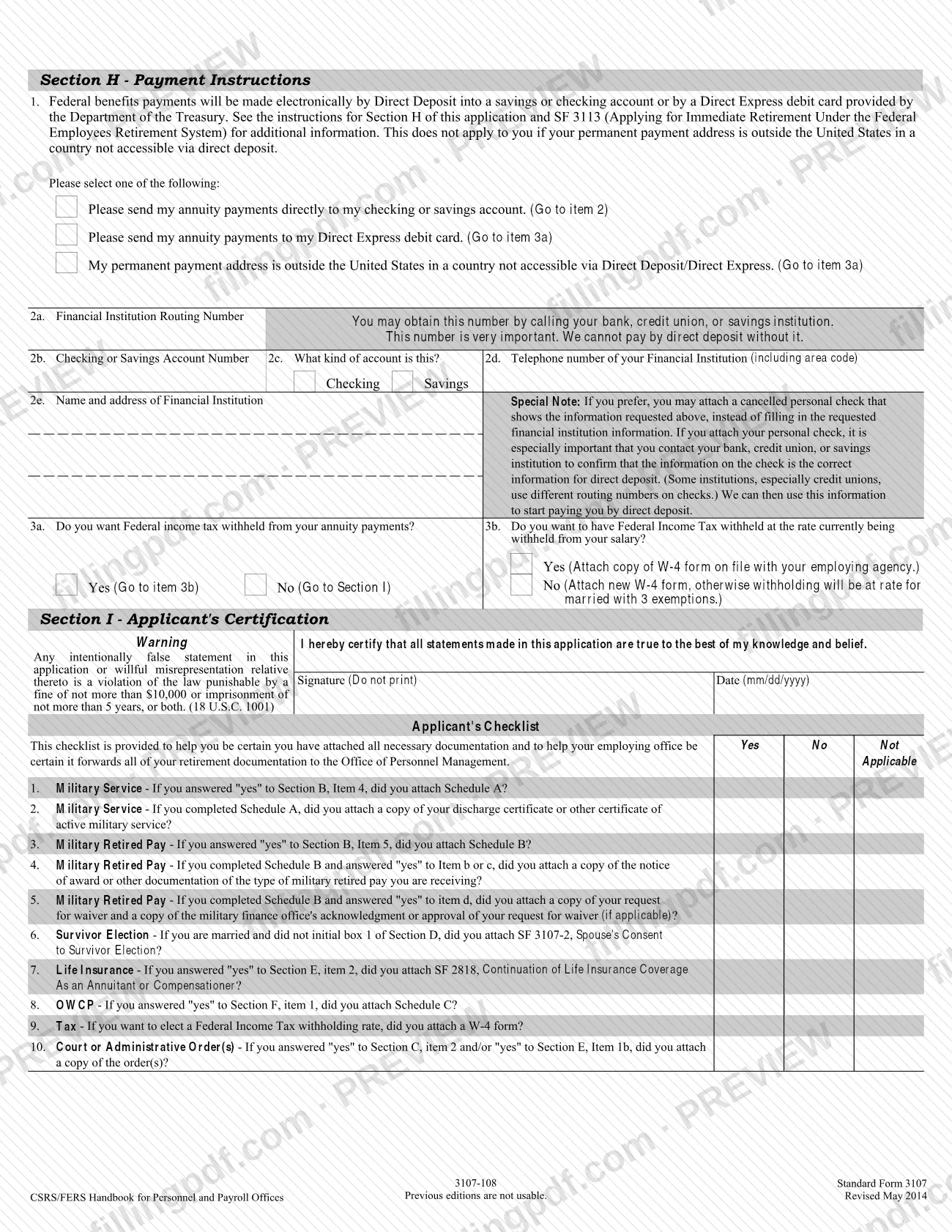
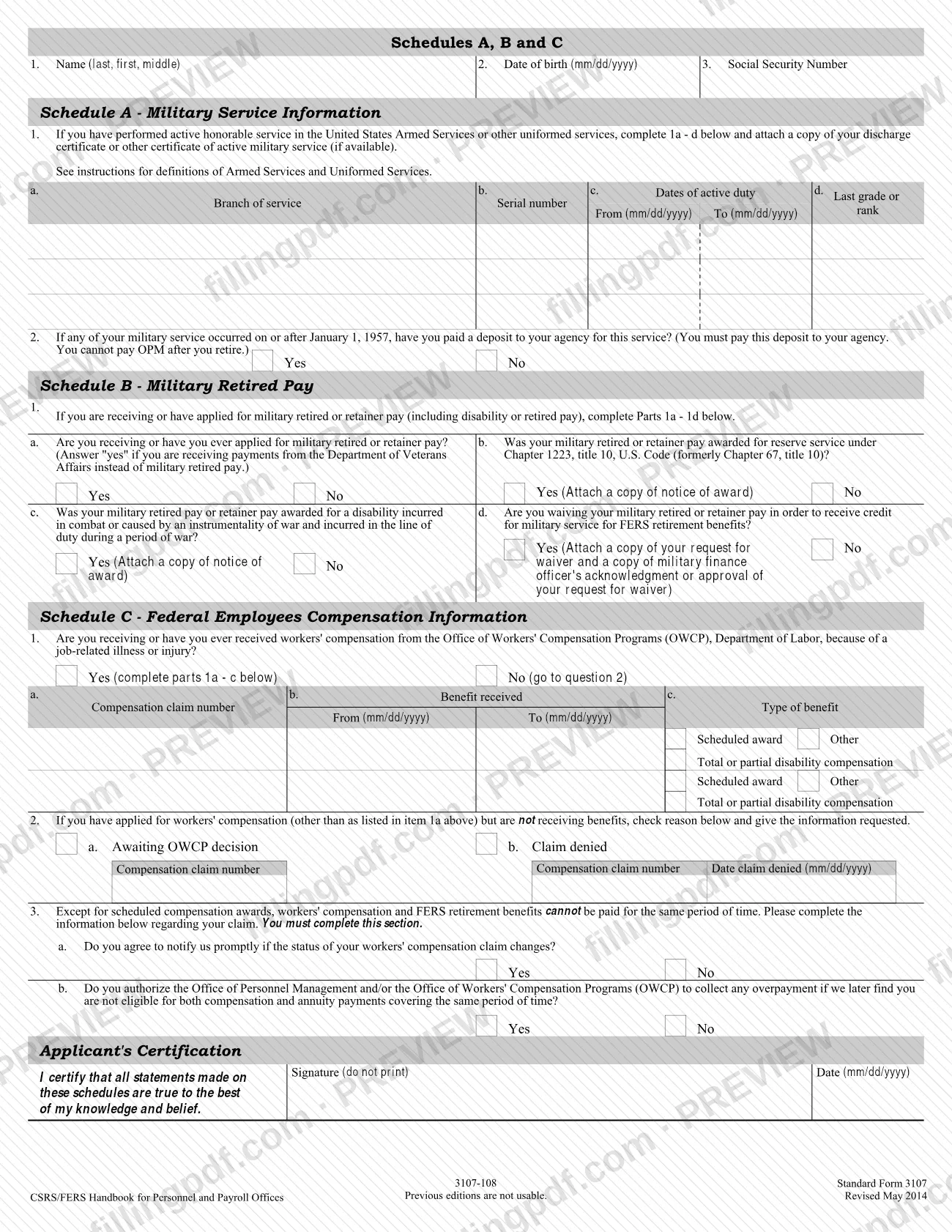
SF 3107 is the Application for Immediate Retirement used by federal employees covered by the Federal Employees Retirement System (FERS) to apply for an annuity that begins within 30 days of separation from federal service. The Office of Personnel Management (OPM) processes it after your employing agency forwards it. On this page you can fill out the form online on FillingPDF and download or print the completed PDF; the official PDF and the companion pamphlet SF 3113 are published by OPM and on the GSA forms site.
Last updated
What is SF 3107?
SF 3107, Application for Immediate Retirement, is the Office of Personnel Management (OPM) form on which a federal employee covered by the Federal Employees Retirement System (FERS) applies for an immediate annuity, one that begins within 30 days of separation from federal service.
The form is organized in Sections A through I: identifying information, federal service, marital information, annuity election (including survivor benefits), insurance information, other claim information, an optional section on unmarried dependent children, payment instructions and the applicant's certification. Three schedules travel with it when they apply: Schedule A (military service), Schedule B (military retired pay) and Schedule C (workers' compensation information).
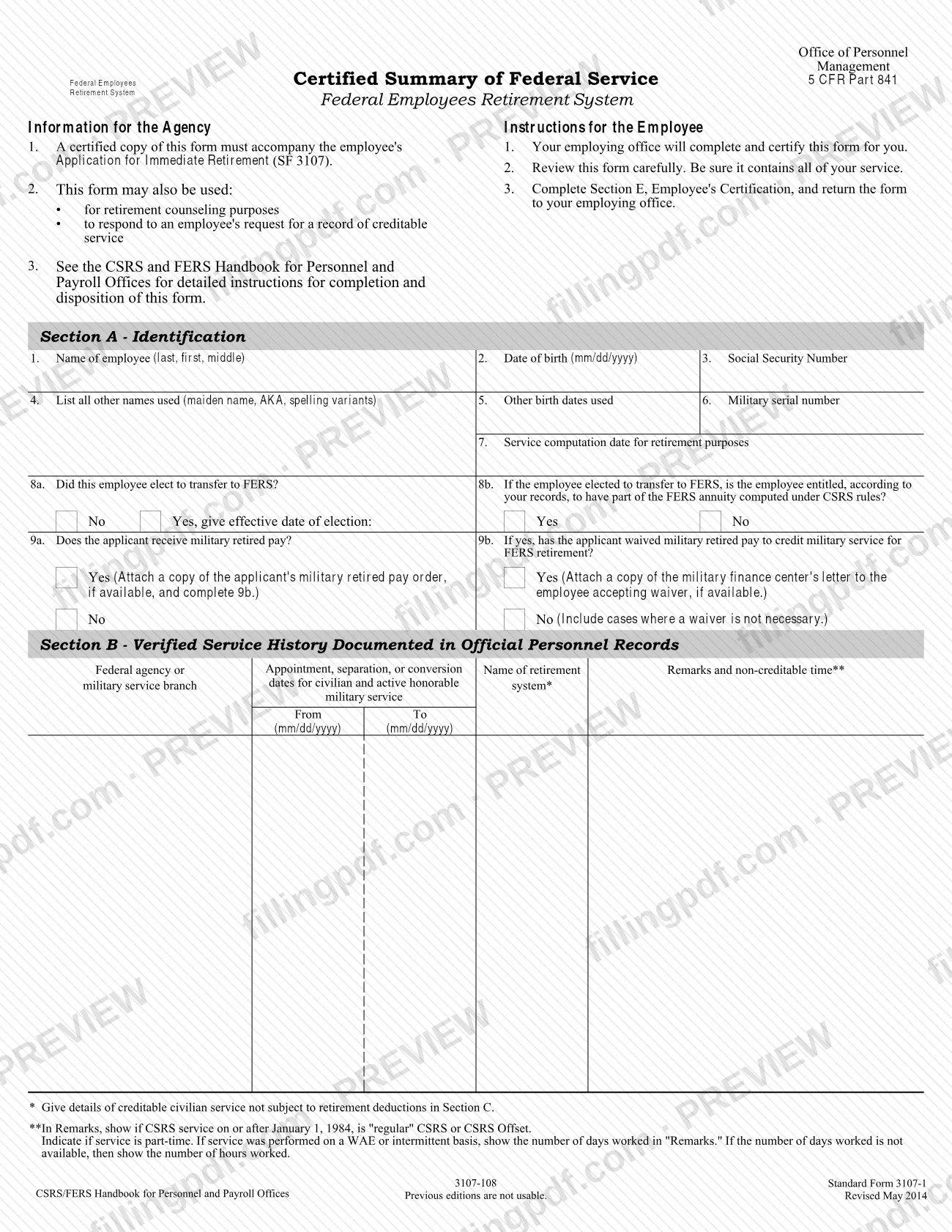
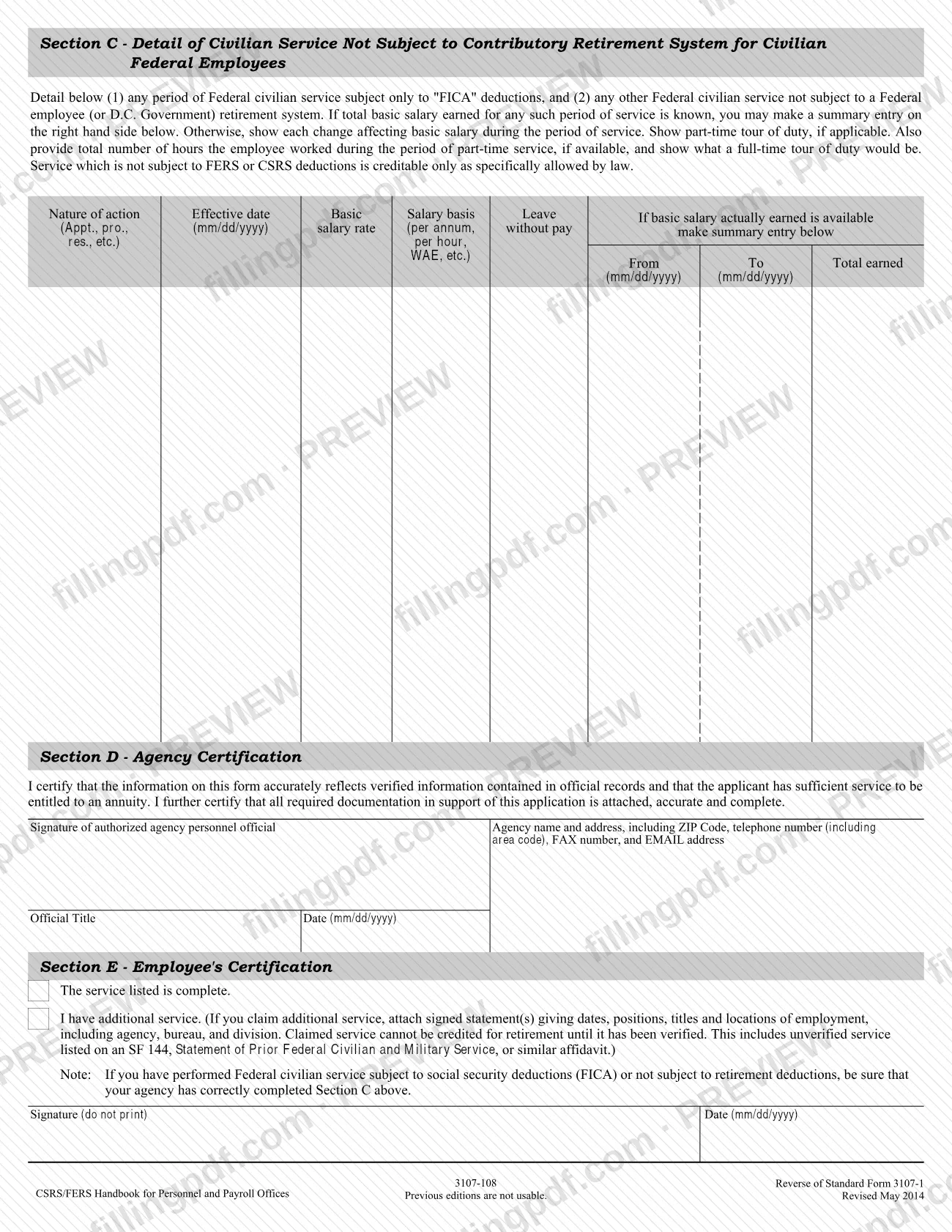
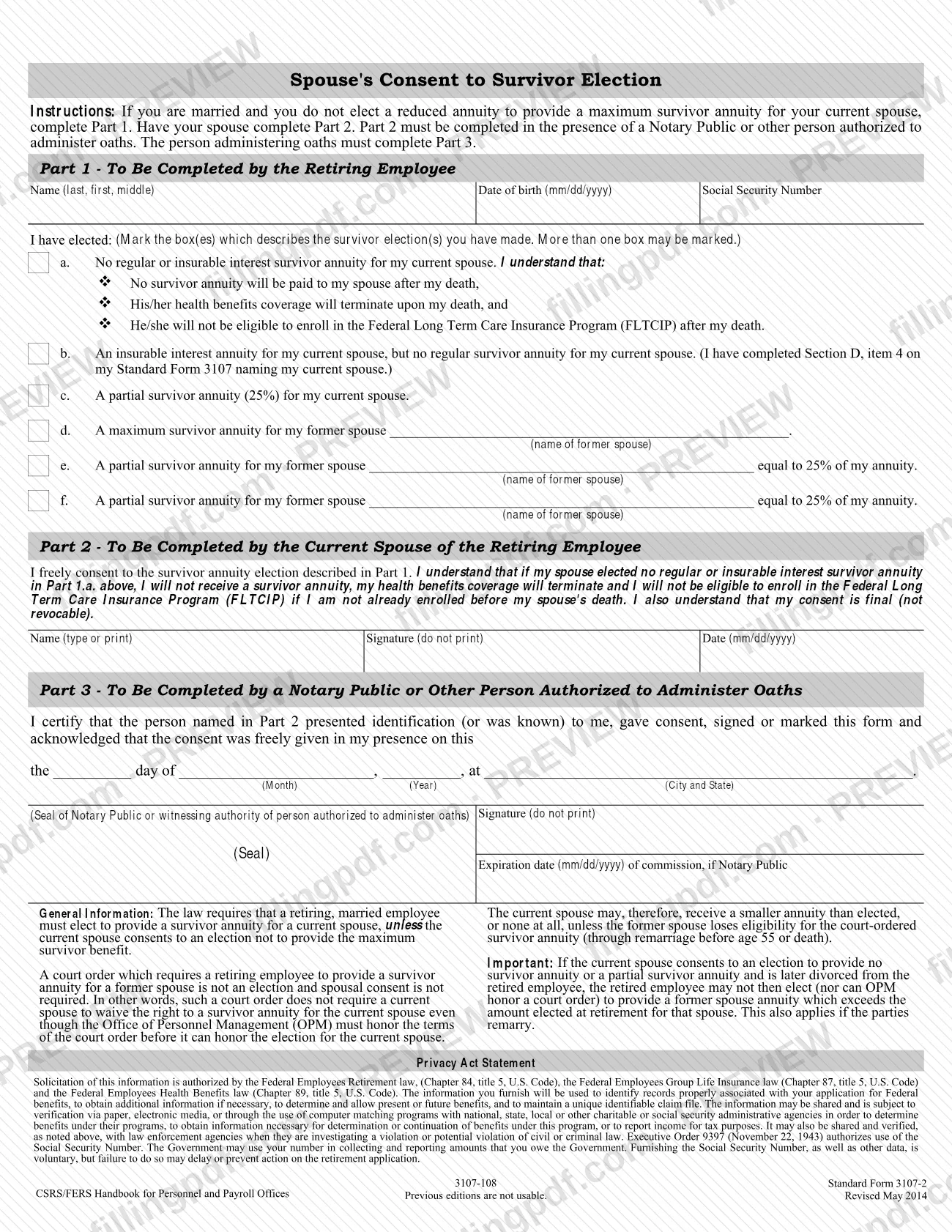
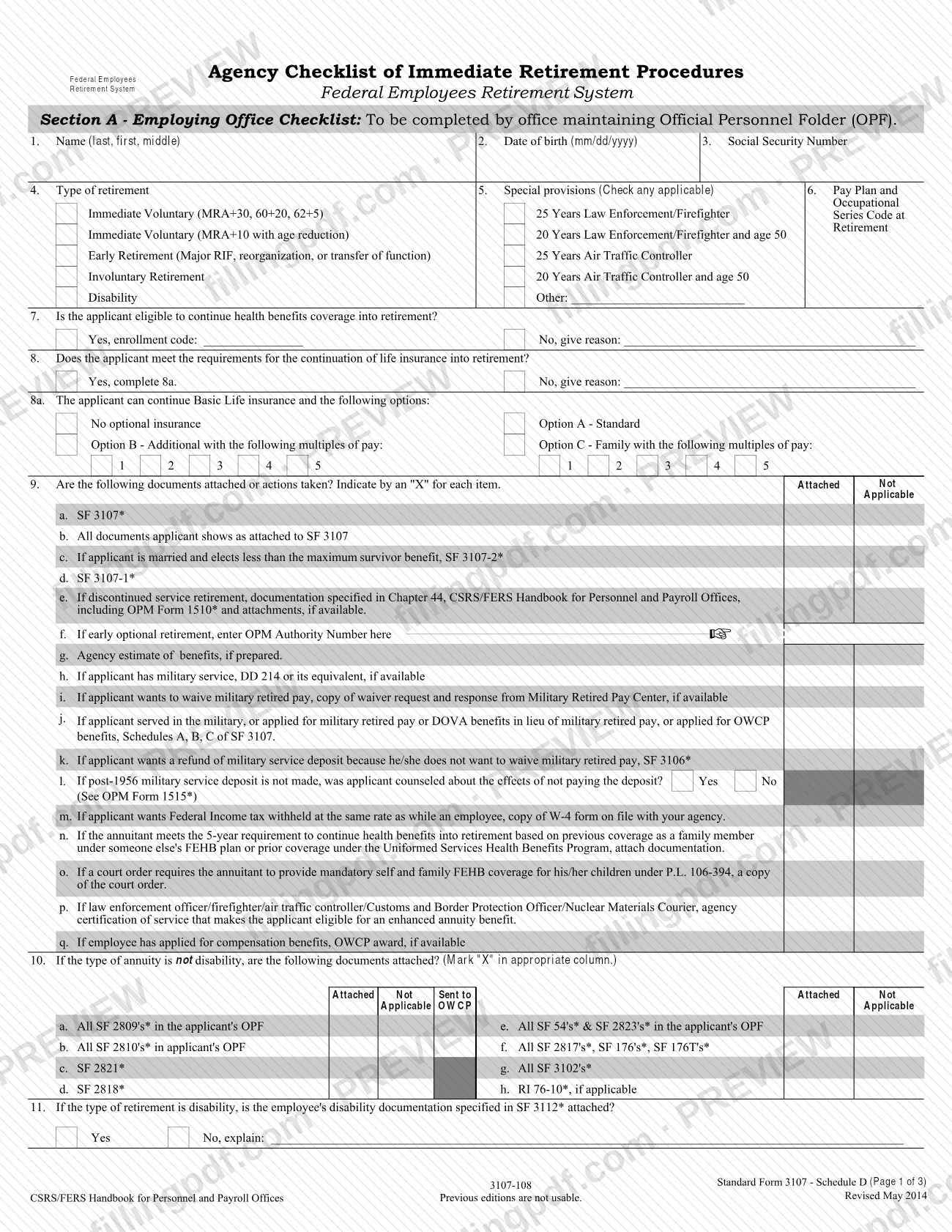
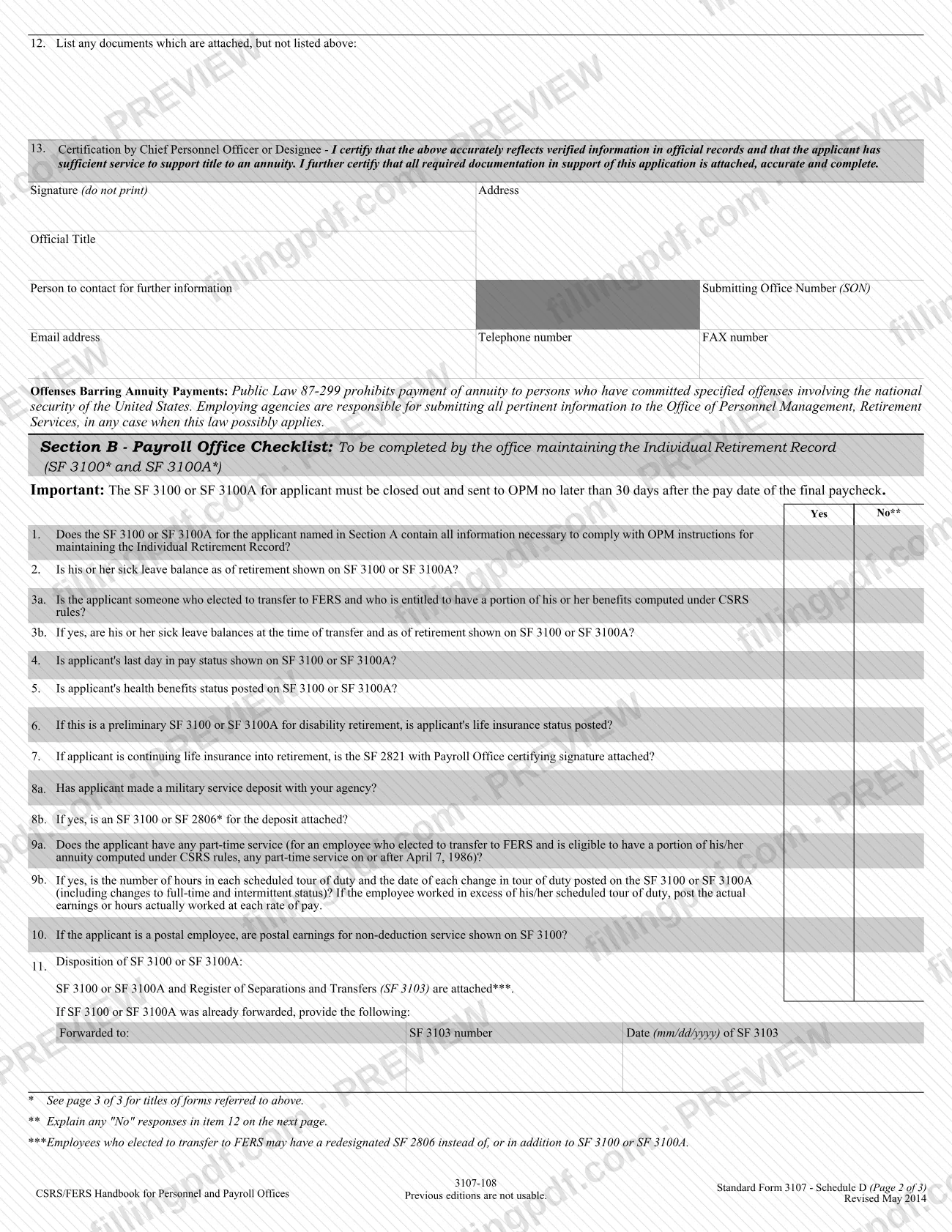
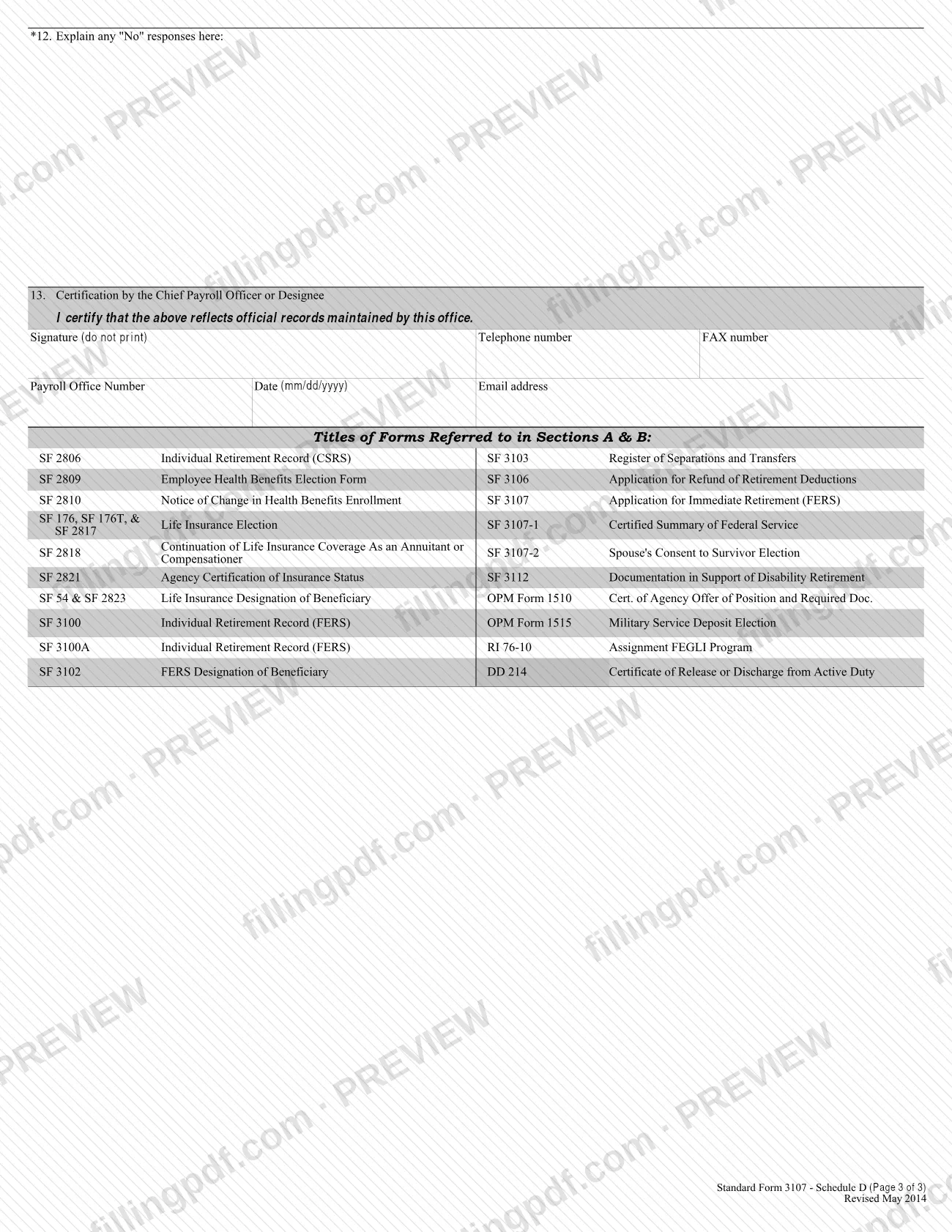
SF 3107 belongs to a set. Your agency completes SF 3107-1, Certified Summary of Federal Service, and a certified copy must accompany your application. SF 3107-2, Spouse's Consent to Survivor Election, is attached when a married applicant does not elect the maximum survivor annuity for the spouse. The form also includes an agency checklist (Schedule D). The pamphlet SF 3113, Applying for Immediate Retirement Under the Federal Employees Retirement System, explains the choices and should come with the application.
SF 3107 is not for a deferred annuity, which begins more than 30 days after final separation; OPM directs those applicants to RI 92-19, FERS Application for Deferred or Postponed Retirement. Benefits from the Thrift Savings Plan and the Social Security Administration require separate applications.
Who needs to file SF 3107?
You use SF 3107 if you are a federal employee covered by FERS and you want to retire with an immediate annuity, meaning an annuity that begins within 30 days of your separation from federal service. The form also has an item for applicants seeking disability retirement (Section A, Item 8); the form tells those applicants to ask their employing office about other documents they must submit.
Conditions that affect who completes which parts:
- If you hold more than one appointive or elective federal position, you must separate from all of them before you can qualify for an immediate retirement.
- If you are married, you complete Section C and attach a marriage certificate; you need your spouse's consent on SF 3107-2 unless you elect the maximum survivor annuity for your spouse in Section D, box 1.
- If you have a living former spouse with a court-ordered survivor annuity or share of your benefits, you answer Section C, Item 2 and submit a certified copy of the court order.
- Disability annuitants cannot choose the insurable-interest survivor annuity in Section D, box 4.
Do not use this form for a deferred annuity; request RI 92-19 from OPM instead.
When to file SF 3107
File SF 3107 when you are ready to retire and want an annuity that starts within 30 days of your final separation from federal service. The form sets no calendar deadline, but OPM tells you to give your agency advance notice so it can verify that your records are complete and process the paperwork.
Section B, Item 2 asks for your date of final separation; leave it blank only if you are applying for disability retirement and have not separated. Timing matters for military service too: any deposit for military service performed after 1956 must be paid to your agency while you are still employed, because you cannot pay OPM after you retire.
Marriage and survivor elections should be settled before you file: no change is permitted after your annuity is granted except as the pamphlet SF 3113 explains. The form does not state a processing time. If your address changes after your application has gone to OPM, call OPM at 1-888-767-6738 (TTY: 1-855-887-4957).
Documents you need
- A copy of your marriage certificate, if you are married now (Section C, Item 1).
- A certified copy of the court order(s) and any amendments, if you have a living former spouse to whom a court order gives a survivor annuity or part of your retirement benefits (Section C, Item 2).
- SF 3107-2, Spouse's Consent to Survivor Election, if you are married and do not initial box 1 of Section D; the spouse's part must be completed before a notary or other person authorized to administer oaths.
- Copies of the divorce decrees for every former spouse for whom you elect a survivor annuity in Section D, box 5.
- Schedule A with a copy of your discharge certificate or other certificate of active military service, if you answer yes to Section B, Item 4 (the certificate if available).
- Schedule B, if you answer yes to Section B, Item 5, with the notice of award (Items b or c) or your waiver request and the military finance office's acknowledgment (Item d), as applicable.
- For military retired pay awarded for disability, a copy of your military retirement order and, if applicable, your military service's determination of service connection.
- Schedule C, if you have applied for, are receiving, or have ever received OWCP workers' compensation (Section F, Item 1).
- SF 2818, Continuation of Life Insurance Coverage As an Annuitant or Compensationer, if you answer yes to Section E, Item 2.
- A copy of the court or administrative order, if one requires you to provide health benefits coverage for your child(ren) (Section E, Item 1b).
- A copy of your W-4, if you want Federal income tax withheld at the rate now withheld from your salary; a new W-4 if you choose a different rate (Section H, Items 3a and 3b).
- The certified SF 3107-1, Certified Summary of Federal Service, completed and certified by your employing office; it must accompany the application.
- Optionally, a cancelled personal check showing your financial institution information, instead of filling in Section H, Items 2a to 2e.
How to fill out SF 3107
Gather SF 3113 and prepare to print clearly
Read the pamphlet SF 3113 before choosing survivor options. Type or print clearly; if a section needs more space, use a plain sheet with your name, date of birth and Social Security number at the top, write "unknown" for unknown answers, and add a question mark to estimates.
Complete Section A, identifying information
Enter your name (Item 1), other names used (Item 2), correspondence address (Item 3), daytime phone after retirement, best time to call, email and fax (Items 4a-4d), date of birth in mm/dd/yyyy (Item 5) and Social Security Number (Item 6). Answer the citizenship question (Item 7) and whether this is a disability retirement application (Item 8).
Complete Section B, federal service
Enter the agency you are retiring from (Item 1), your date of final separation (Item 2), position title (Item 3) and pay plan and occupational series (Item 3a). Answer Item 4 on active honorable military service and Item 5 on military retired pay; a yes requires Schedule A or B.
Answer Section C, marital information
Answer Item 1 on whether you are married now; if yes, complete Items 1a-1f (spouse's name, date of birth, Social Security Number, place and date of marriage, who performed it). Answer Item 2 on a living former spouse with a court-ordered survivor annuity or share of benefits.
Make your Section D annuity election
Initial the box for the one annuity type you want: box 1 (maximum survivor annuity), 2 (partial survivor annuity), 3 (lifetime only), 4 (insurable-interest survivor, naming the person) or 5 (former spouse survivor annuity, with dates and percentage). Boxes 2, 3 and 4 for a married applicant, and box 5 with a spouse, call for SF 3107-2.
Complete Section E, insurance information
Answer Item 1a on continuing FEHB coverage and Item 1b on any court or administrative order requiring health coverage for your children. Answer Item 2 on FEGLI, Item 3 on FEDVIP and Item 4 on the Federal Long Term Care Insurance Program.
Answer Section F, other claim information
Item 1: check yes if you have ever applied for or received OWCP workers' compensation, and complete Schedule C. Item 2: if you previously filed a CSRS or FERS application, check yes and give the type (Items 2a) and claim number(s) (Item 2b).
List dependent children in Section G
This section is optional. Enter the name and date of birth of each unmarried dependent child under 22, and check the Disabled box for any child over 22 who cannot support themselves because of a disability incurred before age 18.
Complete Section H, payment instructions
Choose direct deposit, Direct Express or the outside-the-United States option. For direct deposit, enter the routing number (Item 2a), account number (2b), account type (2c), bank phone (2d) and bank name and address (2e), or attach a cancelled check. Answer Items 3a and 3b on Federal income tax withholding.
Complete Schedules A, B and C if they apply
Schedule A lists branch, dates of active duty, serial number and last grade, and whether you paid the deposit. Schedule B covers military retired or retainer pay and waiver. Schedule C gives OWCP claim numbers, dates and benefit types, and your answers on notification and overpayment collection.
Review the checklist, sign and download the PDF
Use the Applicant's Checklist to confirm every attachment, then sign (do not print) and date Section I in mm/dd/yyyy, and sign any schedules you completed. Download or print the completed PDF from FillingPDF and give it to your employing agency's personnel office as described under How to submit.
How to submit SF 3107
You do not send SF 3107 straight to OPM. You give the completed application to the personnel office of your employing agency, which forwards it to your agency payroll office and then to OPM for processing.
- Employing agency personnel office: hand in the signed application with every attachment that applies. Ask this office for help with any question.
- OPM contact for questions or address changes: call 1-888-767-6738 (TTY: 1-855-887-4957), write to Office of Personnel Management, Federal Employees Retirement System, P.O. Box 45, Boyers, PA 16017-0045, or email [email protected]. If you already have a claim number, quote it; otherwise OPM needs your name, date of birth and Social Security number.
- Other benefits: apply separately to the Thrift Savings Plan and the Social Security Administration.
Your agency attaches the certified SF 3107-1 and completes its own checklist, so your own package should be complete before you hand it over. Direct deposit and Direct Express details are entered in Section H; the form notes that you can call the Department of the Treasury at 1-800-333-1795 if payments are not deposited electronically and you have no Direct Express card. FillingPDF lets you fill out and download the PDF; submission follows the channels above.
Common mistakes to avoid
- Printing your name in the signature box of Section I; the form says to sign, not print, and to date it after reviewing the warning.
- Entering your bank's address in Section A, Item 3; that item is for correspondence, and payment details belong in Section H.
- Applying for an immediate annuity while still serving in another appointive or elective federal position; you must separate from all such positions first.
- Planning to pay a military service deposit to OPM after retiring; the deposit for service after 1956 must be paid to your employing agency while you are still employed.
- Answering yes to Section B, Item 4, 5 or Section F, Item 1 without attaching Schedule A, B or C.
- Being married, not initialing Section D box 1, and omitting SF 3107-2 with your spouse's notarized consent.
- Combining Section D box 5 (former spouse survivor annuity) with box 1 (maximum survivor annuity for your spouse); the form says you cannot choose both.
- Electing survivor annuities for a current and former spouse that total more than 50 percent of the unreduced annuity; former-spouse totals must equal either 25% or 50%.
- Leaving Section H blank; the instructions say to complete it in all cases.
- Using this form to apply for a deferred annuity, which begins more than 30 days after final separation and uses RI 92-19.
Frequently asked questions
What is SF 3107 used for?
SF 3107 is the OPM application for an immediate annuity under FERS. A federal employee covered by FERS uses it to apply for retirement with an annuity that begins within 30 days of separation from federal service.
Where do I send SF 3107?
Give the completed application to the personnel office of your employing agency. It forwards the form to your agency payroll office and then to OPM. For questions, OPM can be reached at 1-888-767-6738 or [email protected].
What is the difference between SF 3107 and RI 92-19?
SF 3107 is for an immediate annuity beginning within 30 days of final separation. A deferred annuity, which begins more than 30 days after final separation, uses RI 92-19, FERS Application for Deferred or Postponed Retirement, which you request from OPM.
Does my spouse have to sign my SF 3107?
Your spouse does not sign SF 3107 itself, but if you are married and do not choose the maximum survivor annuity in Section D, box 1, you must attach SF 3107-2. Your spouse completes Part 2 of it in front of a notary or other person authorized to administer oaths.
Can I fill out SF 3107 online?
Yes. You can complete the fillable PDF online on FillingPDF and download or print it. FillingPDF is independent of OPM and does not submit your application; you give it to your employing agency's personnel office.
Does SF 3107 also apply for my Thrift Savings Plan or Social Security?
No. The form states that you must apply separately for any benefits payable from the Thrift Savings Plan and the Social Security Administration.
What attachments does SF 3107 need?
It depends on your answers: a marriage certificate if married, certified court orders for a former spouse, SF 3107-2, Schedules A, B or C, SF 2818, and a W-4 if you elect withholding. The Applicant's Checklist on the form lists each one.
How do I get paid under SF 3107?
In Section H you choose direct deposit to a checking or savings account or a Direct Express debit card. The form says OPM cannot pay by direct deposit without the routing number, and it gives a separate option if your permanent payment address is in a country where these programs are unavailable.
What happens if I put false information on SF 3107?
The warning above your signature says that an intentionally false statement or willful misrepresentation is a violation of the law punishable by a fine, imprisonment or both (18 U.S.C. 1001).
Ready to fill out SF 3107?
Fill out SF 3107 now