
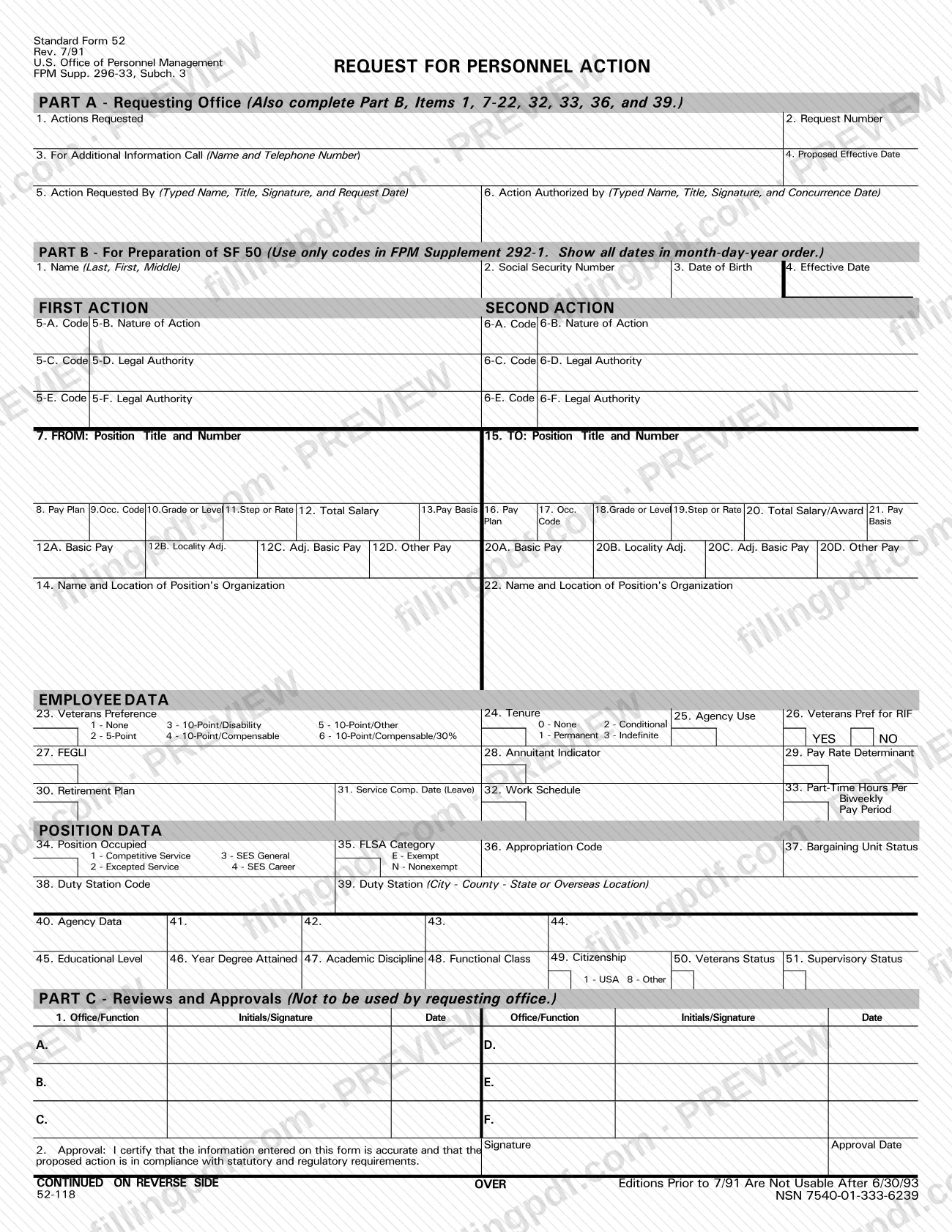
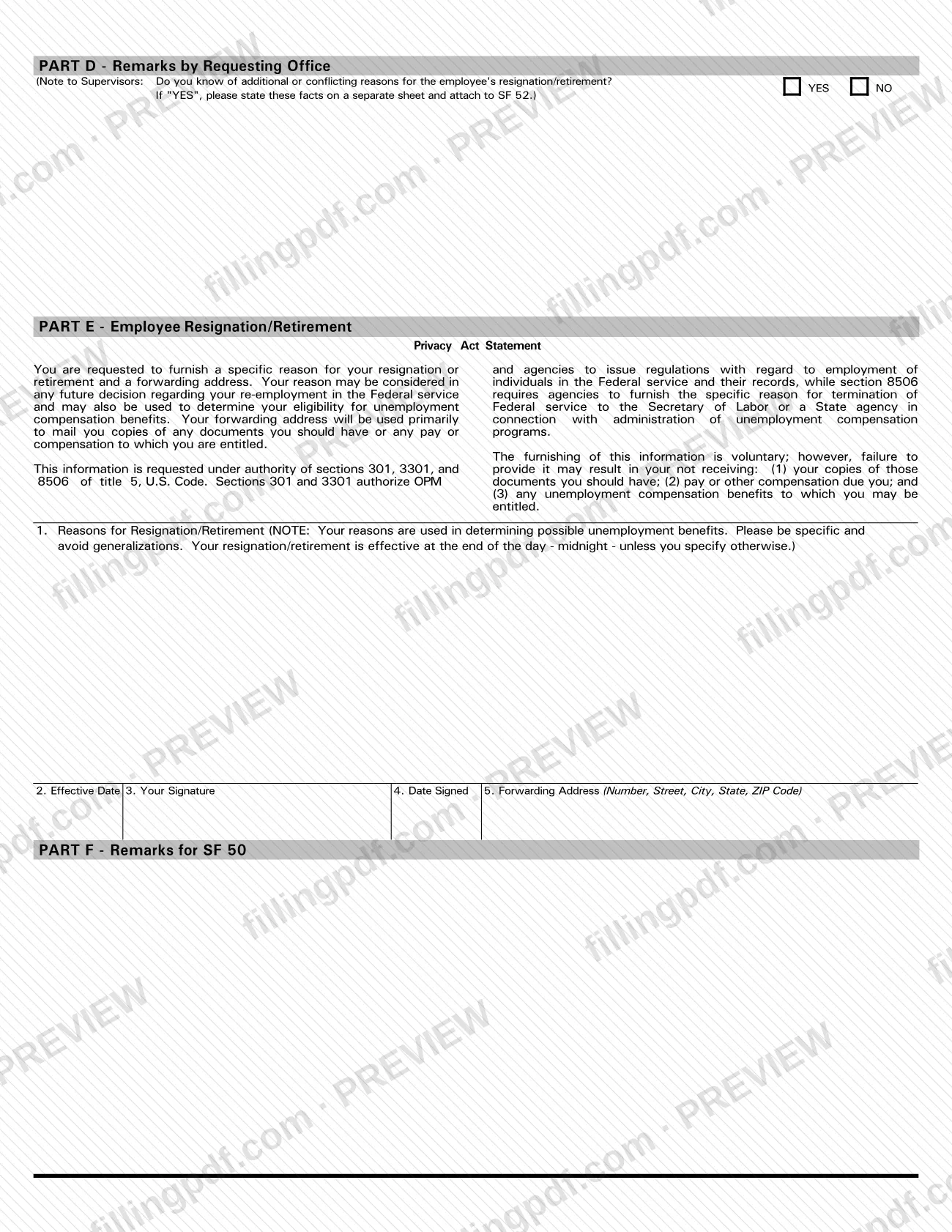
SF 52, Request for Personnel Action, is a Standard Form that the U.S. Office of Personnel Management (OPM) lists on its standard forms page. The same list includes SF 50, Notification of Personnel Action, and SF 59, Request for Approval of Non-Competitive Action, which are separate forms. On this page you can fill out the form online on FillingPDF and download or print the completed PDF; the official PDF is published by OPM at opm.gov.
Last updated
What is SF 52?
SF 52, Request for Personnel Action, is a Standard Form that the U.S. Office of Personnel Management (OPM), the federal agency that publishes the government's standard forms, lists under that title on its Standard Forms page.
Its title marks its role: it is a request. The neighboring forms on the same OPM list have different roles and different titles:
- SF 50, Notification of Personnel Action.
- SF 59, Request for Approval of Non-Competitive Action.
- SF 39, Request for Referral of Eligibles.
- SF 144, Statement of Prior Federal Service.
OPM's list gives only the title of each form and does not describe the lines of SF 52. For what each part of the form asks and how your agency uses it, rely on the printed form and on your agency's personnel instructions.
Who needs to file SF 52?
OPM places SF 52 among its Standard Forms, the set of government-wide forms it publishes for federal personnel matters such as appointments, retirement, benefits and employment questionnaires. By its title, the form is meant for anyone who has to put a personnel action in the form of a written request.
Do not confuse it with SF 50, Notification of Personnel Action, which OPM lists as its own form. If your task is a referral of eligibles, a non-competitive action approval or a statement of prior federal service, OPM lists SF 39, SF 59 and SF 144 separately.
OPM's page does not say who must complete or sign SF 52, so follow the instructions of the office that asked you to prepare it.
How to fill out SF 52
Confirm SF 52 is the right form
Check the title against OPM's list: SF 52 is the Request for Personnel Action, while SF 50 is the Notification of Personnel Action and SF 59 is the Request for Approval of Non-Competitive Action.
Open the fillable PDF
Start from the OPM PDF at opm.gov so that the form you complete is the version OPM publishes.
Work through the form from the top
Enter the information each section of the printed form asks for, in the order it appears, using the details your agency's personnel office has given you.
Match entries to your records
Compare names, dates and other details you entered with the records you used to prepare the request, so the form is consistent with them.
Complete any signature or approval blocks
Fill in the signature and approval areas the form contains, following the instructions of the office that asked you to prepare it.
Review and download the completed PDF
Read the whole form once more, then download or print the completed PDF from FillingPDF and send it through the channel your agency's personnel office specifies.
Common mistakes to avoid
- Treating SF 52, Request for Personnel Action, as the same form as SF 50, Notification of Personnel Action; OPM lists them as two separate forms.
- Using SF 39, Request for Referral of Eligibles, or SF 59, Request for Approval of Non-Competitive Action, when the form you were asked for is SF 52.
- Working from a copy of the form that does not come from OPM instead of the PDF published at the official OPM address.
- Assuming a due date, address or routing for SF 52 that OPM's standard forms page does not give; confirm those with the office that asked you for the form.
Frequently asked questions
What is SF 52?
SF 52 is the Standard Form titled Request for Personnel Action, listed by the U.S. Office of Personnel Management (OPM) among its Standard Forms. Its title shows that it is a request, as opposed to SF 50, which OPM lists as the Notification of Personnel Action.
What is the difference between SF 52 and SF 50?
SF 52 is the Request for Personnel Action; SF 50 is the Notification of Personnel Action. OPM lists them as two separate Standard Forms with their own titles, so completing one does not replace the other.
Can I fill out the SF 52 form online?
Yes. You can fill out the SF 52 PDF online on FillingPDF and download or print it. FillingPDF is an independent service, not affiliated with OPM, and it does not submit or file the form; you send it through the channel your agency requires.
Where can I get the official SF 52 PDF?
OPM publishes SF 52 at https://www.opm.gov/forms/pdf_fill/sf52.pdf, and lists it with the other Standard Forms at https://www.opm.gov/forms/standard-forms/. Use that PDF as the reference version of the form.
Which other OPM forms are related to SF 52?
OPM's Standard Forms list includes SF 50, Notification of Personnel Action; SF 59, Request for Approval of Non-Competitive Action; SF 39, Request for Referral of Eligibles; and SF 144, Statement of Prior Federal Service. Each is a separate form with its own title.
Ready to fill out SF 52?
Fill out SF 52 now