
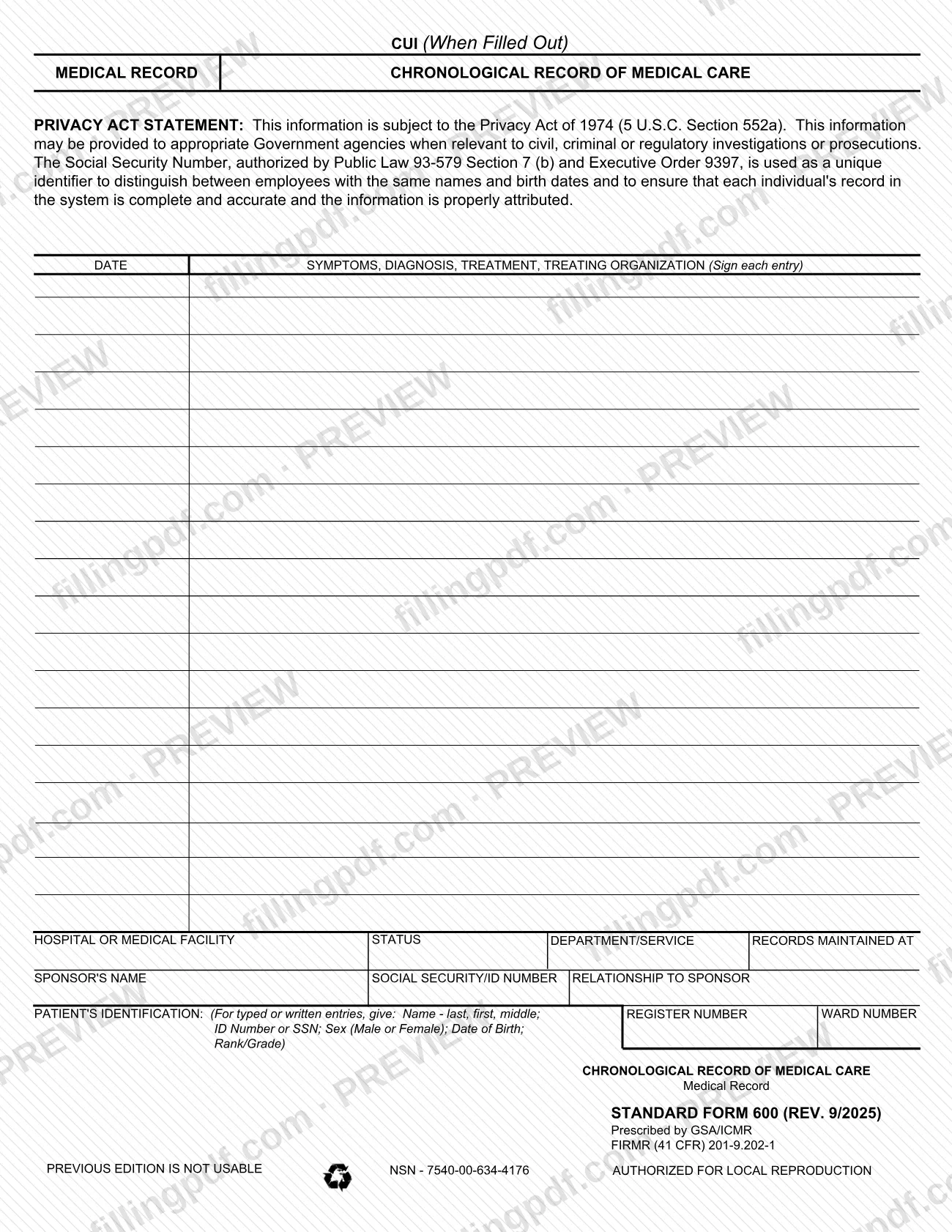
SF600, Standard Form 600, Medical Record - Chronological Record of Medical Care, is a form prescribed by GSA/ICMR on which a treating organization writes dated entries about a patient's symptoms, diagnosis and treatment. The form carries the patient's identification, the facility and, where relevant, the sponsor's details. On this page you can fill out the form online on FillingPDF and download or print the completed PDF; the official PDF is published by GSA at gsa.gov.
Last updated
What is SF 600?
SF 600, Medical Record - Chronological Record of Medical Care, is a Standard Form prescribed by GSA/ICMR that serves as a running, dated log of a patient's symptoms, diagnosis and treatment, with each entry signed by the treating organization's representative.
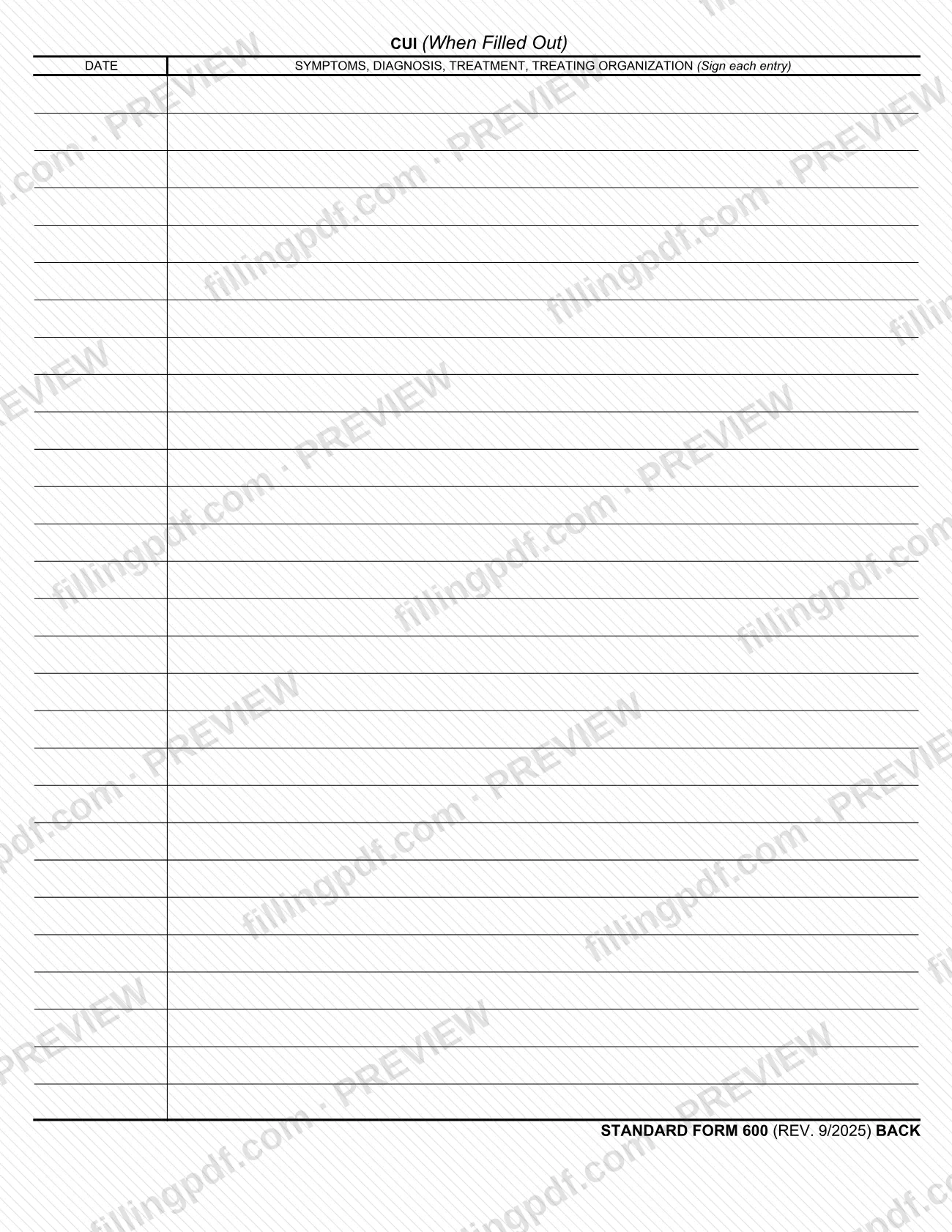
The form is built around a ruled entry area headed DATE and SYMPTOMS, DIAGNOSIS, TREATMENT, TREATING ORGANIZATION (Sign each entry). A header block identifies where the care was given and who the patient is: hospital or medical facility, status, department/service, records maintained at, sponsor's name, Social Security/ID number, relationship to sponsor, register number and ward number. A patient identification box tells you what to give on typed or written entries: name (last, first, middle), ID number or SSN, sex (Male or Female), date of birth and rank/grade. The back of the form repeats the entry columns for continuation.
The printed footer cites FIRMR (41 CFR) 201-9.202-1 and NSN 7540-00-634-4176. It states that the form is authorized for local reproduction and that the previous edition is not usable. The form is marked CUI (When Filled Out), and its Privacy Act statement refers to the Privacy Act of 1974 (5 U.S.C. Section 552a). The printed revision is REV. 9/2025.
Who needs to file SF 600?
SF 600 is used by the hospital, medical facility or other treating organization that keeps a patient's chronological record of care. The people it describes are patients and, where the care is given through a sponsor, the sponsor and the patient's relationship to that sponsor.
What the form itself shows about its users:
- Each entry is dated and signed ("Sign each entry"), so the person giving the care or the treating organization's representative completes the entry area.
- The header asks for the facility, department/service, status, and the place where the records are maintained.
- The patient identification box covers name, ID number or SSN, sex, date of birth and rank/grade.
The form prints no eligibility rule, exclusion or rule about representatives signing for a patient. Use the current edition: the form states that the previous edition is not usable.
When to file SF 600
SF 600 is a continuing record rather than a one-time filing: each entry carries its own date in the DATE column, and the treating organization signs each entry. The form prints no due date, filing window or renewal period. When the front of the form is full, the back of the form continues the same DATE and SYMPTOMS, DIAGNOSIS, TREATMENT, TREATING ORGANIZATION columns. Use the REV. 9/2025 edition, because the form states that the previous edition is not usable.
How to fill out SF 600
Confirm you have the current edition
Check the footer for STANDARD FORM 600 (REV. 9/2025). The form states that the previous edition is not usable.
Enter the hospital or medical facility
In HOSPITAL OR MEDICAL FACILITY, write the name of the facility giving the care.
Complete status and department
Fill in STATUS and DEPARTMENT/SERVICE for the care being recorded.
Say where records are maintained
In RECORDS MAINTAINED AT, enter the place where this patient's records are kept.
Add sponsor information if it applies
Enter the SPONSOR'S NAME, the SOCIAL SECURITY/ID NUMBER and the RELATIONSHIP TO SPONSOR when the patient is cared for through a sponsor.
Complete the patient identification
Give name (last, first, middle), ID number or SSN, sex (Male or Female), date of birth and rank/grade, as the PATIENT'S IDENTIFICATION box directs.
Enter register and ward numbers
Fill in REGISTER NUMBER and WARD NUMBER in their blocks.
Write each dated entry
In the entry area, put the date in the DATE column and describe symptoms, diagnosis and treatment in the adjoining column.
Sign each entry
Sign every entry in the column headed TREATING ORGANIZATION (Sign each entry).
Continue on the back if needed
When the front is full, use the back of the form, which repeats the DATE and SYMPTOMS, DIAGNOSIS, TREATMENT, TREATING ORGANIZATION columns.
Review and download the completed PDF
Check names, numbers and dates, then download or print the completed PDF from FillingPDF. Handle it as CUI, since the form is marked CUI (When Filled Out).
How to submit SF 600
The form prints no mailing address, portal, fee or submission channel. It is a record kept by the treating organization, and the block RECORDS MAINTAINED AT names the place where the completed record is held.
- Keeping the record: complete the header and patient identification blocks, add dated and signed entries, and keep the form where the facility maintains its records.
- Handling: the form is marked CUI (When Filled Out), so treat a completed copy as controlled information and follow the rules of your organization for handling it.
- Copies: the form states that it is authorized for local reproduction.
If you need to send the record to another organization, follow that organization's instructions; the form itself gives none. FillingPDF lets you fill out and download the PDF; submission or filing follows the channels your organization uses.
Common mistakes to avoid
- Using a previous edition of the form; SF 600 (REV. 9/2025) states that the previous edition is not usable.
- Leaving an entry unsigned; the entry area is headed "Sign each entry".
- Writing the patient's name in the wrong order; typed or written entries call for name as last, first, middle.
- Omitting the patient identification items the form lists for typed or written entries: ID number or SSN, sex (Male or Female), date of birth and rank/grade.
- Entering sex in a form other than Male or Female, as the patient identification box asks.
- Treating a completed form as an ordinary document when it is marked CUI (When Filled Out).
- Leaving the header blocks (facility, department/service, records maintained at) empty so the record cannot be tied to where the care was given.
- Continuing entries on a loose page instead of using the back of the form, which repeats the same entry columns.
Frequently asked questions
What is SF 600?
SF 600 is Standard Form 600, Medical Record - Chronological Record of Medical Care, prescribed by GSA/ICMR. It is a dated log in which symptoms, diagnosis and treatment are written and each entry is signed by the treating organization.
Can I fill out the SF600 form online?
Yes. You can fill out the SF600 PDF online on FillingPDF and download or print the finished form. FillingPDF is an independent service and does not file or deliver the record; your organization's own channels handle where the form goes.
Which edition of SF 600 should I use?
Use the edition printed STANDARD FORM 600 (REV. 9/2025). The form's footer says the previous edition is not usable, so older printed copies should not be used for new entries.
Does each entry on SF 600 need a signature?
Yes. The entry area is headed DATE and SYMPTOMS, DIAGNOSIS, TREATMENT, TREATING ORGANIZATION (Sign each entry), so every entry is signed. The form does not say who may sign on behalf of someone else.
What patient details does SF 600 ask for?
For typed or written entries: name (last, first, middle), ID number or SSN, sex (Male or Female), date of birth and rank/grade. The header also asks for the sponsor's name, Social Security/ID number and relationship to sponsor.
Where do I send a completed SF 600?
The form prints no address or portal. It has a RECORDS MAINTAINED AT block that shows where the record is kept, so follow your organization's procedure for filing or transferring it.
Why is SF 600 marked CUI?
The form is printed with the marking CUI (When Filled Out), so a completed copy is treated as controlled unclassified information. Its Privacy Act statement also says the information is subject to the Privacy Act of 1974.
Can I copy SF 600 locally?
Yes. The form's footer states AUTHORIZED FOR LOCAL REPRODUCTION. Copies should still be of the current edition, REV. 9/2025, because the previous edition is not usable.
Ready to fill out SF 600?
Fill out SF 600 now