
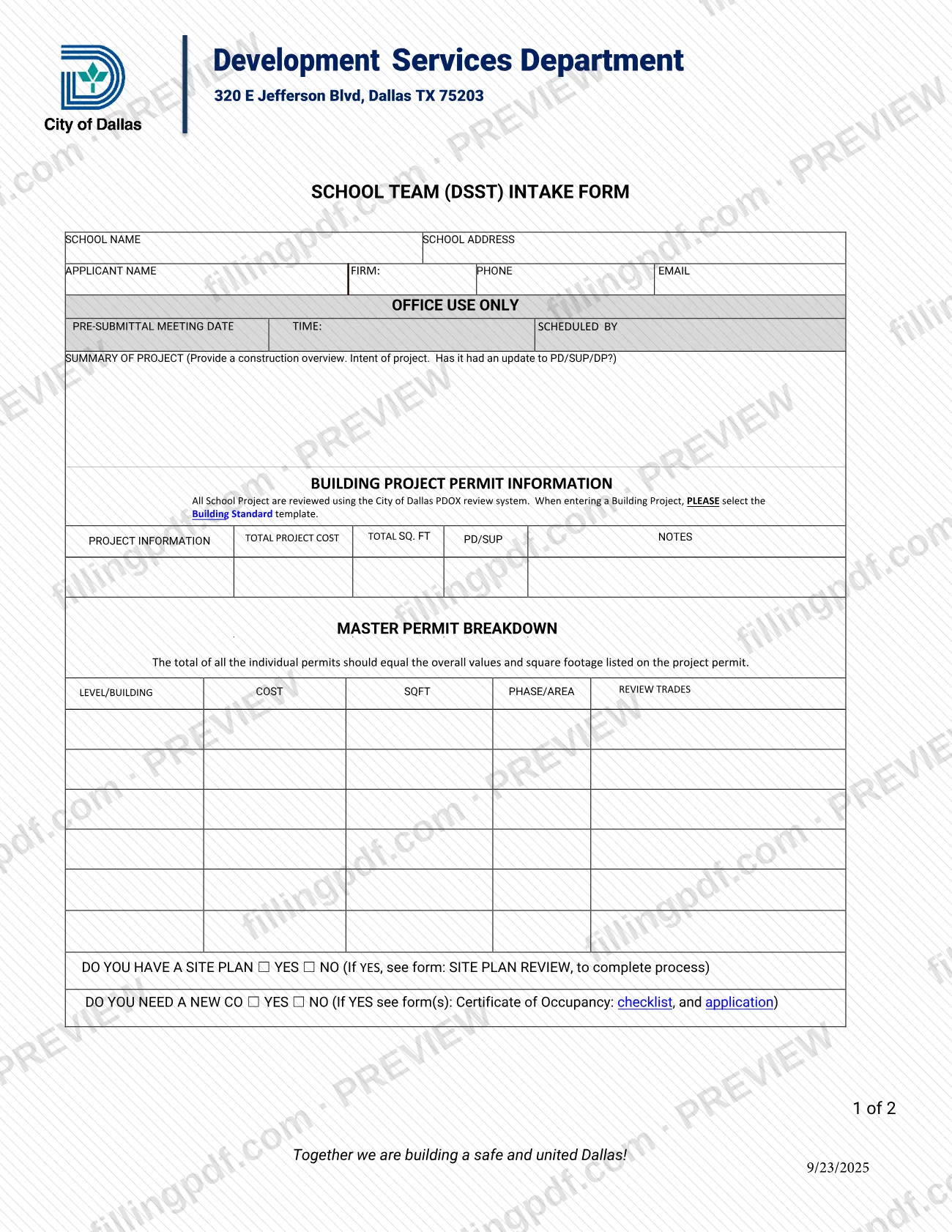
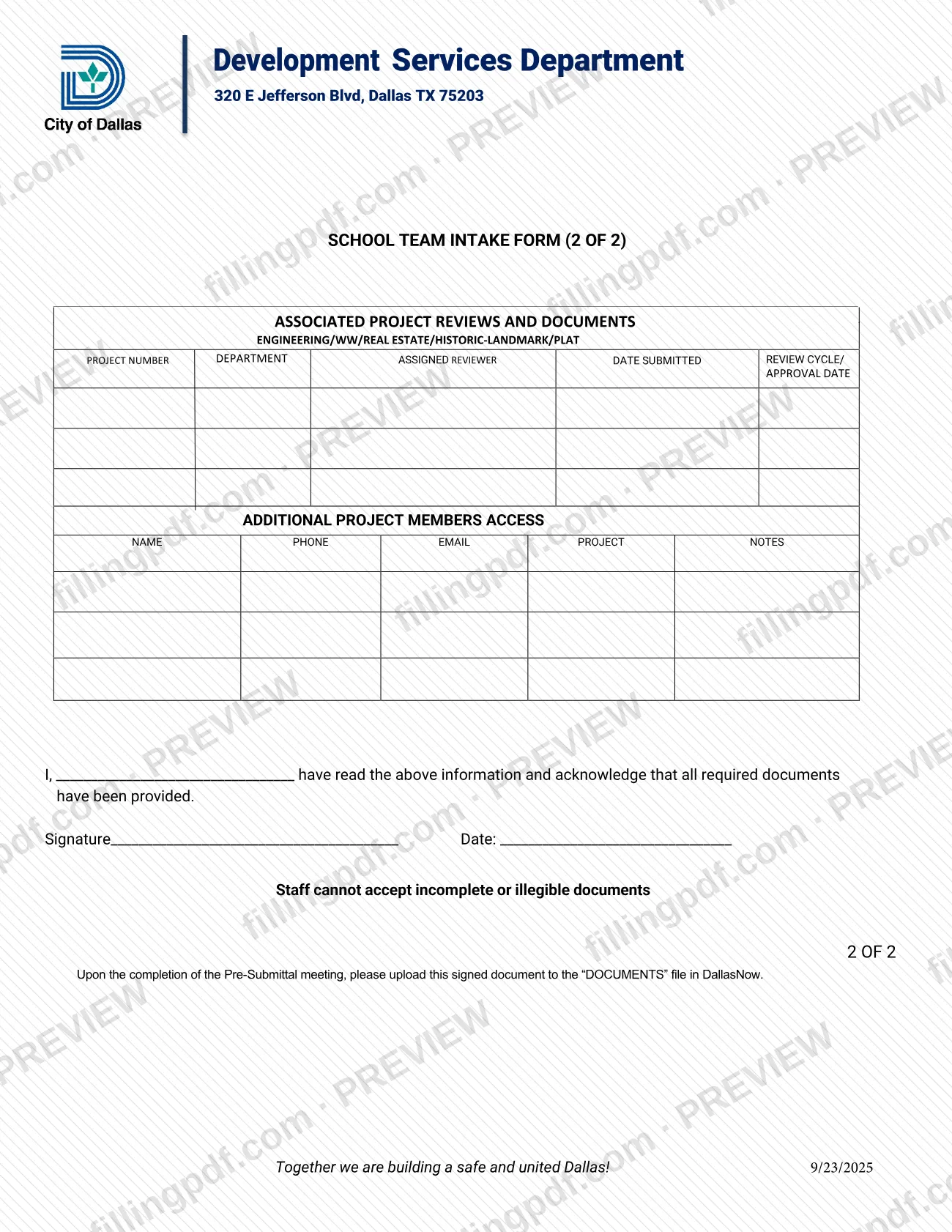
The School Team Intake Form, printed on the PDF as the School Team (DSST) Intake Form, is a two-page form from the City of Dallas Development Services Department for school construction projects. It belongs to the Dallas permit paperwork for school building work and records the applicant, a project summary, the master permit breakdown, related reviews and the project team. On this page you can fill out the form online on FillingPDF and download or print the completed PDF; the original PDF is published by the City of Dallas at the official source link.
Last updated
What is School Team Intake Form – Dallas, TX?
The School Team Intake Form, printed as the School Team (DSST) Intake Form, is a two-page City of Dallas Development Services Department form that collects the details of a school construction project: applicant, project summary, permit breakdown, related reviews and project team members.
Page 1 identifies the school and the applicant, holds an Office Use Only block for the pre-submittal meeting, and asks for a summary of the project: a construction overview, the intent of the project and whether it has had an update to PD/SUP/DP. It then collects the building project permit information (total project cost, total square footage, PD/SUP notes) and a master permit breakdown by level or building, cost, square footage, phase or area, review and trades. Two yes/no questions ask whether you have a site plan and whether you need a new CO.
Page 2 lists associated project reviews and documents (engineering, WW, real estate, historic-landmark and plat), additional project members who need access, and an acknowledgment with signature and date.
The form says that all school projects are reviewed in the City of Dallas PDOX review system and that a Building Project is entered using the Building Standard template. It is an intake record, not a replacement for the separate forms it points to: SITE PLAN REVIEW when you have a site plan, and the Certificate of Occupancy checklist and application when you need a new CO. The PDF carries the revision date 9/23/2025.
Who needs to file School Team Intake Form – Dallas, TX?
The form is meant for applicants and project teams handling a school construction project reviewed by the City of Dallas Development Services Department. The form states that all school projects are reviewed in the PDOX review system, and it asks for the school name, the school address and the name, firm, phone and email of the applicant.
Others who appear on the form:
- Additional project members. Page 2 has a block for people who need access to the project, with name, phone, email and project notes.
- The person who signs. The acknowledgment line names the individual who has read the information and confirms that all required documents have been provided; that person signs and dates it.
- Applicants with a site plan. If you answer YES to the site plan question, the form directs you to the SITE PLAN REVIEW form to complete that process.
- Applicants who need a new CO. If you answer YES, the form directs you to the Certificate of Occupancy checklist and application.
The form does not say who may sign on behalf of someone else, and it does not describe other kinds of projects. Staff cannot accept incomplete or illegible documents.
When to file School Team Intake Form – Dallas, TX
The form is tied to the pre-submittal meeting: upon completion of that meeting, you upload the signed document to the DOCUMENTS file in DallasNow. The meeting date, time and the staff member who scheduled it are entered by the city in the Office Use Only block on page 1, so prepare the form before the meeting and sign it once the meeting is complete.
No separate calendar deadline is printed on the form. Because staff cannot accept incomplete or illegible documents, have every applicable block filled in, including the permit breakdown and the signature and date, before you upload.
Documents you need
- Form SITE PLAN REVIEW: complete it only if you answer YES to "Do you have a site plan"; the intake form directs you to it to complete that process.
- Certificate of Occupancy checklist and application: complete them only if you answer YES to "Do you need a new CO".
How to fill out School Team Intake Form – Dallas, TX
Identify the school and applicant
On page 1, enter the SCHOOL NAME and SCHOOL ADDRESS, then the APPLICANT NAME, FIRM, PHONE and EMAIL.
Leave the Office Use Only block
The PRE-SUBMITTAL MEETING DATE, TIME and SCHEDULED BY entries are marked Office Use Only, so leave them for the city.
Write the project summary
Give a construction overview and the intent of the project, and say whether it has had an update to PD/SUP/DP.
Enter project information
Under Building Project Permit Information, enter the TOTAL PROJECT COST, the TOTAL SQ. FT and any PD/SUP notes. Use the Building Standard template when entering a Building Project in PDOX.
Complete the master permit breakdown
For each row, enter the LEVEL/BUILDING, COST, SQFT, PHASE/AREA, REVIEW and TRADES. The individual permits should total the overall values and square footage on the project permit.
Answer site plan and CO questions
Check YES or NO for "Do you have a site plan" and for "Do you need a new CO". If YES, complete the SITE PLAN REVIEW form or the Certificate of Occupancy checklist and application.
List associated reviews and documents
On page 2, list engineering, WW, real estate, historic-landmark and plat reviews with the PROJECT NUMBER, DEPARTMENT, ASSIGNED REVIEWER, DATE SUBMITTED and REVIEW CYCLE/APPROVAL DATE.
Add additional project members
Enter the NAME, PHONE and EMAIL of each person who needs access to the project, and add any PROJECT NOTES.
Sign and date the acknowledgment
Enter your name on the "I, ____" line to confirm you have read the information and all required documents have been provided, then sign and date it.
Review and download the completed PDF
Check that every block is complete and legible, then download or print the completed PDF from FillingPDF and upload it to DallasNow as described under How to submit.
How to submit School Team Intake Form – Dallas, TX
The form names one channel: an upload to the DOCUMENTS file in DallasNow, done after the pre-submittal meeting is complete.
- DallasNow upload. Once the pre-submittal meeting is finished, upload the signed School Team Intake Form to the DOCUMENTS file in DallasNow. The form gives no portal address, so use the DallasNow project you were given.
- Building Project entry. The form states that school projects are reviewed in the City of Dallas PDOX review system and that you should select the Building Standard template when entering a Building Project.
- What the upload must contain. The form must be signed and dated, and it must be complete and legible; staff cannot accept incomplete or illegible documents. The total of the individual permits listed in the master permit breakdown should equal the overall values and square footage on the project permit.
- Related forms. If you answered YES to the site plan question or the new CO question, complete the forms the intake form names (SITE PLAN REVIEW; Certificate of Occupancy checklist and application).
The Development Services Department address printed in the header is 320 E Jefferson Blvd, Dallas TX 75203; the form does not present it as a mailing address for this document. The form prints no fee. FillingPDF lets you fill out and download the PDF; submission follows the channel above.
Common mistakes to avoid
- Selecting a template other than Building Standard when entering a Building Project; the form says to select the Building Standard template.
- Listing individual permits whose cost and square footage do not add up to the overall values on the project permit, which the form says should be equal.
- Uploading the form to DallasNow before the pre-submittal meeting is complete; the form says to upload it upon completion of the meeting.
- Leaving the acknowledgment unsigned or undated on page 2.
- Submitting an incomplete or illegible form; the form states that staff cannot accept either.
- Answering YES to the site plan or new CO question without completing the SITE PLAN REVIEW form or the Certificate of Occupancy checklist and application.
- Skipping the PD/SUP/DP question in the project summary, which asks whether the project has had an update.
- Filling in the Office Use Only block with the pre-submittal meeting date, time or scheduler.
Frequently asked questions
Is the School Team Intake Form a Dallas permit application?
It is an intake form for school projects reviewed by Dallas Development Services. It records project details and a permit breakdown, and it is signed and uploaded to DallasNow after the pre-submittal meeting. The form also says to enter a Building Project in PDOX using the Building Standard template.
Where do I submit the School Team Intake Form?
Upload the signed form to the DOCUMENTS file in DallasNow once the pre-submittal meeting is complete. The form prints no mailing address or other channel for this document.
When should I upload the School Team Intake Form?
Upload it upon completion of the pre-submittal meeting. The meeting date and time are filled in by the city in the Office Use Only block. The form prints no other deadline.
Do I need a site plan form or a CO form too?
Only if you answer YES. If you have a site plan, the form directs you to the SITE PLAN REVIEW form. If you need a new CO, it directs you to the Certificate of Occupancy checklist and application.
Which template do I select for a school building project?
Select the Building Standard template. The form states that all school projects are reviewed in the City of Dallas PDOX review system and that this template is used when entering a Building Project.
Does the permit breakdown have to match the project totals?
Yes, it should. The form says the total of all the individual permits should equal the overall values and square footage listed on the project permit.
Can I fill out the School Team Intake Form online?
You can fill out the PDF online on FillingPDF and download or print it. FillingPDF is an independent service and does not file or upload the form for you; you upload the signed form to DallasNow yourself.
Will incomplete forms be accepted?
No. The form states that staff cannot accept incomplete or illegible documents, so complete every applicable block and sign and date the acknowledgment before uploading.
Ready to fill out School Team Intake Form – Dallas, TX?
Fill out School Team Intake Form – Dallas, TX now