
The Equipment Request Form is the Texas Department of Motor Vehicles (TxDMV) form for requesting RTS workstation additions, workstation conversions and new site installations at a county site. Counties complete one form for each existing or new site and email it to TxDMV. On this page you can fill out the equipment request form online on FillingPDF and download or print the completed PDF; the original form and the County Equipment Guide are published by TxDMV.
Last updated
What is Equipment Request Form – Texas?
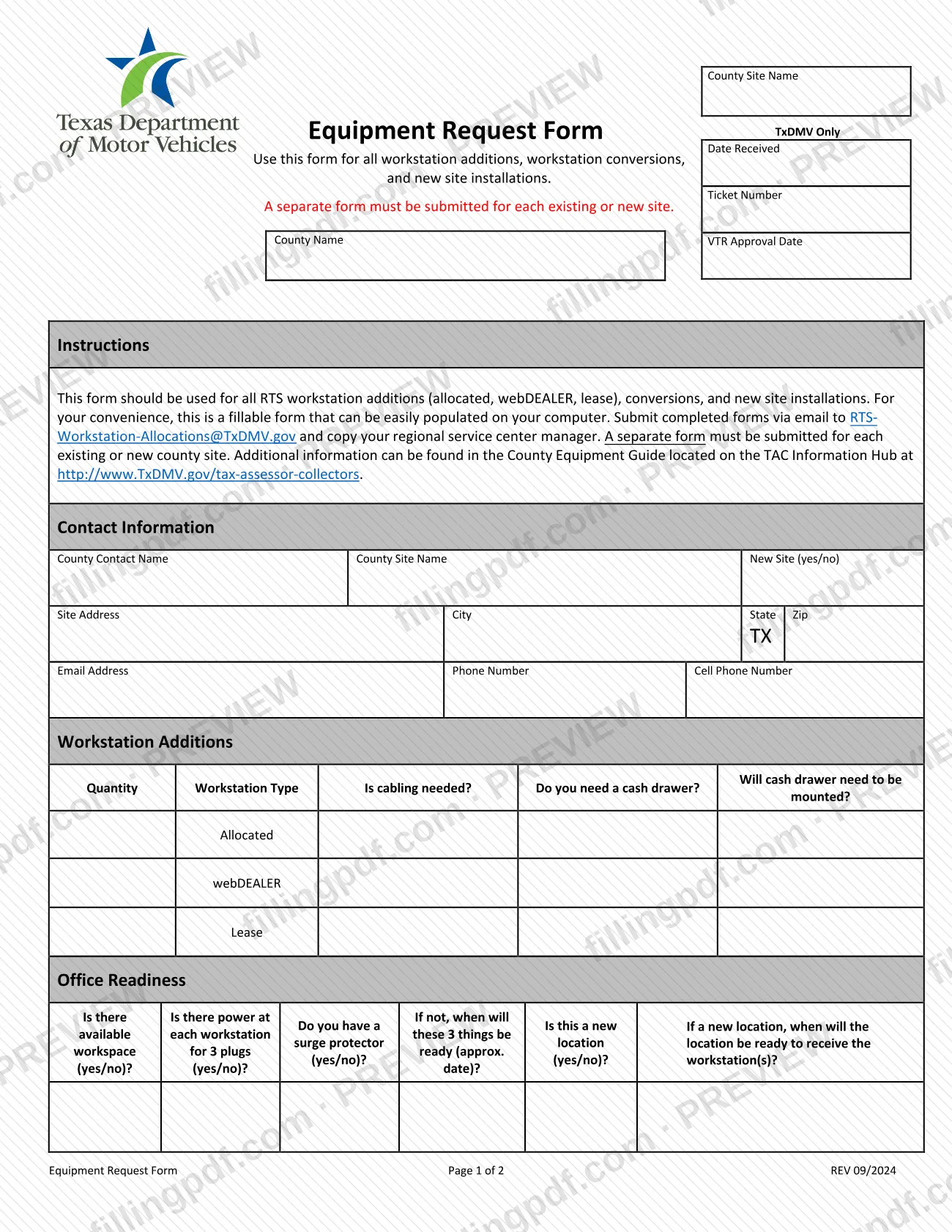
The Equipment Request Form is a two-page Texas Department of Motor Vehicles (TxDMV) form that a county uses to request RTS workstation equipment: additions, conversions and new site installations. The printed revision is REV 09/2024.
The form says it must be used for all RTS workstation additions (allocated, webDEALER and lease), for conversions, and for new site installations. It is organized in blocks:
- Contact Information for the county contact and the site.
- Workstation Additions, by quantity and workstation type, with cabling and cash drawer questions.
- Office Readiness, covering workspace, power for three plugs and a surge protector.
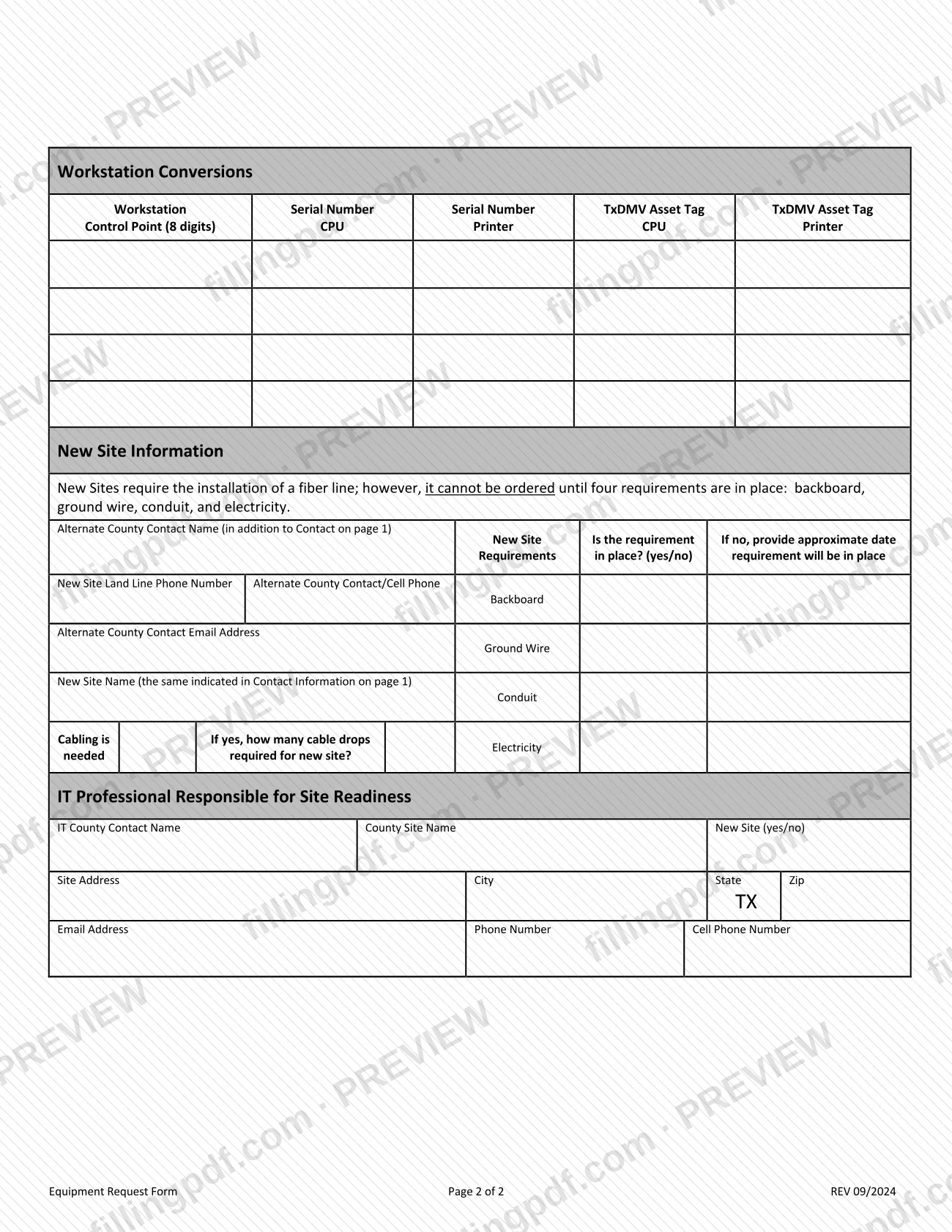
- Workstation Conversions, listing the control point and the serial numbers and TxDMV asset tags of the CPU and printer.
- New Site Information, including the requirements for a fiber line, an alternate county contact and the IT professional responsible for site readiness.
A box marked TxDMV Only holds the Date Received and Ticket Number, which TxDMV completes. The form points to the County Equipment Guide on the TAC Information Hub at http://www.TxDMV.gov/tax-assessor-collectors for additional information.
Who needs to file Equipment Request Form – Texas?
County offices that need RTS workstation equipment from TxDMV use this form. According to the form, it covers three situations:
- Workstation additions: allocated, webDEALER or lease workstations.
- Workstation conversions.
- New site installations.
A separate form must be submitted for each existing or new county site, so a county with several sites completes one form per site rather than combining them. The person named under County Contact Name is the county's point of contact for the request. For a new site, the form also asks for an alternate county contact and for the IT professional responsible for site readiness. The form lists no other users and sets no eligibility test beyond these uses.
When to file Equipment Request Form – Texas
Submit the form when a county site needs a workstation addition, a workstation conversion or a new site installation. The form prints no calendar deadline. For a new site, timing depends on site readiness: the instructions say a fiber line cannot be ordered until four requirements are in place: backboard, ground wire, conduit and electricity. The form asks whether each requirement is in place and, if not, the approximate date it will be. It also asks when a new location will be ready to receive the workstation(s). Complete a separate form for each site.
How to fill out Equipment Request Form – Texas
Enter the county contact details
Under Contact Information, enter the County Contact Name, County Site Name and whether it is a New Site (yes/no). Add the Site Address, City, Zip, Email Address, Phone Number and Cell Phone Number; State is preset to TX.
Leave the TxDMV Only box blank
The Date Received and Ticket Number fields in the TxDMV Only box are for TxDMV. Do not complete them.
List workstation additions
In Workstation Additions, enter the Quantity for each Workstation Type: Allocated, webDEALER or Lease. Answer whether cabling is needed, whether you need a cash drawer, and whether the cash drawer will need to be mounted.
Complete the office readiness questions
Under Office Readiness, answer the yes/no questions about available workspace, power for 3 plugs at each workstation, a surge protector and whether this is a new location. If the three items are not ready, give an approximate date; for a new location, give when it will be ready to receive the workstation(s).
Describe workstation conversions
For each conversion, enter the Workstation Control Point (8 digits). Add the Serial Number and TxDMV Asset Tag for the CPU and for the printer.
Check the new site requirements
For a new site, indicate whether the backboard, ground wire, conduit and electricity are in place (yes/no). If not, give the approximate date each requirement will be in place.
Add new site contact and cabling details
Enter the New Site Name (the same as in Contact Information on page 1), the New Site Land Line Phone Number, and the Alternate County Contact Name, cell phone and email address. State whether cabling is needed and, if yes, how many cable drops the new site requires.
Name the IT professional
Under IT Professional Responsible for Site Readiness, enter the IT County Contact Name, County Site Name, New Site (yes/no), Site Address, City, Zip, Email Address, Phone Number and Cell Phone Number.
Review and download the completed PDF
Check that every section that applies is complete and that this is the only site on the form. Download or print the completed PDF from FillingPDF, then email it as described under How to submit.
How to submit Equipment Request Form – Texas
The form is submitted by email only; it names no mailing address or portal.
- Email: send the completed form to [email protected].
- Copy: copy your regional service center manager on the email.
Submit one form for each existing or new county site. The form notes that additional information is in the County Equipment Guide on the TAC Information Hub at http://www.TxDMV.gov/tax-assessor-collectors. The form prints no fee. FillingPDF lets you fill out and download the PDF; submission follows the channels above.
Common mistakes to avoid
- Combining several county sites on one form; the form requires a separate form for each existing or new site.
- Emailing the form without copying the regional service center manager, as the instructions direct.
- Using this form for something other than workstation additions, conversions or new site installations.
- Leaving the Office Readiness questions unanswered, including the approximate date when workspace, power or a surge protector will be ready.
- Listing a Workstation Conversions control point that is not 8 digits, or omitting the serial numbers or TxDMV asset tags for the CPU and printer.
- Ordering or expecting a fiber line for a new site before backboard, ground wire, conduit and electricity are in place.
- Writing a different site name under New Site Information than the one in Contact Information on page 1.
- Filling in the TxDMV Only box (Date Received, Ticket Number), which is reserved for TxDMV.
Frequently asked questions
What is the equipment request form used for?
The TxDMV Equipment Request Form is used for all RTS workstation additions (allocated, webDEALER and lease), workstation conversions and new site installations at county sites. It collects contact details, workstation quantities and types, office readiness and, for new sites, installation requirements.
Where do I send the TxDMV equipment request form?
Email the completed form to [email protected] and copy your regional service center manager. The form names no mailing address or online portal, so email is the channel it gives.
Do I need a separate equipment request form for each county site?
Yes. The form states that a separate form must be submitted for each existing or new county site. Do not combine several sites on a single form.
Can I fill out the equipment request form online?
You can fill out the PDF online on FillingPDF and download or print it. FillingPDF is independent of TxDMV and does not send the form; you email it to TxDMV yourself.
What must be in place before a fiber line is ordered for a new site?
Four requirements: backboard, ground wire, conduit and electricity. The form says new sites require a fiber line, but it cannot be ordered until all four are in place. The form asks for an approximate date for any that are not yet ready.
Where can I find more information about county equipment?
The form refers to the County Equipment Guide on the TAC Information Hub at http://www.TxDMV.gov/tax-assessor-collectors. TxDMV publishes the guide there with additional information on workstation equipment.
What serial numbers do I need for a workstation conversion?
Enter the workstation control point (8 digits) and, for both the CPU and the printer, the serial number and the TxDMV asset tag. These fields are in the Workstation Conversions section on page 2.
Ready to fill out Equipment Request Form – Texas?
Fill out Equipment Request Form – Texas now