
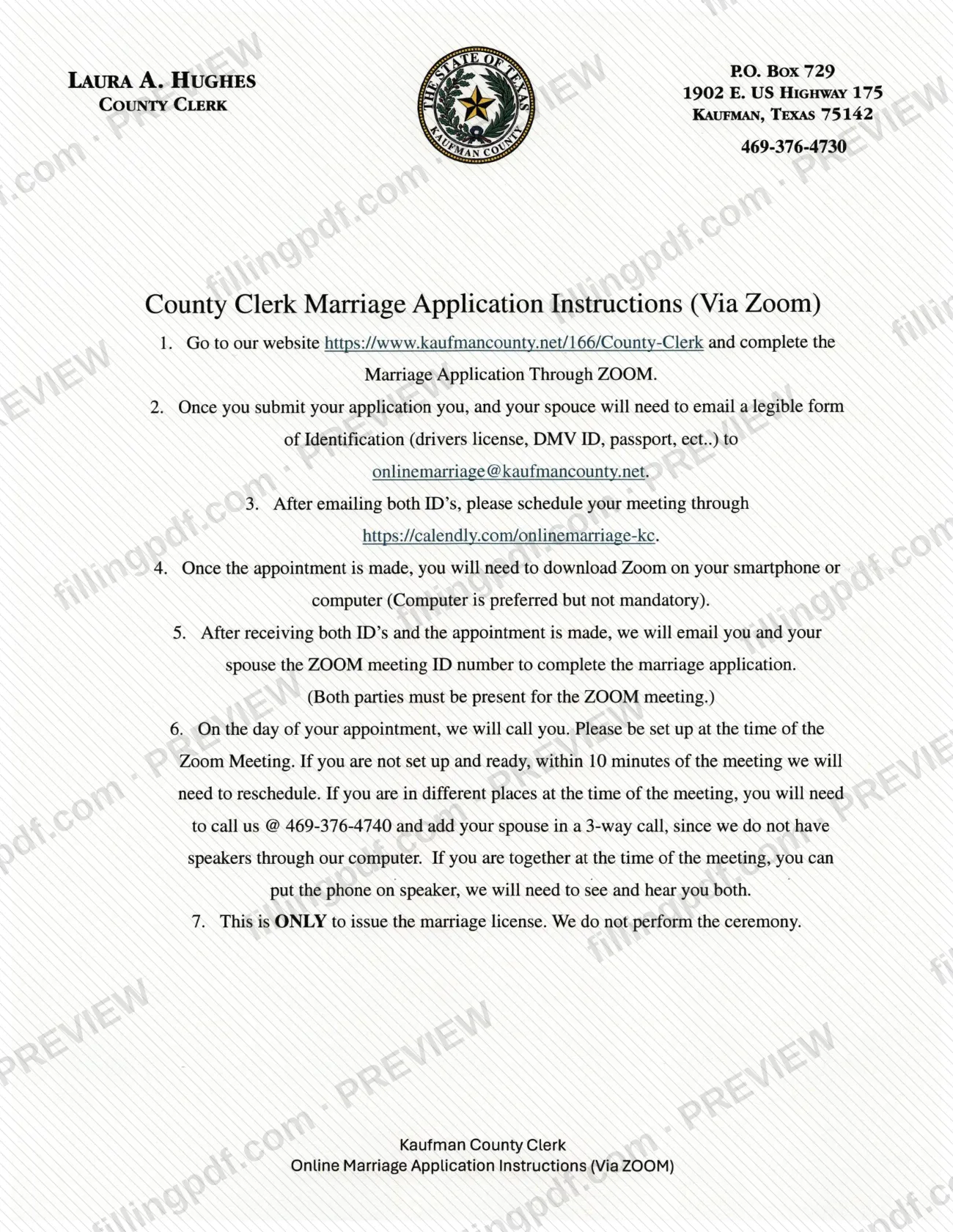
The Marriage License Application Through ZOOM Instructions is the sheet the Kaufman County Clerk publishes for couples who want to complete a marriage license application by video call. It is one of the Kaufman County marriage license resources: it lists the order of the steps, from the online application to the Zoom meeting. On this page you can fill out the form online on FillingPDF and download or print the completed PDF; the original document and the application itself are published by Kaufman County at kaufmancounty.net.
Last updated
What is Marriage License Application Through ZOOM Instructions – Kaufman County, TX?
The Marriage License Application Through ZOOM Instructions is the Kaufman County Clerk's step-by-step sheet explaining how a couple completes the marriage license application remotely, through a scheduled Zoom meeting with the clerk's office, instead of at the counter.
The sheet is headed "County Clerk Marriage Application Instructions (Via Zoom)" and carries the County Clerk's mailing address, P.O. Box 729, 1902 E. US Highway 175, Kaufman, Texas 75142, and the phone number 469-376-4730. It describes a sequence: complete the Marriage Application Through ZOOM on the County Clerk page of the county website, email a legible ID for each spouse, book an appointment, install Zoom, receive the meeting ID by email, and take the clerk's call.
The sheet states its limit plainly: the Zoom process is only to issue the marriage license, and the County Clerk does not perform the ceremony. The county's own page adds that, under Family Code Section 2.001, county clerks issue all marriage licenses in the State of Texas, and that in Kaufman the license is obtained at the County Clerk's office.
This is an instruction sheet, not the application. The application is the separate online form named in step 1.
Who needs to file Marriage License Application Through ZOOM Instructions – Kaufman County, TX?
Couples who want a marriage license from the Kaufman County Clerk and prefer to complete the application by Zoom use these instructions. Both parties take part: each spouse emails an ID, and both must be present for the Zoom meeting.
- Couples in the same place can sit together and put the phone on speaker, because the clerk's office needs to see and hear both of them.
- Couples in different places at the time of the meeting must call 469-376-4740 and add the spouse in a 3-way call, since the clerk's computer has no speakers.
The sheet is not for anyone who wants a ceremony performed: the County Clerk issues the license only and does not perform the ceremony. Couples who do not want the Zoom route can use the in-person option the county describes, at the County Clerk's office, 1902 E. US Highway 175, Kaufman, TX. The sheet does not list any eligibility conditions for the license itself.
When to file Marriage License Application Through ZOOM Instructions – Kaufman County, TX
Start when you are ready to apply for the marriage license: the instructions set no calendar deadline, and the steps run in order, beginning with the online application on the County Clerk page. Both IDs must be emailed before you schedule the meeting, and the clerk's office sends the Zoom meeting ID only after it has received both IDs and the appointment has been made.
On the appointment day the County Clerk's office calls you. Be set up at the meeting time: if you are not ready within 10 minutes of the meeting, the appointment has to be rescheduled.
For the in-person route described on the county's page, the County Clerk asks you to arrive at the courthouse no later than 3:30 pm and to expect the process to take approximately 30 minutes. The sheet gives no processing time for the Zoom meeting.
Documents you need
- A legible form of identification for you (driver's license, DMV ID, passport, etc.), emailed to [email protected] after you submit the online application.
- A legible form of identification for your spouse (driver's license, DMV ID, passport, etc.), emailed to the same address; the clerk's office needs both IDs before it sends the Zoom meeting ID.
How to fill out Marriage License Application Through ZOOM Instructions – Kaufman County, TX
Complete the online application
Go to https://www.kaufmancounty.net/166/County-Clerk and complete the Marriage Application Through ZOOM. This instruction sheet does not list the application's fields.
Email both spouses' IDs
After you submit the application, you and your spouse each email a legible ID (driver's license, DMV ID, passport, etc.) to [email protected].
Schedule the Zoom appointment
Once both IDs are sent, schedule the meeting at https://calendly.com/onlinemarriage-ke.
Install Zoom
After the appointment is made, download Zoom on a smartphone or computer. A computer is preferred but not mandatory.
Wait for the meeting ID
When the County Clerk has both IDs and the appointment, it emails you and your spouse the Zoom meeting ID. Both parties must be present for the meeting.
Be ready for the clerk's call
The office calls you on the appointment day. Be set up on time: after 10 minutes without being ready, the meeting is rescheduled.
Arrange audio if apart
If you are in different places, call 469-376-4740 and add your spouse in a 3-way call. If you are together, use speaker so the clerk can see and hear you both.
Review and download the PDF
Check the steps and contact details, then download or print the completed PDF from FillingPDF and follow the channels described under How to submit.
How to submit Marriage License Application Through ZOOM Instructions – Kaufman County, TX
The Zoom process uses the county website, email, an online calendar and a phone call; nothing is mailed.
- Online application: go to https://www.kaufmancounty.net/166/County-Clerk and complete the Marriage Application Through ZOOM.
- Email: after submitting, you and your spouse each email a legible ID (driver's license, DMV ID, passport, etc.) to [email protected].
- Appointment: once both IDs are sent, schedule the meeting at https://calendly.com/onlinemarriage-ke.
- Zoom meeting: the County Clerk emails both spouses the Zoom meeting ID after receiving both IDs and the appointment. The office calls you on the day; both parties must be present.
- Phone: if you are in different places, call 469-376-4740 and add your spouse in a 3-way call.
The County Clerk's mailing address is P.O. Box 729, 1902 E. US Highway 175, Kaufman, Texas 75142, telephone 469-376-4730. FillingPDF lets you fill out and download the PDF; submission follows the County Clerk's channels above.
Common mistakes to avoid
- Emailing only one spouse's ID; the County Clerk sends the Zoom meeting ID only after receiving both IDs and the appointment.
- Sending an ID that is hard to read; the instructions ask for a legible form of identification.
- Not being set up when the clerk's office calls; if you are not ready within 10 minutes of the meeting, it must be rescheduled.
- Joining from different places without calling 469-376-4740 to add your spouse in a 3-way call.
- Attending the meeting alone; both parties must be present, and the clerk's office needs to see and hear both.
- Expecting the Zoom meeting to include a ceremony; it is only to issue the marriage license.
- Booking the Calendly appointment before emailing both IDs; the instructions list the IDs first, then the appointment.
Frequently asked questions
How do I get a Kaufman County marriage license by Zoom?
Complete the Marriage Application Through ZOOM on the County Clerk page, email both spouses' IDs to [email protected], book a time at the Calendly link, and join the Zoom meeting with the clerk's office. Both parties must be present.
What ID do I need for the Kaufman County Zoom marriage application?
Each spouse emails a legible form of identification, such as a driver's license, DMV ID or passport, to [email protected]. The instructions list these as examples ("etc."). The County Clerk needs both IDs before it sends the Zoom meeting ID.
Do both of us have to be on the Zoom call?
Yes. Both parties must be present for the Zoom meeting, and the clerk's office needs to see and hear you both. If you are in different places, call 469-376-4740 and add your spouse in a 3-way call.
What happens if I am late to my Zoom marriage license appointment?
The County Clerk calls you on the day of the appointment. If you are not set up and ready within 10 minutes of the meeting time, the office will need to reschedule it.
Does the County Clerk perform the wedding ceremony over Zoom?
No. The instructions state that the Zoom process is only to issue the marriage license and that the Kaufman County Clerk does not perform the ceremony.
Can I apply for a Kaufman County marriage license in person instead?
Yes. The county's page says the license is obtained at the County Clerk's office, 1902 E. US Highway 175, Kaufman, TX. It asks you to arrive no later than 3:30 pm and to expect about 30 minutes.
Can I fill out this form online on FillingPDF?
You can fill out the form online on FillingPDF and download or print the PDF. FillingPDF is an independent service, not connected to Kaufman County, and does not submit anything: the application is completed on the county website and through the County Clerk's Zoom process.
Ready to fill out Marriage License Application Through ZOOM Instructions – Kaufman County, TX?
Fill out Marriage License Application Through ZOOM Instructions – Kaufman County, TX now