
Instructions: Reporting an Address Change in Your Vehicle Account is the Loudoun County Commissioner of the Revenue's guide to updating the address on a county vehicle account, and one of the Loudoun County property tax resources the office publishes. It is for owners who already have an account with a registered vehicle and who have moved or now keep a vehicle at a different address. On this page you can fill out the form online on FillingPDF and download or print the completed PDF; the update itself is made in the county's online system at loudoun.gov/efile.
Last updated
What is Instructions: Reporting an Address Change in Your Vehicle Account – Loudoun County, VA?
Instructions: Reporting an Address Change in Your Vehicle Account is a step-by-step guide from the Loudoun County Commissioner of the Revenue that shows vehicle owners how to update the mailing address and vehicle location on their county vehicle account online.
The guide is printed under the title "Vehicle Account Update Instructions: Reporting an Address Change", and its pages carry the code PPA7-0726 in the footer. It is a screen-by-screen walkthrough, not a paper form: it follows the county's e-file system from login to the confirmation page.
It covers two kinds of change. The first is the account's mailing address, which you edit after logging in. The second is the vehicle's physical location, the address where the vehicle is typically parked, which is usually your home address. The same "Close Item" screen also lets you report that you no longer own the vehicle by giving an effective date and a disposal reason.
The guide assumes you have already created an account and registered your vehicle. It does not explain how to register a vehicle or how to pay a tax bill; it points to loudoun.gov/paymybill for payments and to the Commissioner of the Revenue's office, at 703-777-0260 or [email protected], for help with local vehicle personal property taxes.
Who needs to file Instructions: Reporting an Address Change in Your Vehicle Account – Loudoun County, VA?
Owners who already have a vehicle account with the Loudoun County Commissioner of the Revenue, and who have registered a vehicle, use these instructions when their information changes. The guide says you may update your information once your account is created and the vehicle is registered.
- Owners who move. If you move, the guide says you must update the address on the account.
- Owners whose vehicle is now kept elsewhere. If the vehicle has been moved to a different location, or is now kept at a different address, you must update the address on the account.
- Owners who no longer have the vehicle. The "Close Item" screen asks for the effective date and a disposal reason if you no longer own it.
You need your six-digit account number, your taxpayer identification number (SSN/FEIN) and the ZIP code of your mailing address to log in. The guide names no representative or third party who may make the update for you.
When to file Instructions: Reporting an Address Change in Your Vehicle Account – Loudoun County, VA
Update the account when the address changes: the guide says you must update the address on the account if you move, or if the vehicle is now kept at a different address. It sets no calendar deadline and no separate filing window for this update.
You can start once your account is created and your vehicle is registered. The county's e-file system at loudoun.gov/efile is where the change is entered, and the final screen confirms that the vehicle record was updated. If you need help with your local vehicle personal property taxes, contact the Commissioner of the Revenue at 703-777-0260 or [email protected].
Documents you need
- Account login details, not a document: your six-digit account number, your taxpayer identification number (SSN/FEIN) and the ZIP code of your mailing address, all needed to log in.
How to fill out Instructions: Reporting an Address Change in Your Vehicle Account – Loudoun County, VA
Open the e-file system
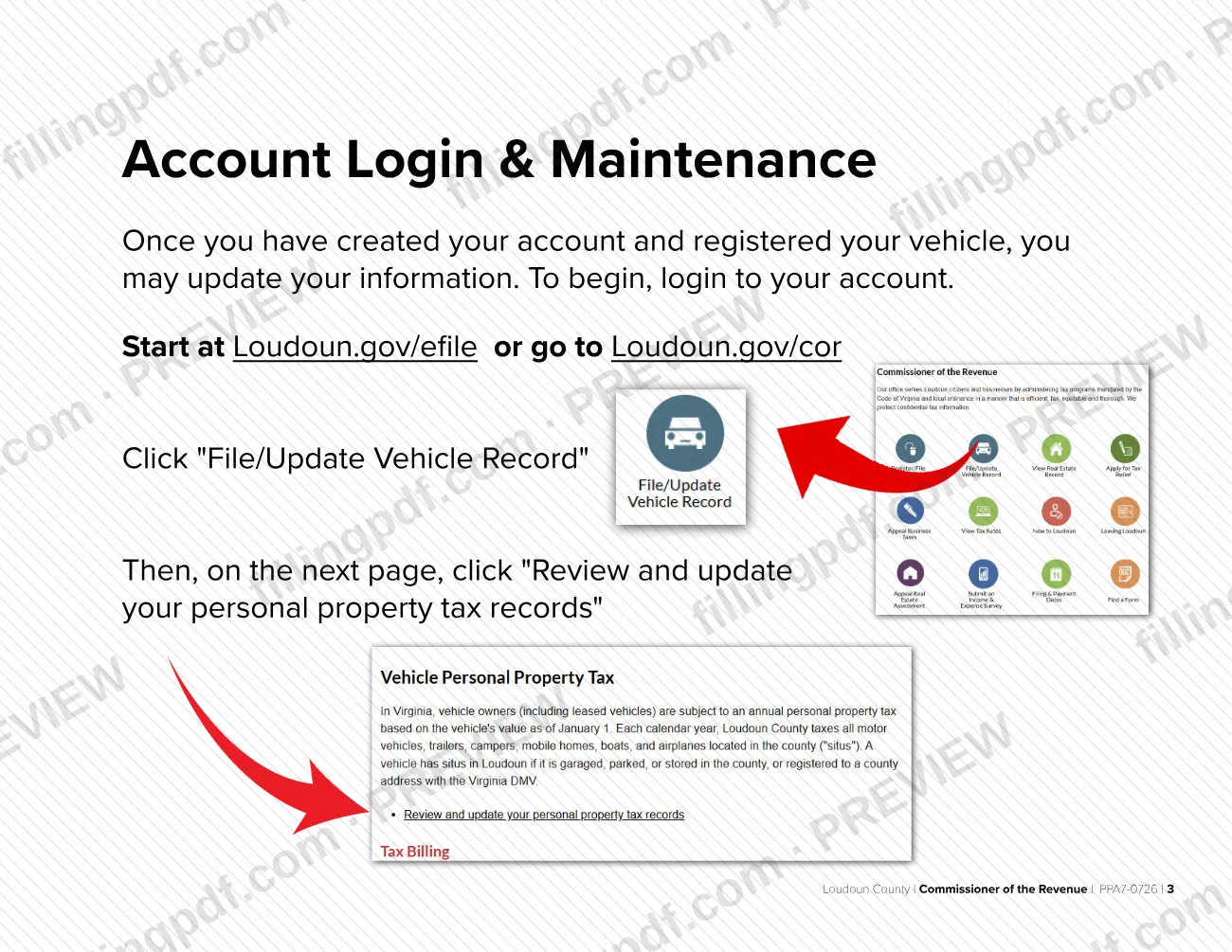
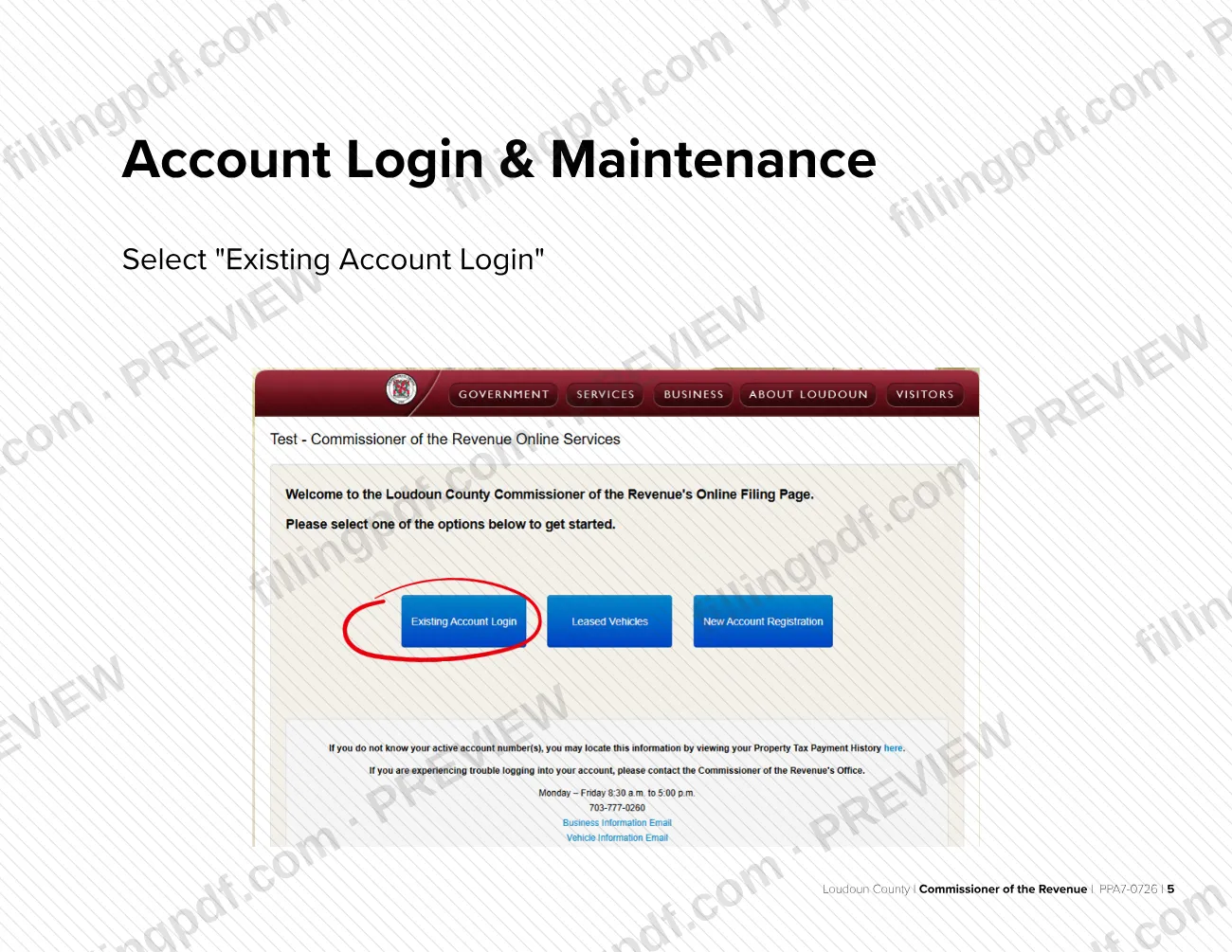
Start at Loudoun.gov/efile or Loudoun.gov/cor. Click File/Update Vehicle Record, then click Review and update your personal property tax records.
Accept the legal disclaimer
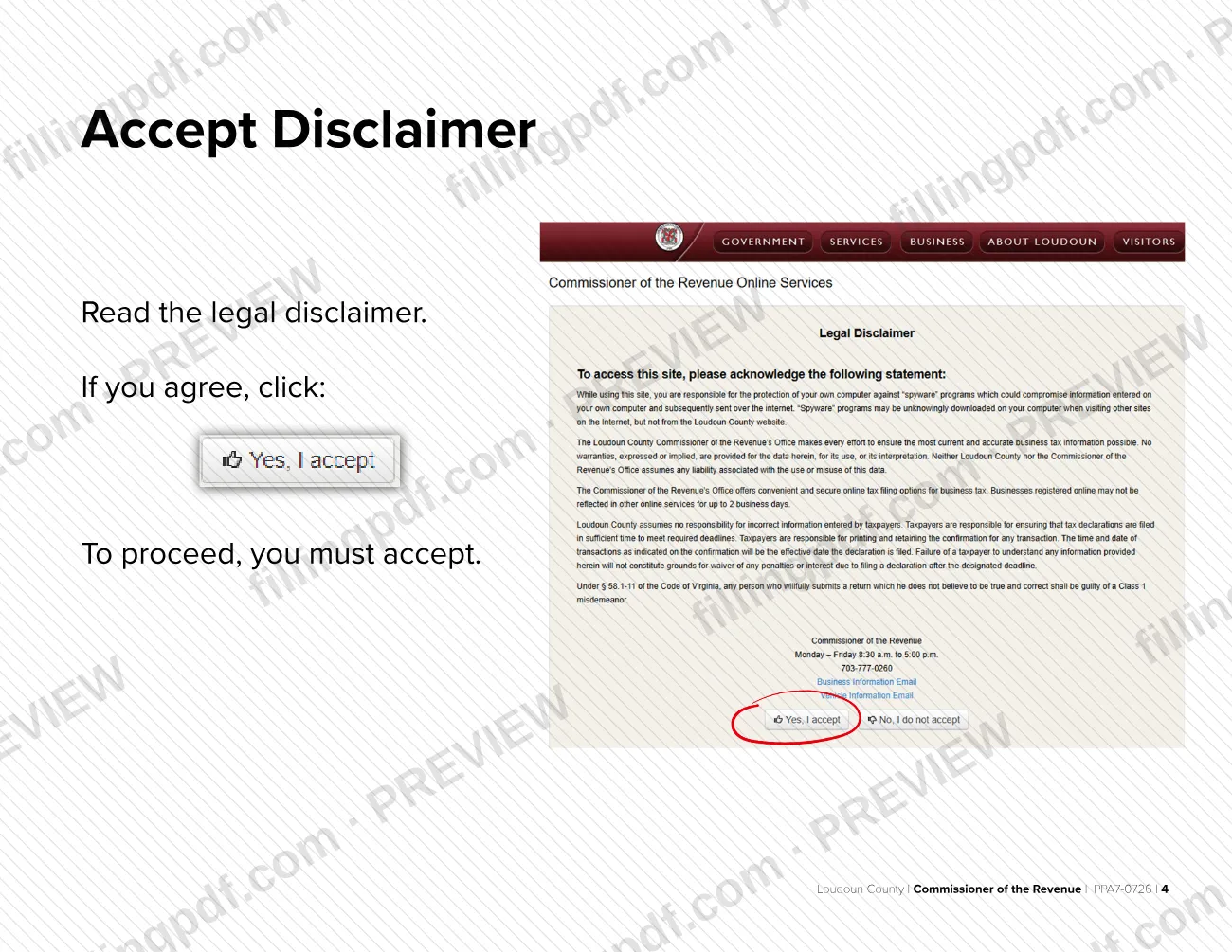
Read the disclaimer and click to agree. You must accept it to proceed.
Log in to your account
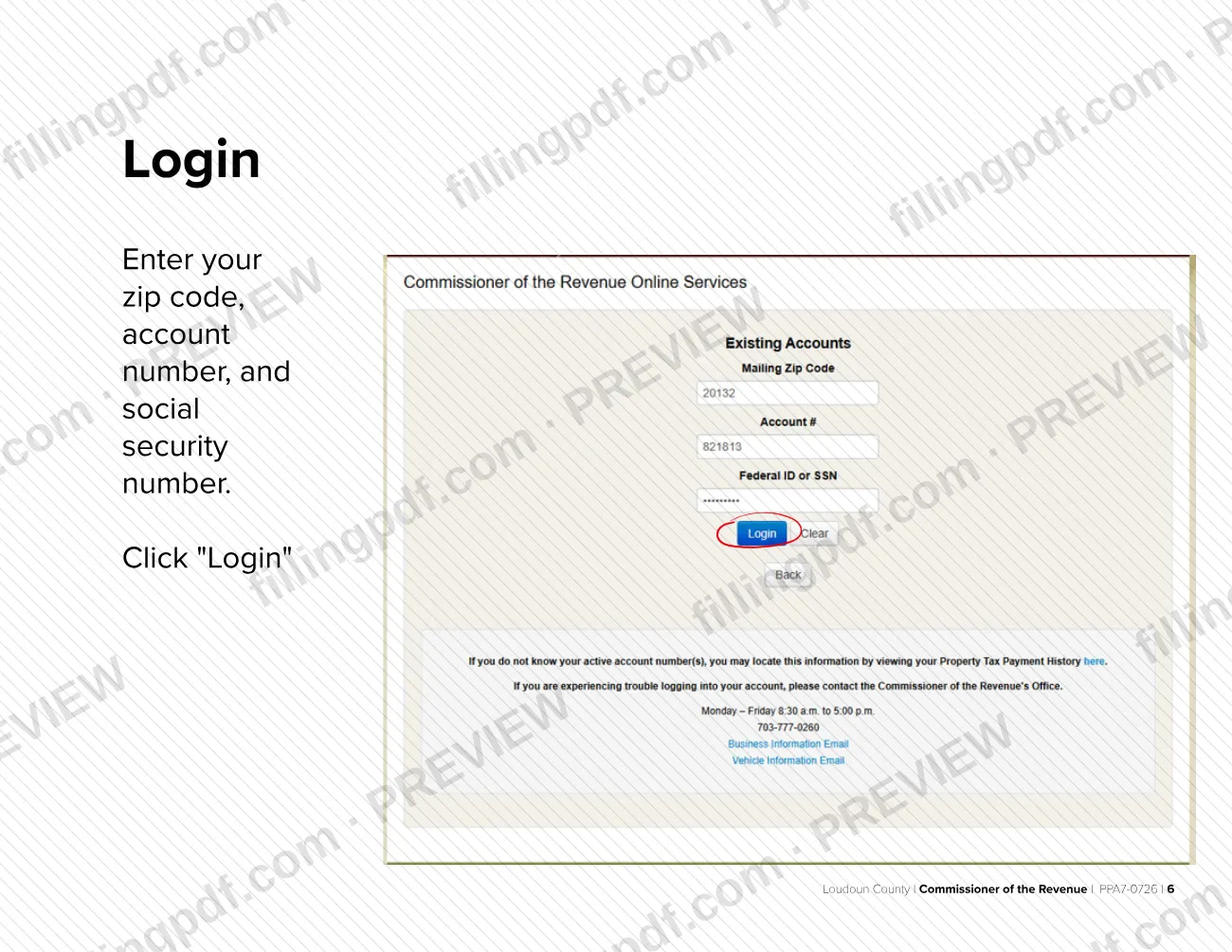
Select Existing Account Login. Enter your ZIP code, account number and Social Security number with no dashes, then click Login.
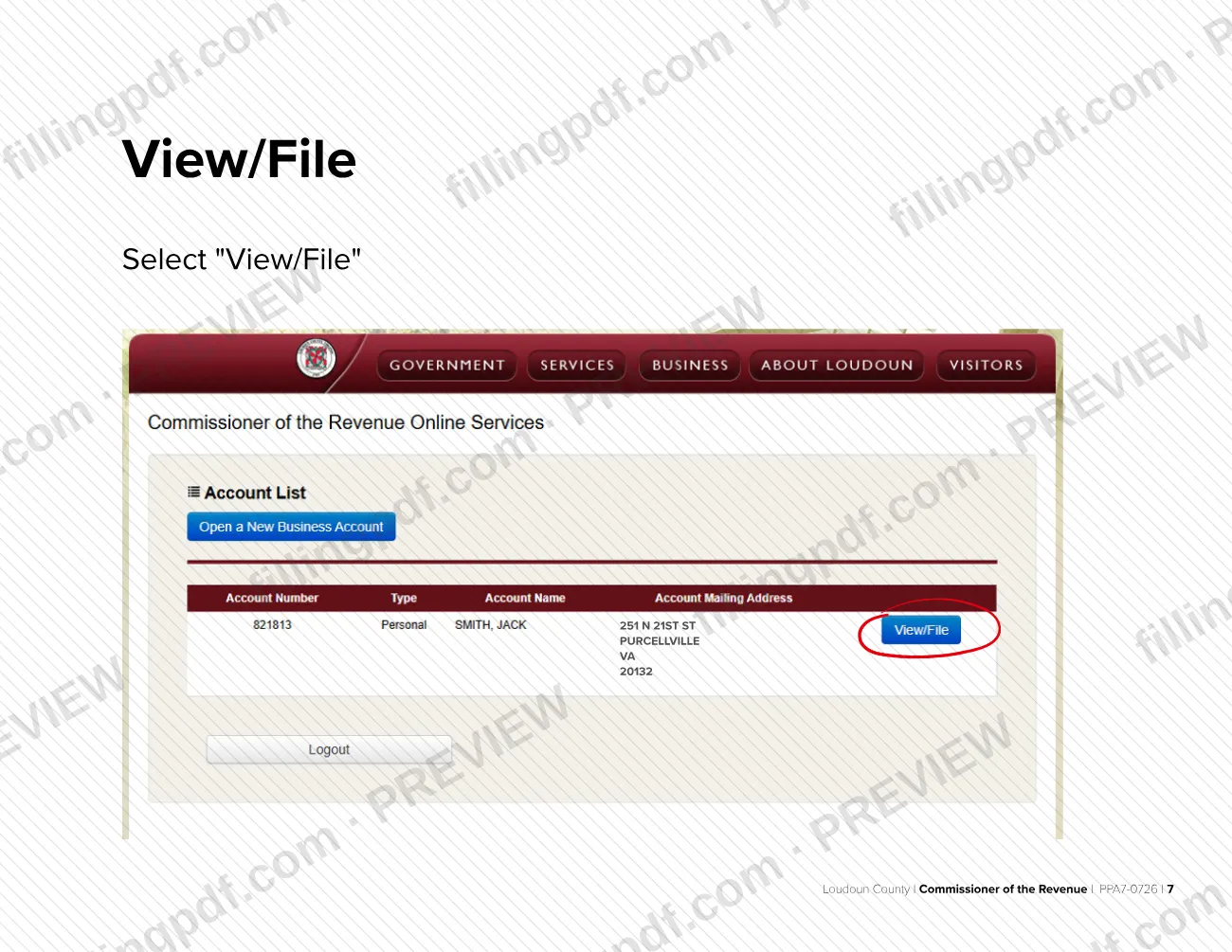
Select View/File
Choose View/File next to your account to open the account information.
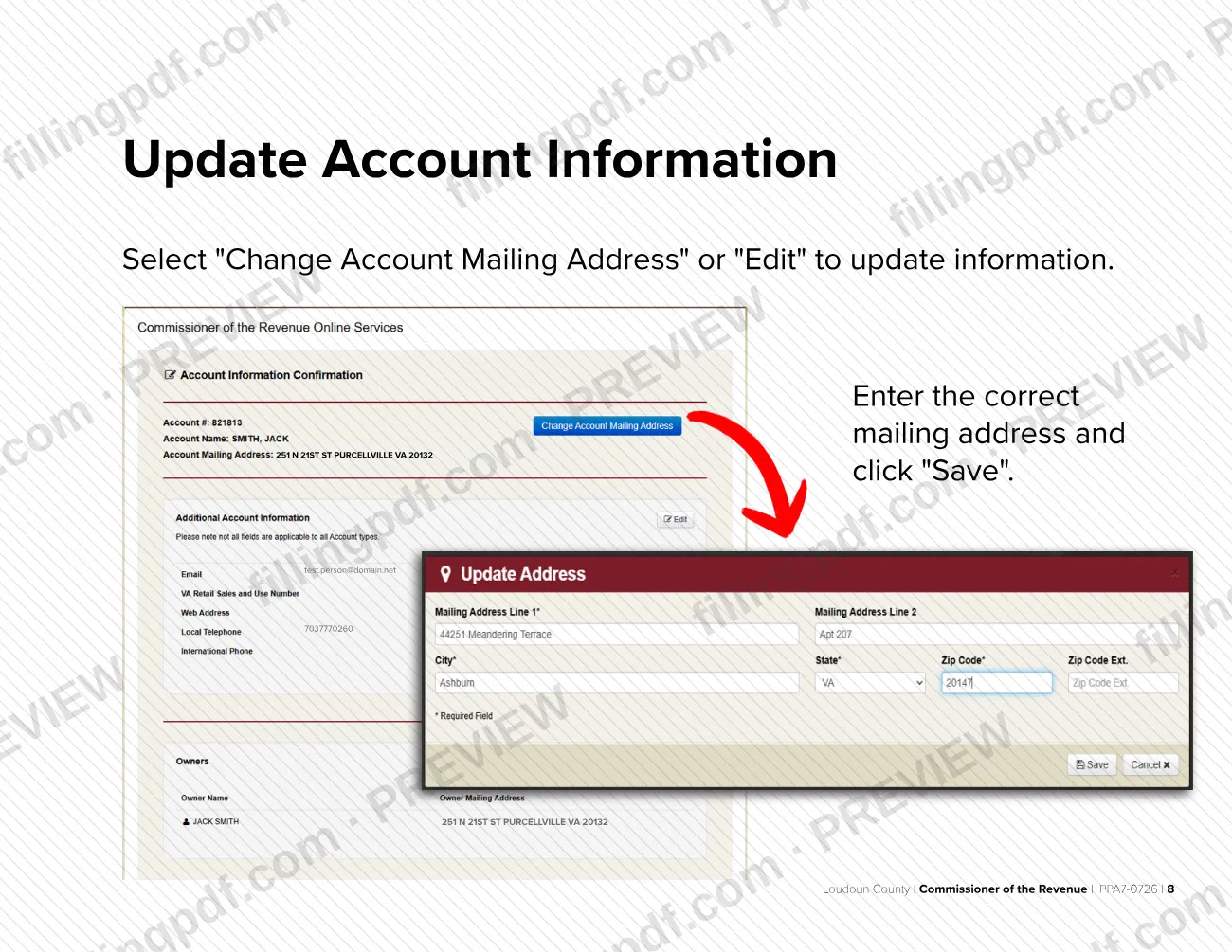
Correct the mailing address
Select Change Account Mailing Address or Edit, enter the correct mailing address and click Save.
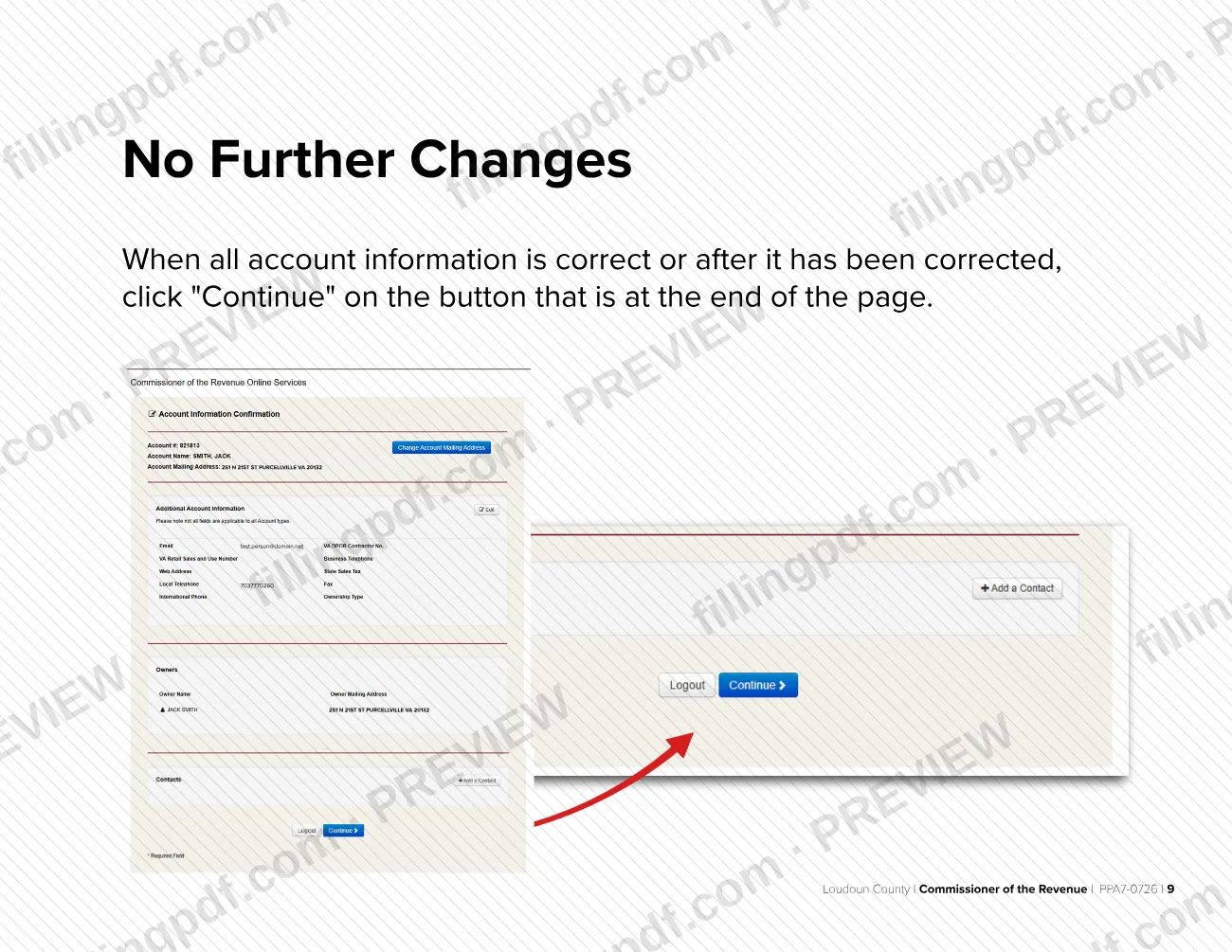
Continue when information is correct
When all account information is correct, or after you have corrected it, click Continue on the button at the end of the page.
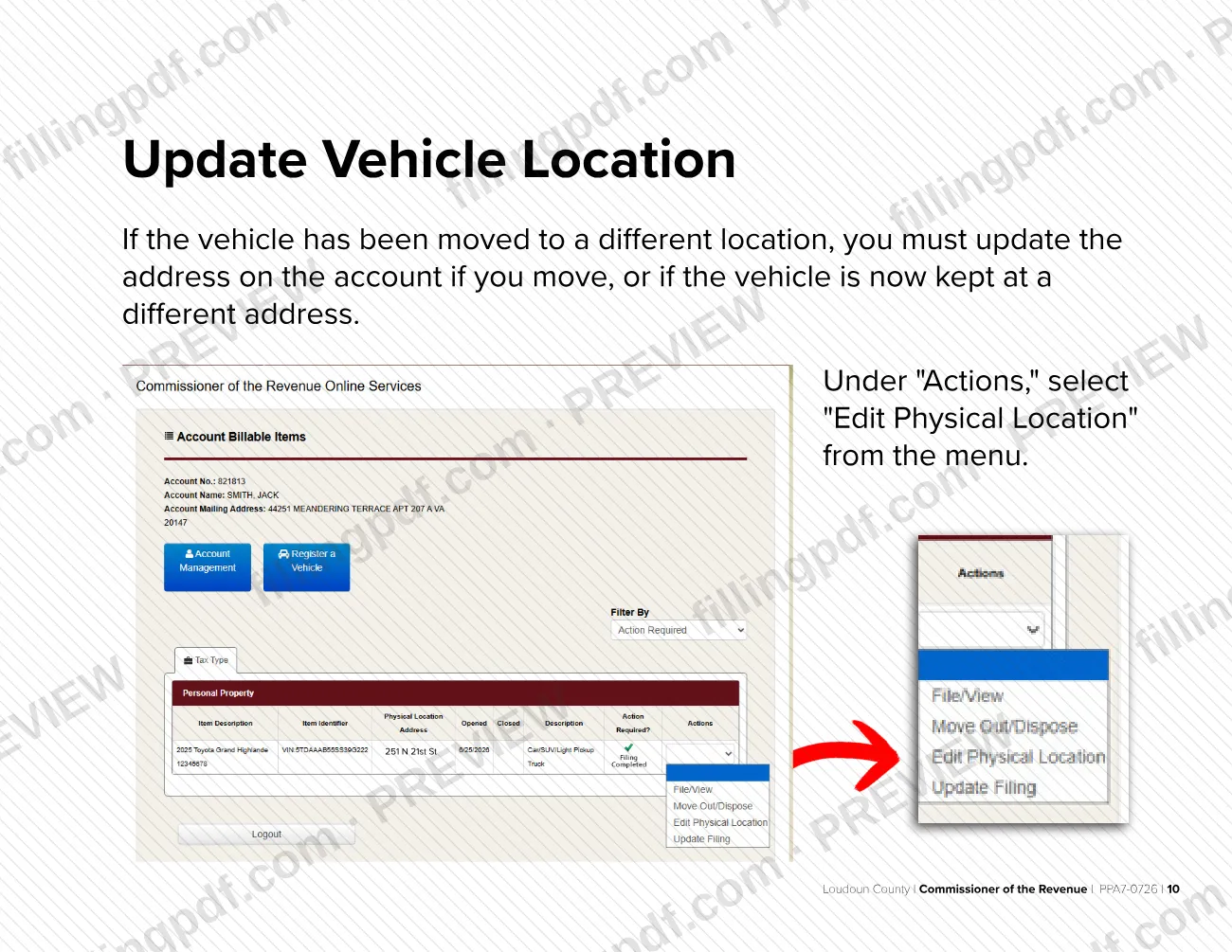
Edit the vehicle's physical location
If the vehicle moved or is now kept at a different address, select Edit Physical Location from the menu under Actions.
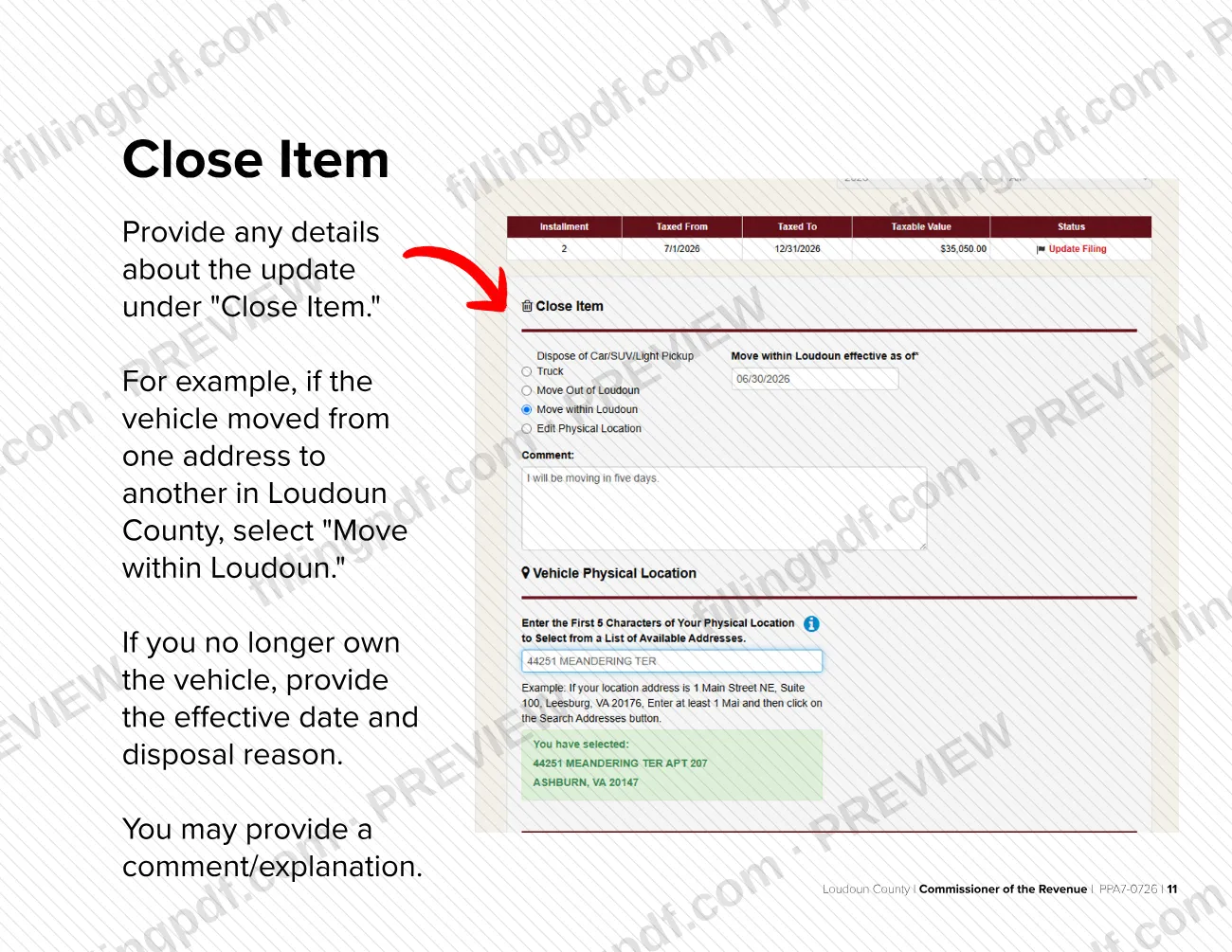
Complete the Close Item details
Under Close Item, describe the update, for example Move within Loudoun for a move inside Loudoun County. If you no longer own the vehicle, give the effective date and disposal reason; a comment is optional.
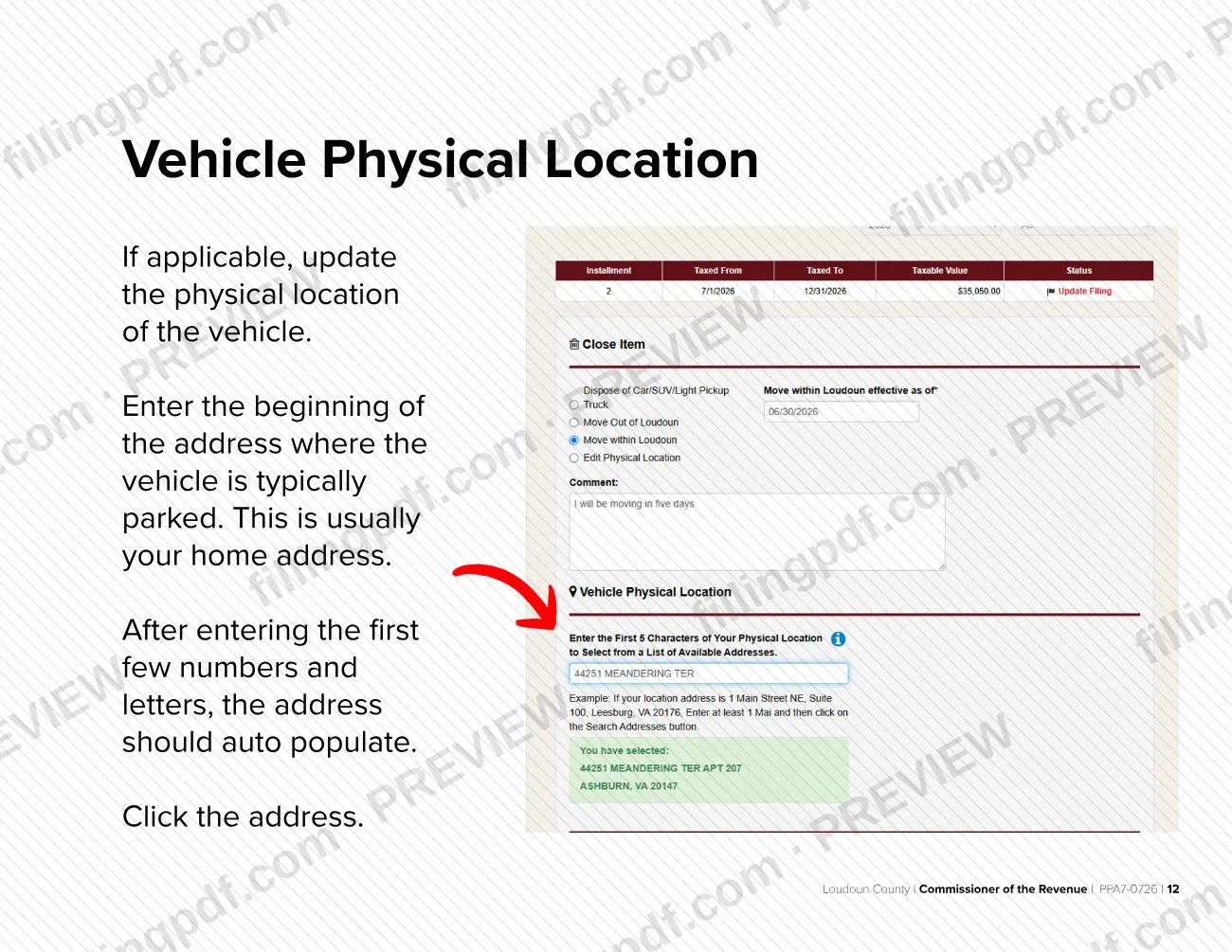
Enter the vehicle physical location
Type the beginning of the address where the vehicle is typically parked, usually your home address, and click the address when it auto populates.
Add contact details and submit
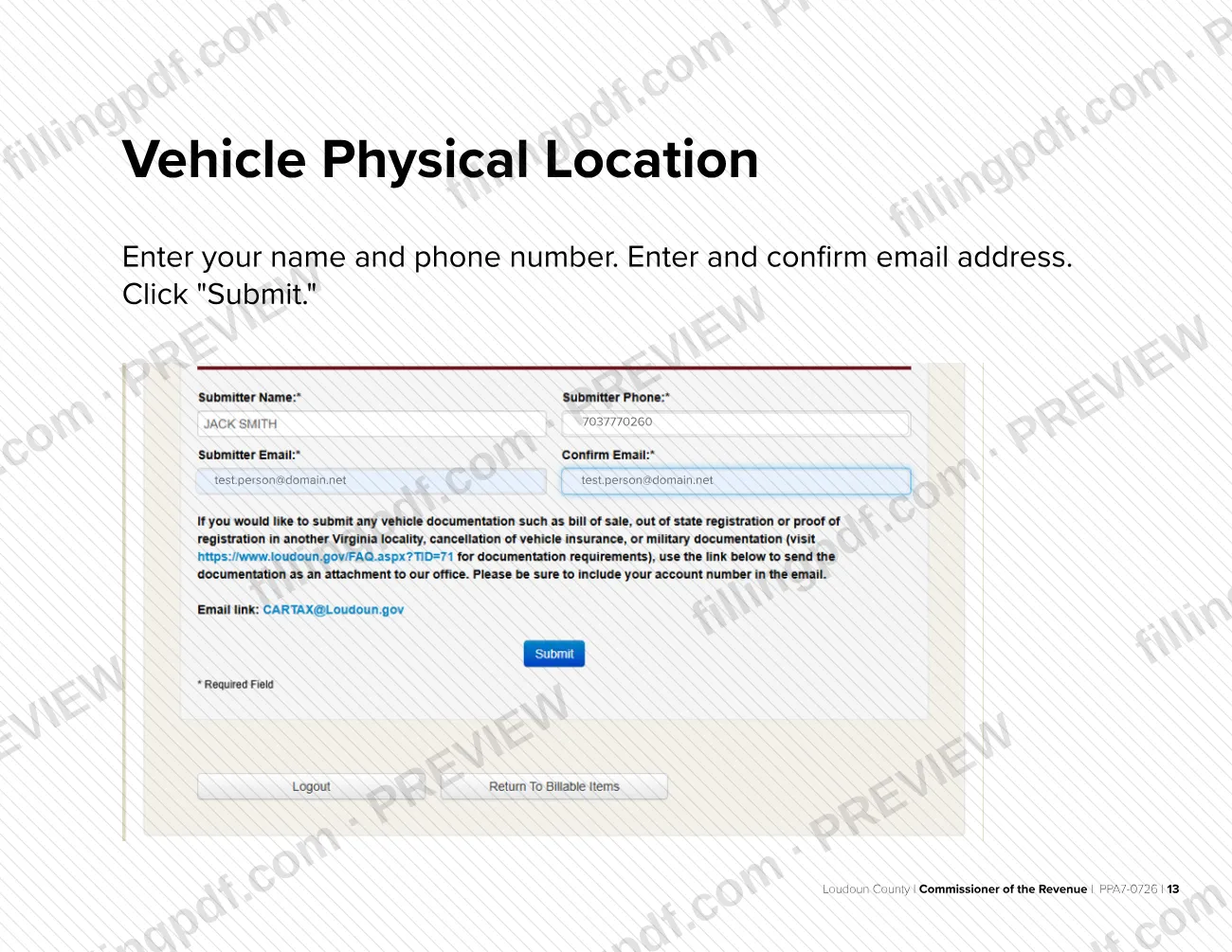
Enter your name and phone number without dashes, enter and confirm your email address, then click Submit.
Confirm the update and keep the PDF
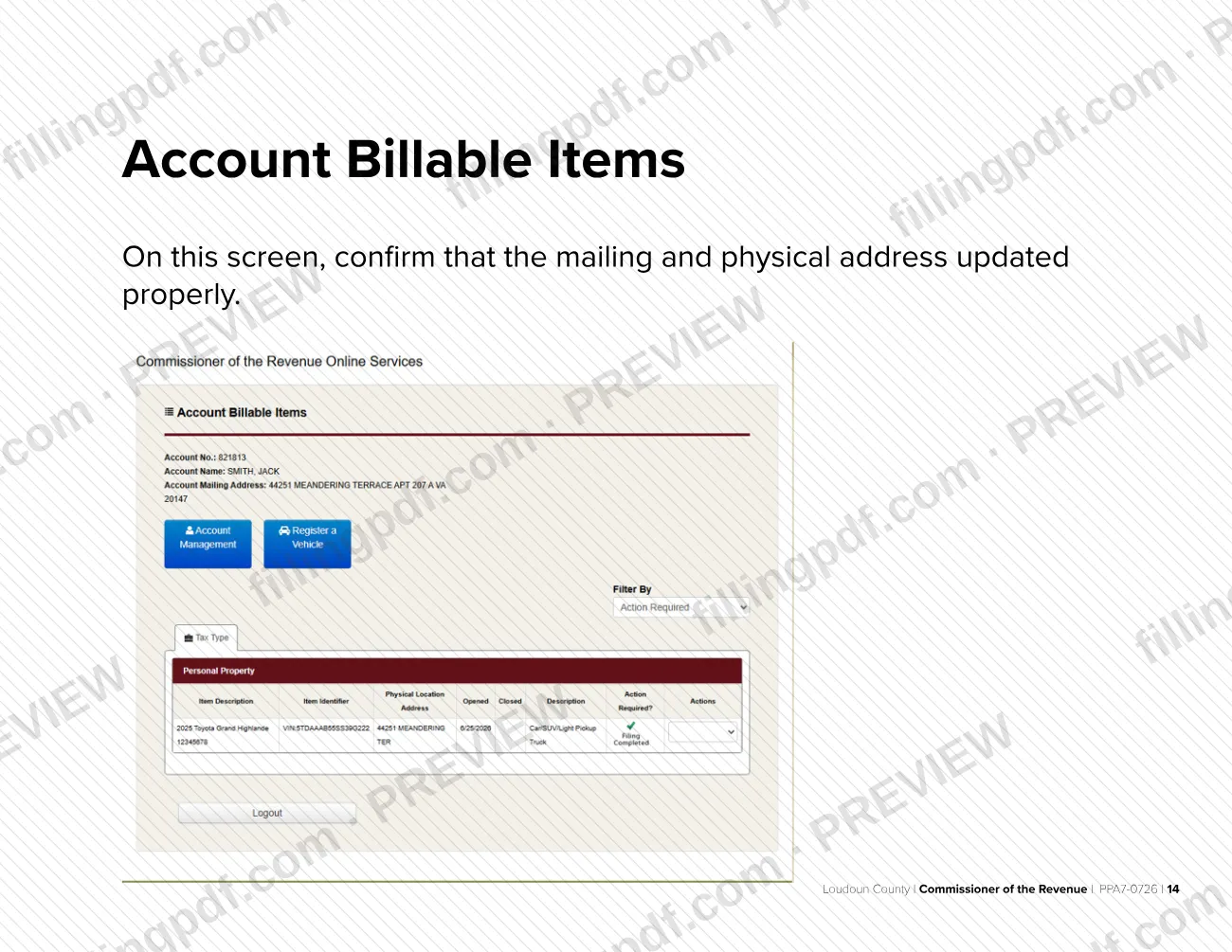
On Account Billable Items, check that the mailing and physical addresses updated properly. FillingPDF lets you fill out the PDF online and download or print it; the address change itself is made in the county's e-file system.
How to submit Instructions: Reporting an Address Change in Your Vehicle Account – Loudoun County, VA
The address change is entered and submitted online in the Loudoun County e-file system; the guide describes no mail or in-person channel.
- Online: start at Loudoun.gov/efile or Loudoun.gov/cor, click File/Update Vehicle Record, then click Review and update your personal property tax records. Accept the disclaimer, log in, make the changes and click Submit.
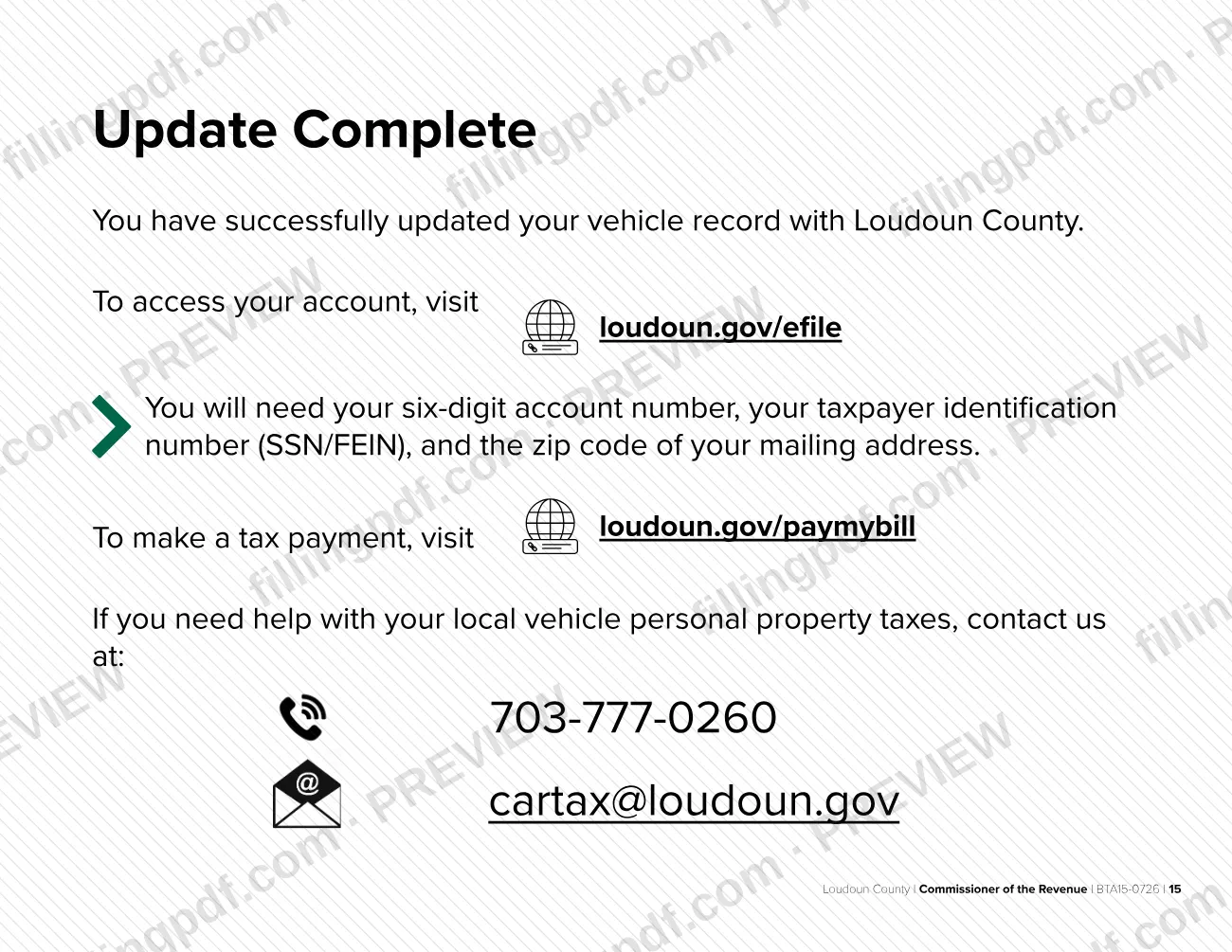
- Confirmation: the Account Billable Items screen shows the updated mailing and physical addresses, and the Update Complete page confirms that your vehicle record was updated.
- Help: call 703-777-0260 or email [email protected].
- Payments: to pay a tax bill, visit loudoun.gov/paymybill.
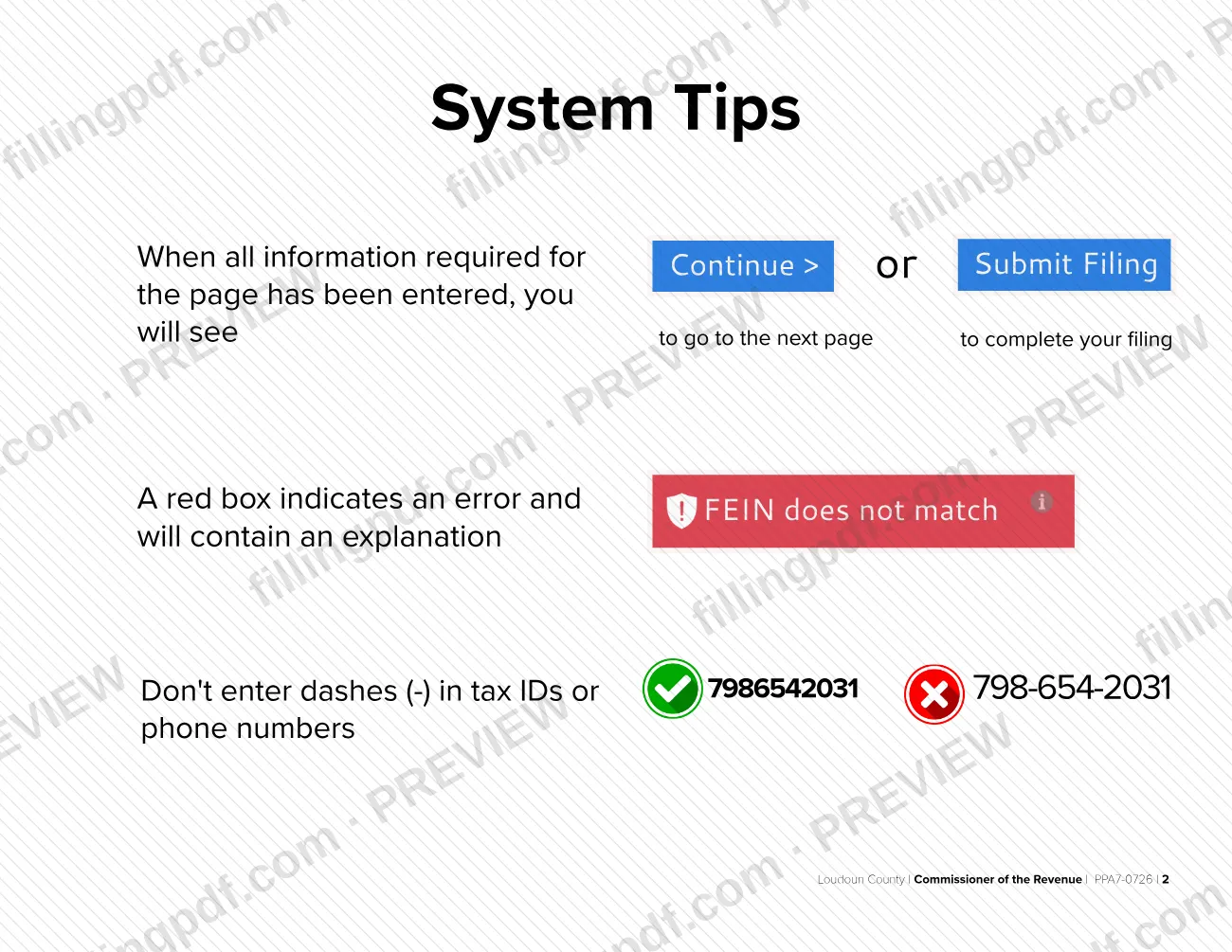
Do not type dashes in tax IDs or phone numbers. A red box on a page marks an error and explains it.
FillingPDF lets you fill out and download the PDF; submission follows the agency's channels above.
Common mistakes to avoid
- Typing dashes in a tax ID or phone number; the guide says to enter them without dashes, for example 7986542031 rather than 798-654-2031.
- Updating only the account mailing address when the vehicle is now kept at a different address; the physical location is changed separately under Actions, Edit Physical Location.
- Typing the whole vehicle address by hand instead of entering the first few numbers and letters and clicking the address that auto populates.
- Skipping Close Item details, such as Move within Loudoun for a move inside the county, or the effective date and disposal reason for a vehicle you no longer own.
- Not accepting the legal disclaimer; you cannot proceed without accepting it.
- Logging in with the wrong ZIP code; the guide asks for the ZIP code of your mailing address, along with the account number and SSN/FEIN.
- Ignoring a red box on the page; it marks an error and explains it, and you cannot continue until it is fixed.
- Closing the session before checking Account Billable Items, where you confirm that the mailing and physical addresses updated properly.
Frequently asked questions
How do I report an address change on my Loudoun County vehicle account?
Go to Loudoun.gov/efile or Loudoun.gov/cor, click File/Update Vehicle Record, then Review and update your personal property tax records. Accept the disclaimer, log in, select View/File, edit the mailing address and, if needed, the vehicle's physical location, then click Submit.
What do I need to log in to my vehicle account?
You need your six-digit account number, your taxpayer identification number (SSN/FEIN) and the ZIP code of your mailing address. Enter them without dashes. You must also have created an account and registered your vehicle before you can update it.
Do I have to update the vehicle's location if I move?
Yes. The guide says that if you move, or if the vehicle is now kept at a different address, you must update the address on the account. Use Edit Physical Location under Actions and enter the address where the vehicle is typically parked.
What if I no longer own the vehicle?
Use the Close Item screen: give the effective date and the disposal reason, and add a comment or explanation if you wish. For a vehicle that moved within the county, select Move within Loudoun instead.
Why does the system show a red box when I enter my information?
A red box marks an error and contains an explanation. The guide's example is a FEIN that does not match. Also check that you typed tax IDs and phone numbers without dashes, then continue or submit again.
Where do I pay my Loudoun County vehicle tax bill?
The guide's final page directs you to loudoun.gov/paymybill to make a tax payment. For questions about local vehicle personal property taxes, contact the Commissioner of the Revenue at 703-777-0260 or [email protected].
Can I fill out this document online on FillingPDF?
You can fill out the PDF online on FillingPDF and download or print it. FillingPDF is an independent service, is not affiliated with Loudoun County and does not submit anything to it; the address change is made in the county's e-file system.
Ready to fill out Instructions: Reporting an Address Change in Your Vehicle Account – Loudoun County, VA?
Fill out Instructions: Reporting an Address Change in Your Vehicle Account – Loudoun County, VA now