
Instructions: Reporting When You Don't Have the Vehicle Anymore is the Loudoun County Commissioner of the Revenue's illustrated guide for telling the county that a vehicle on your account has been sold, donated or otherwise disposed of. It is one of the Loudoun County property tax resources for vehicle owners and applies to people who already have an online account with a registered vehicle. On FillingPDF you can view and download the official PDF; the report itself is made in the county's online system at loudoun.gov/efile, as the steps below explain.
Last updated
What is PPA7-0726?
Instructions: Reporting When You Don't Have the Vehicle Anymore is the Loudoun County Commissioner of the Revenue's step-by-step guide (printed code PPA7-0726, headed "Account Update Instructions: When You Don't Have the Vehicle Anymore") for informing the county that you no longer own or lease a vehicle.
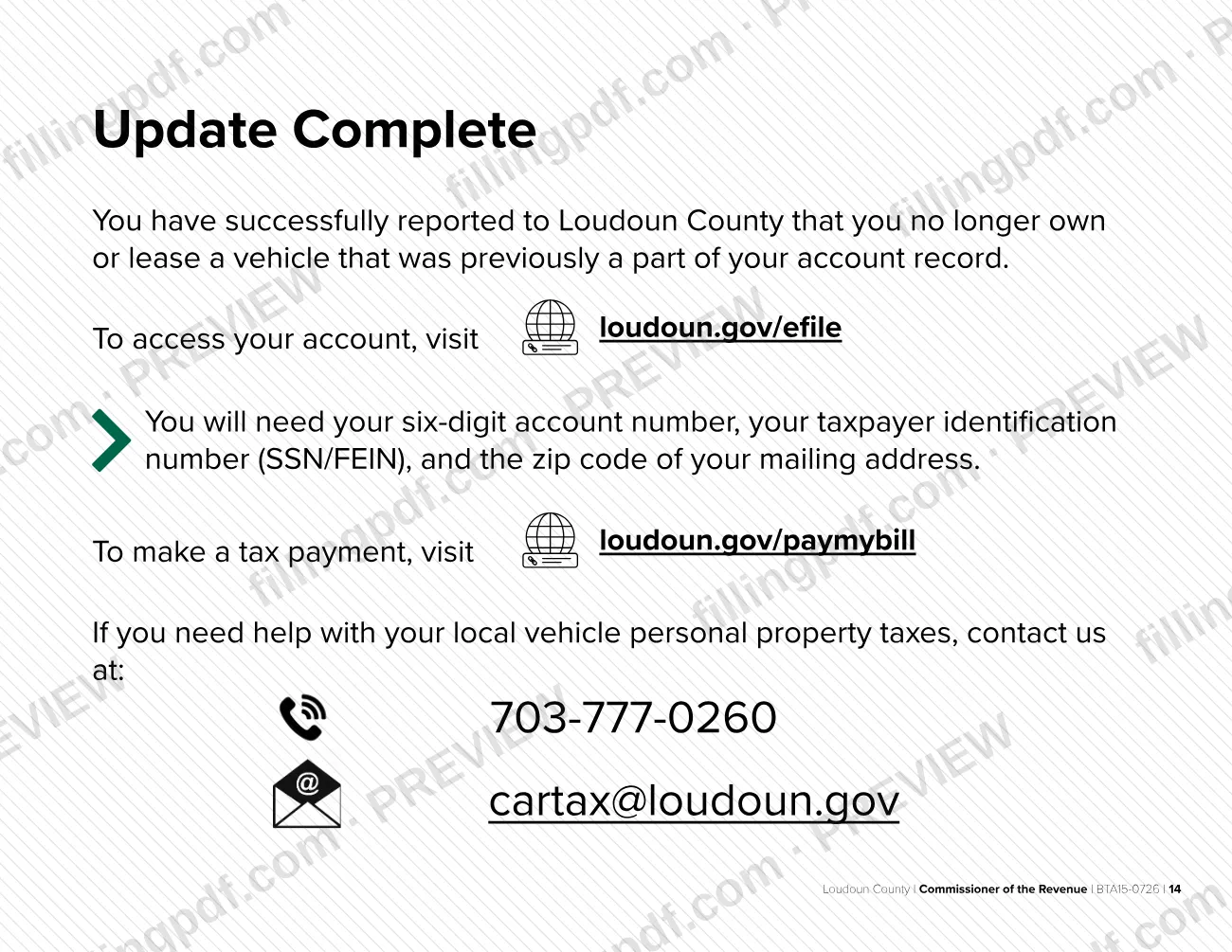
The guide is not a paper form to sign and mail. It walks through screens of the county's online account system, starting at loudoun.gov/efile. You log in to your existing account, open the vehicle record, choose Move Out/Dispose and enter the disposal details. When the update is finished, the system confirms that you have reported to Loudoun County that you no longer own or lease a vehicle that was part of your account record.
The guide states the underlying duty: when you don't own or lease a vehicle anymore, you must inform Loudoun County that it has been sold, donated or otherwise disposed of. It applies to your local vehicle personal property tax account, so it is for people who have already created an account and registered the vehicle.
The guide also covers the system's general tips, such as how errors are shown, and points to the Commissioner of the Revenue for help with local vehicle personal property taxes.
Who needs to file PPA7-0726?
Vehicle owners or lessees who have an account with the Loudoun County Commissioner of the Revenue and no longer own or lease a vehicle listed on it use this guide. The county says you must inform it when the vehicle has been sold, donated or otherwise disposed of.
The guide assumes you have already created an account and registered your vehicle. To log in you need three items:
- your six-digit account number;
- your taxpayer identification number (SSN/FEIN);
- the zip code of your mailing address.
If you have a replacement vehicle, the last screen offers a Register a Vehicle button so you can register it. The guide does not describe anyone signing or filing on another person's behalf.
It does not cover paying a bill. Payments are made at loudoun.gov/paymybill.
When to file PPA7-0726
Report the vehicle when you no longer own or lease it, that is, once it has been sold, donated or otherwise disposed of. The guide prints no separate due date.
During the report you enter the date the disposal became effective, so have that date and the reason you no longer own or lease the vehicle ready before you log in. The online update is completed in one session, ending with Close Item. The system then confirms that your report was made.
How to fill out PPA7-0726
Start at the Loudoun e-file page
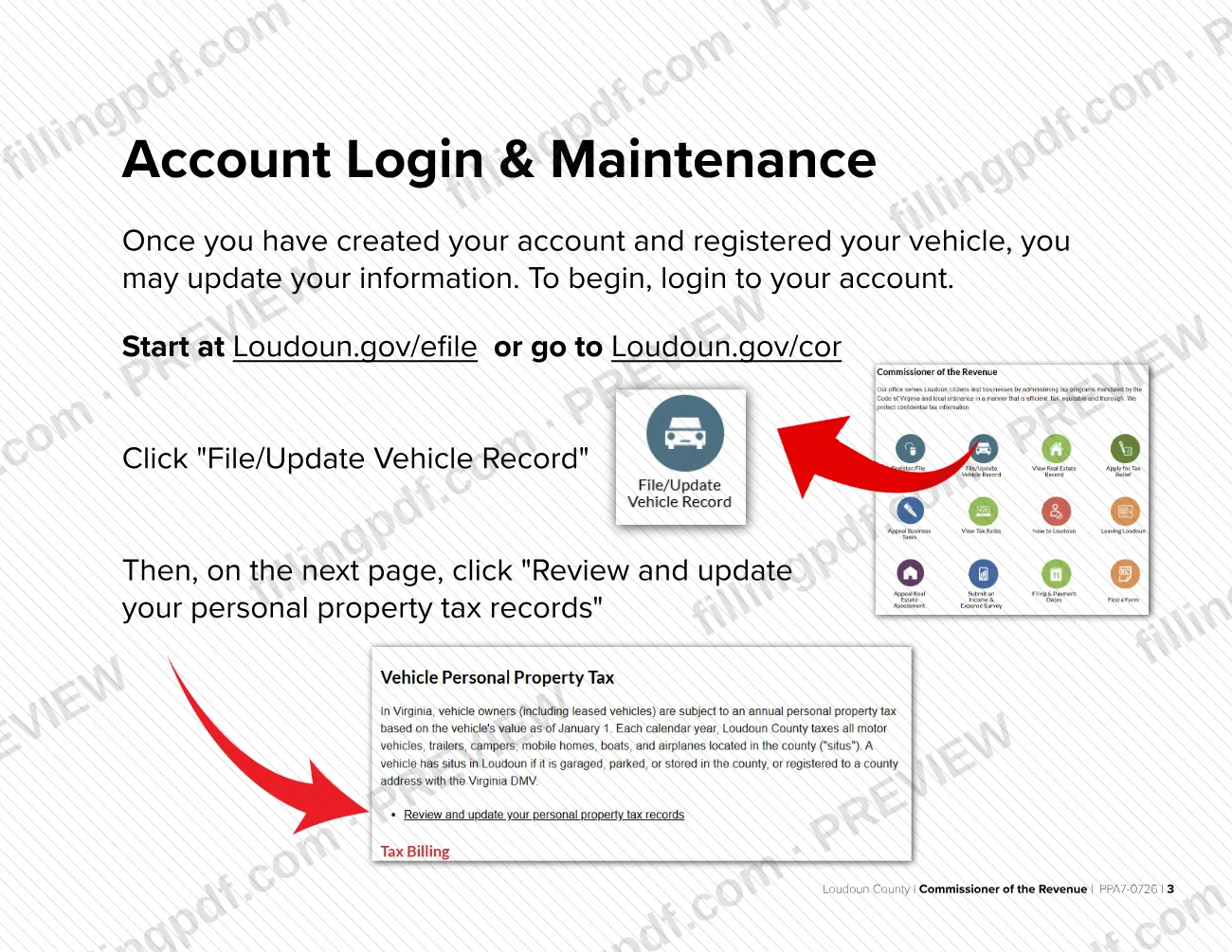
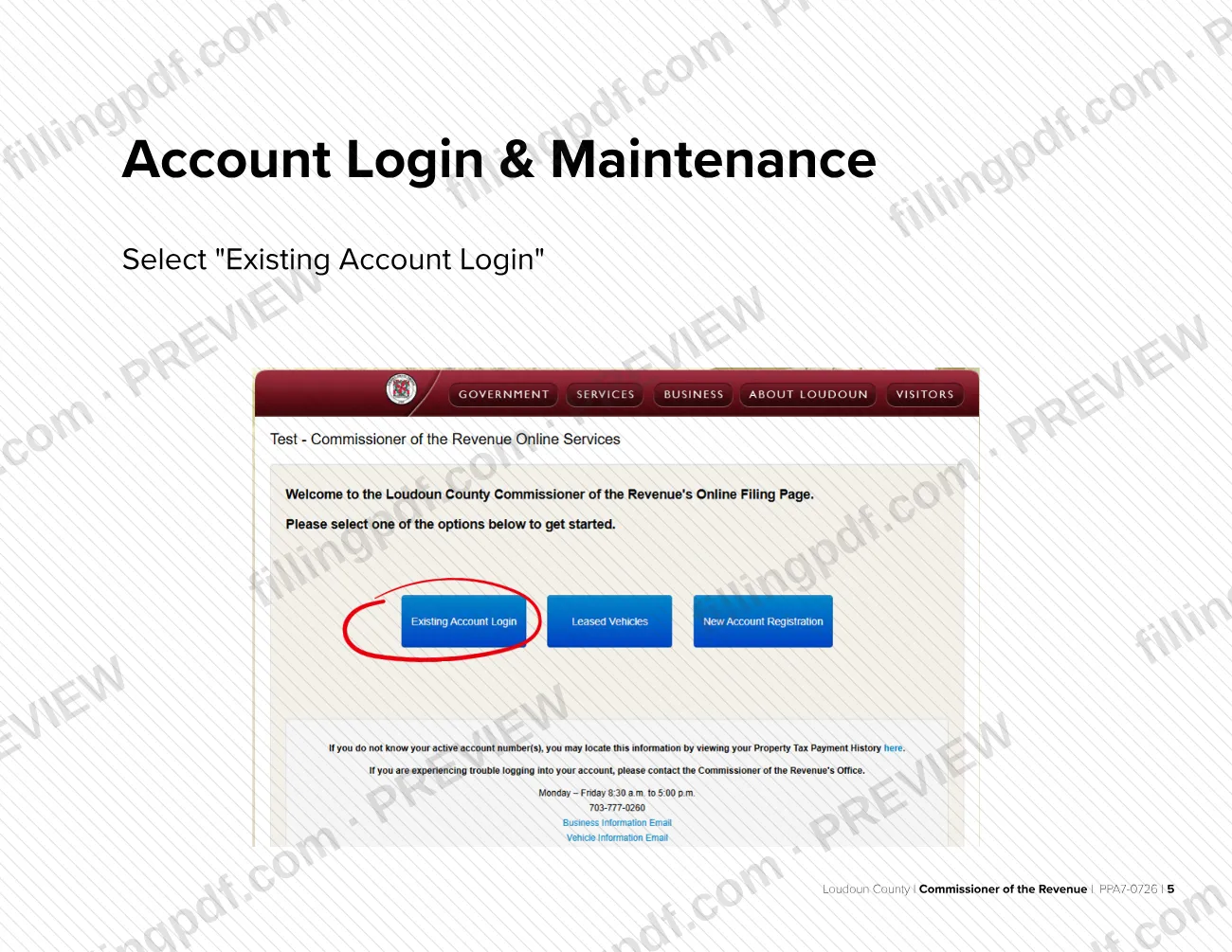
Go to loudoun.gov/efile or loudoun.gov/cor. Click "File/Update Vehicle Record", then "Review and update your personal property tax records".
Accept the disclaimer and log in
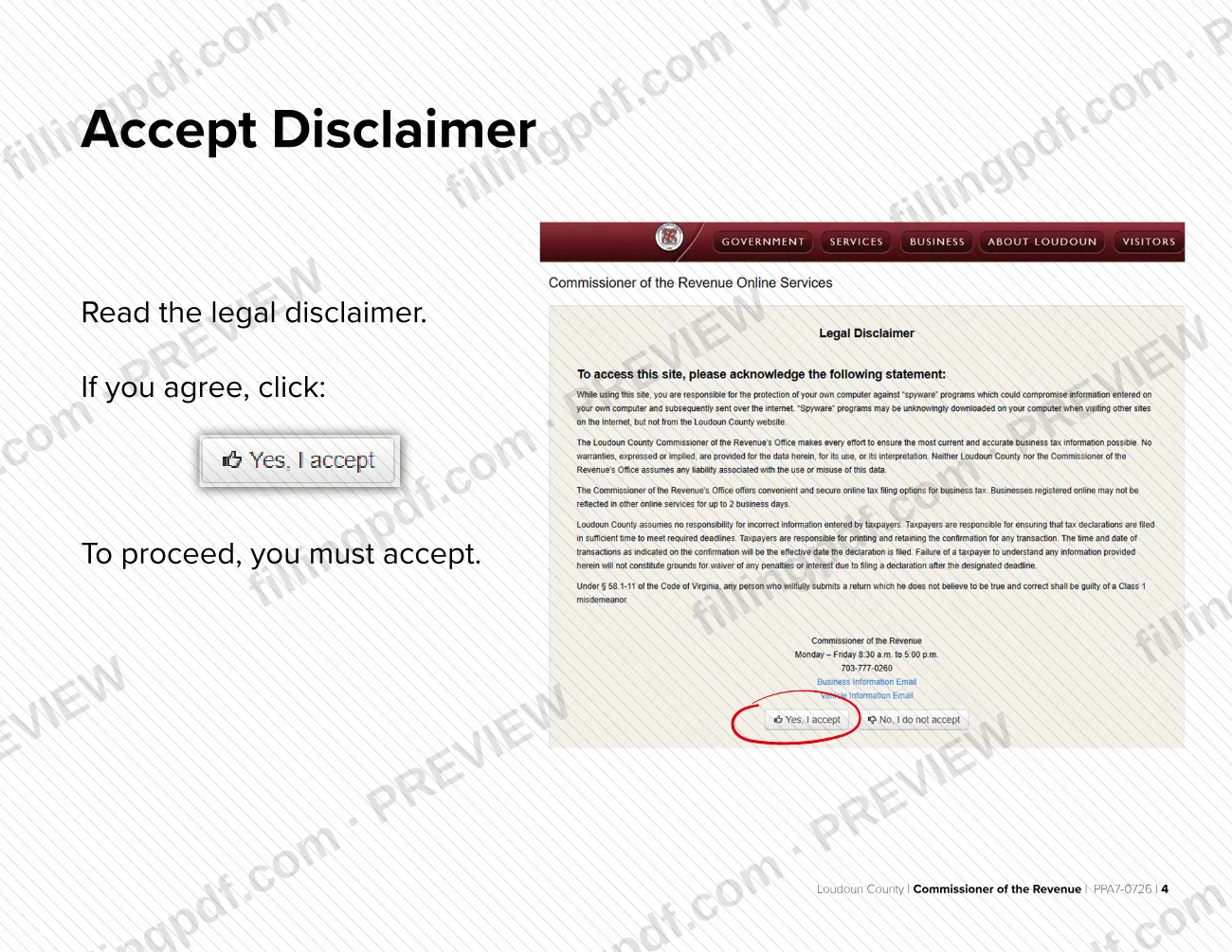
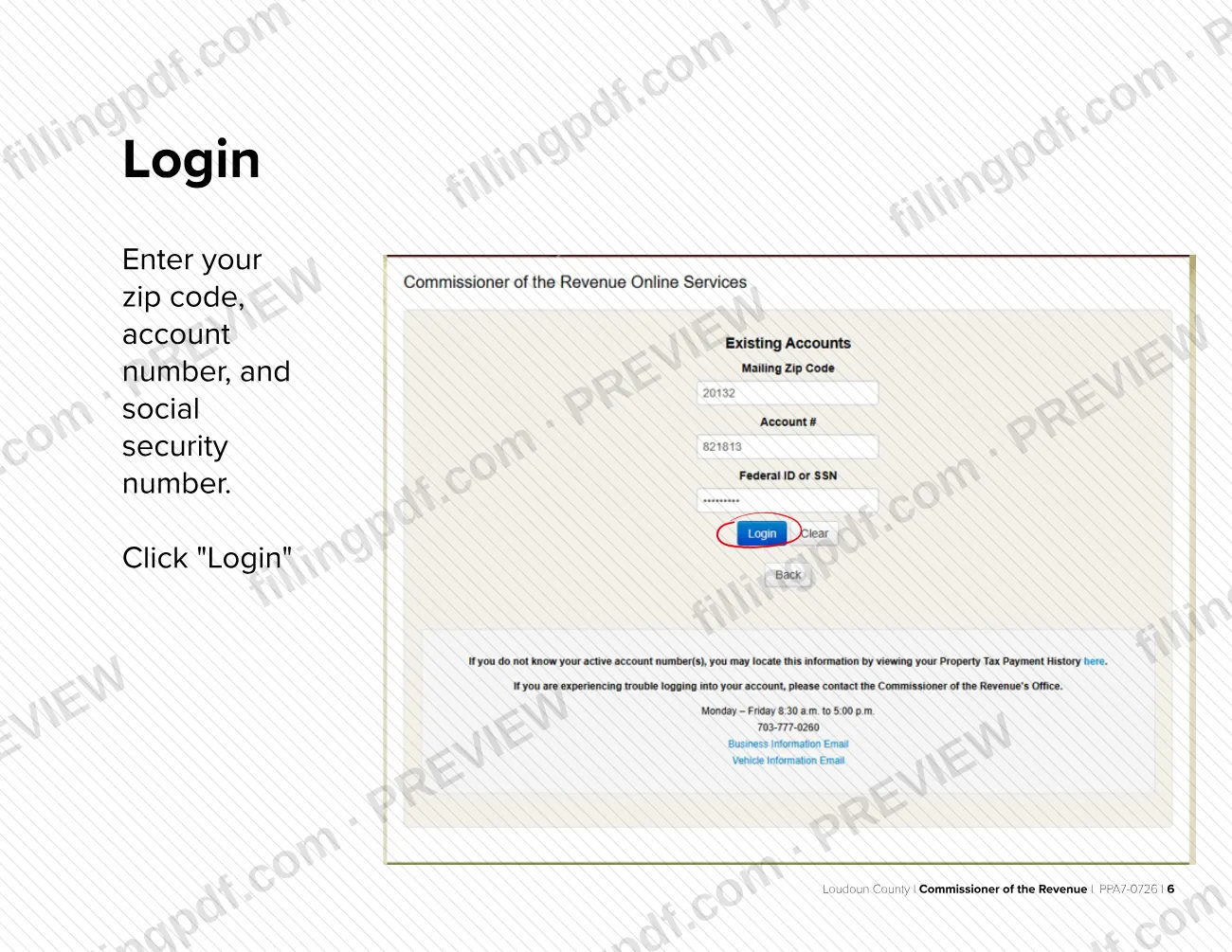
Read the legal disclaimer and click to accept; you must accept to proceed. Select "Existing Account Login", enter your zip code, account number and Social Security number, and click "Login".
Select View/File and review your account
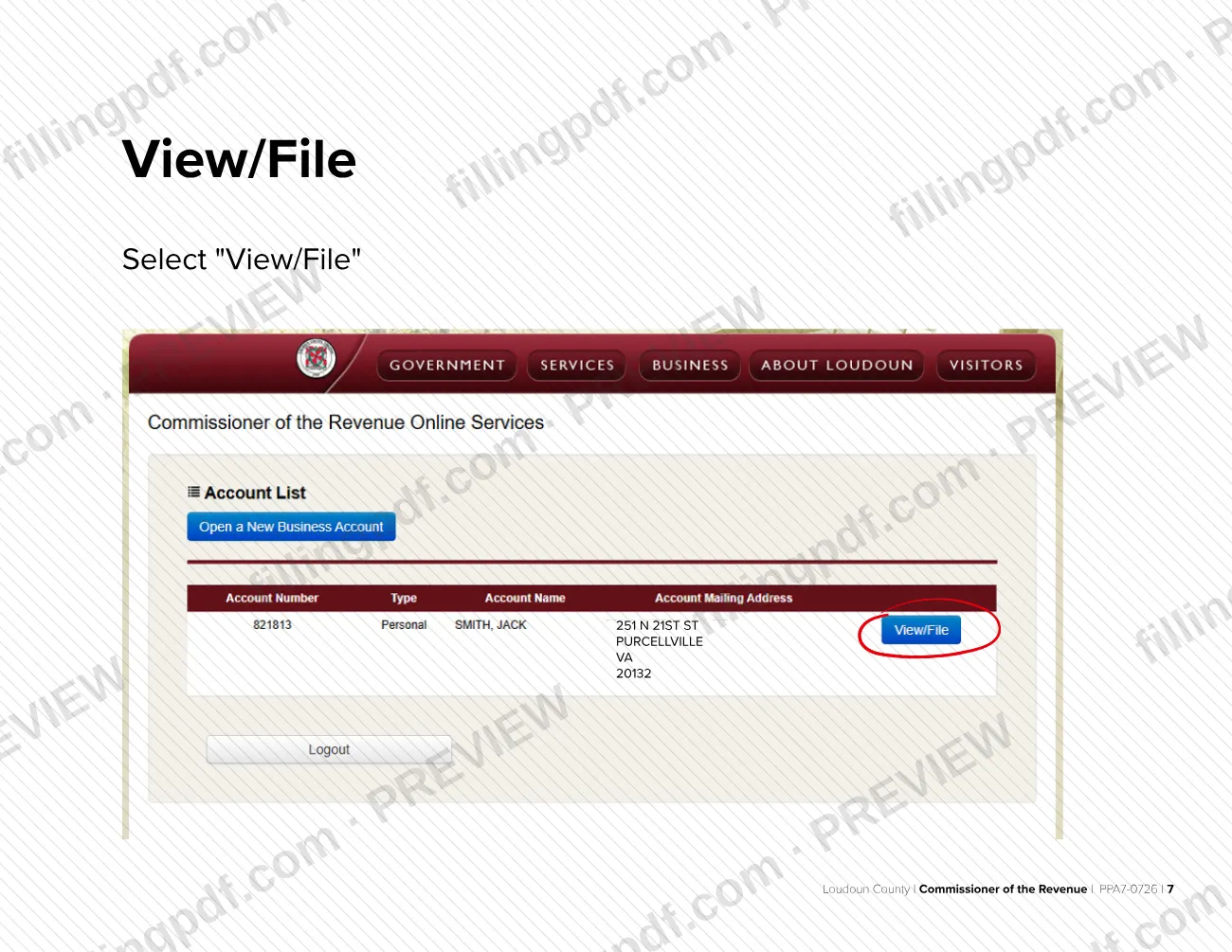
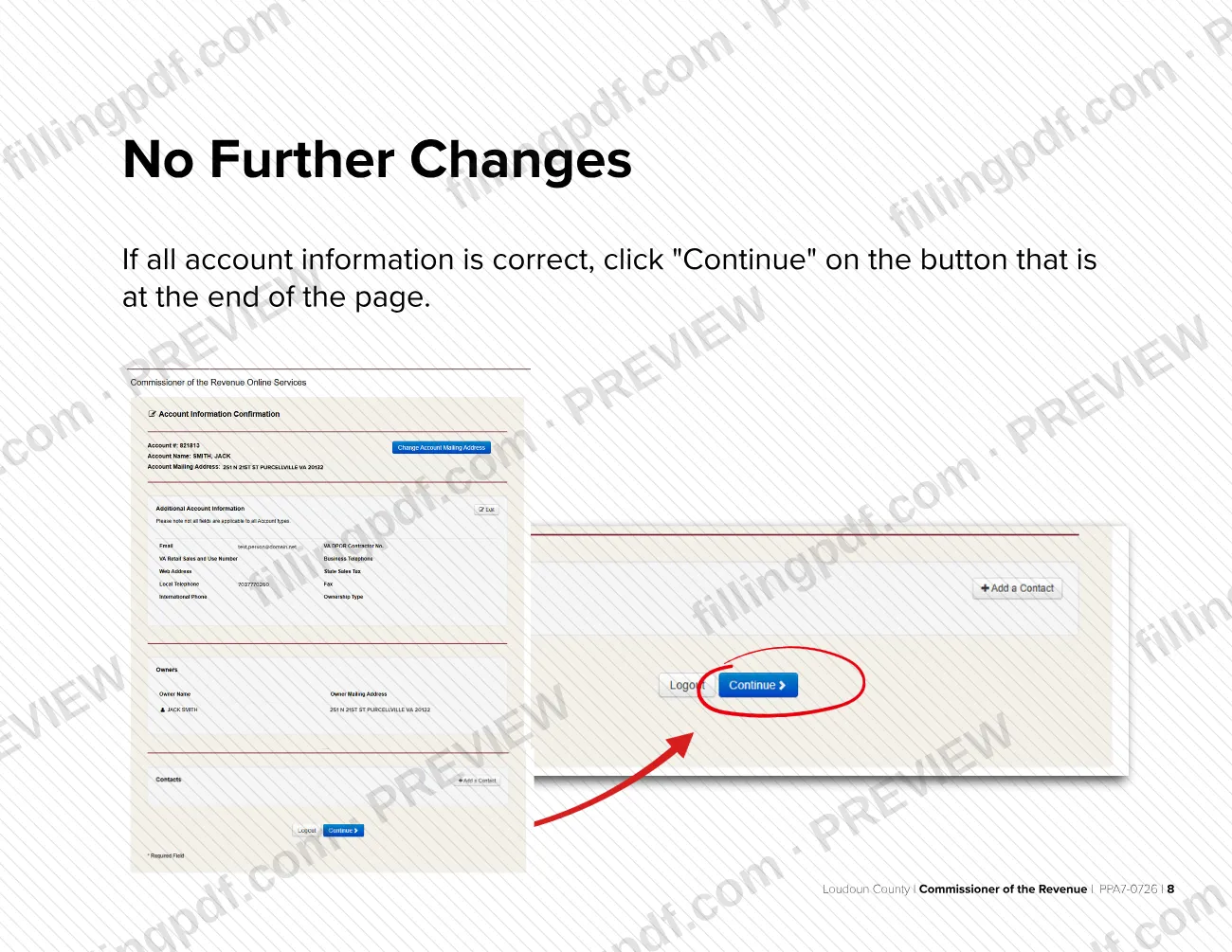
Select "View/File" for your account. If the account information is correct, click "Continue" at the end of the page.
Choose Move Out/Dispose
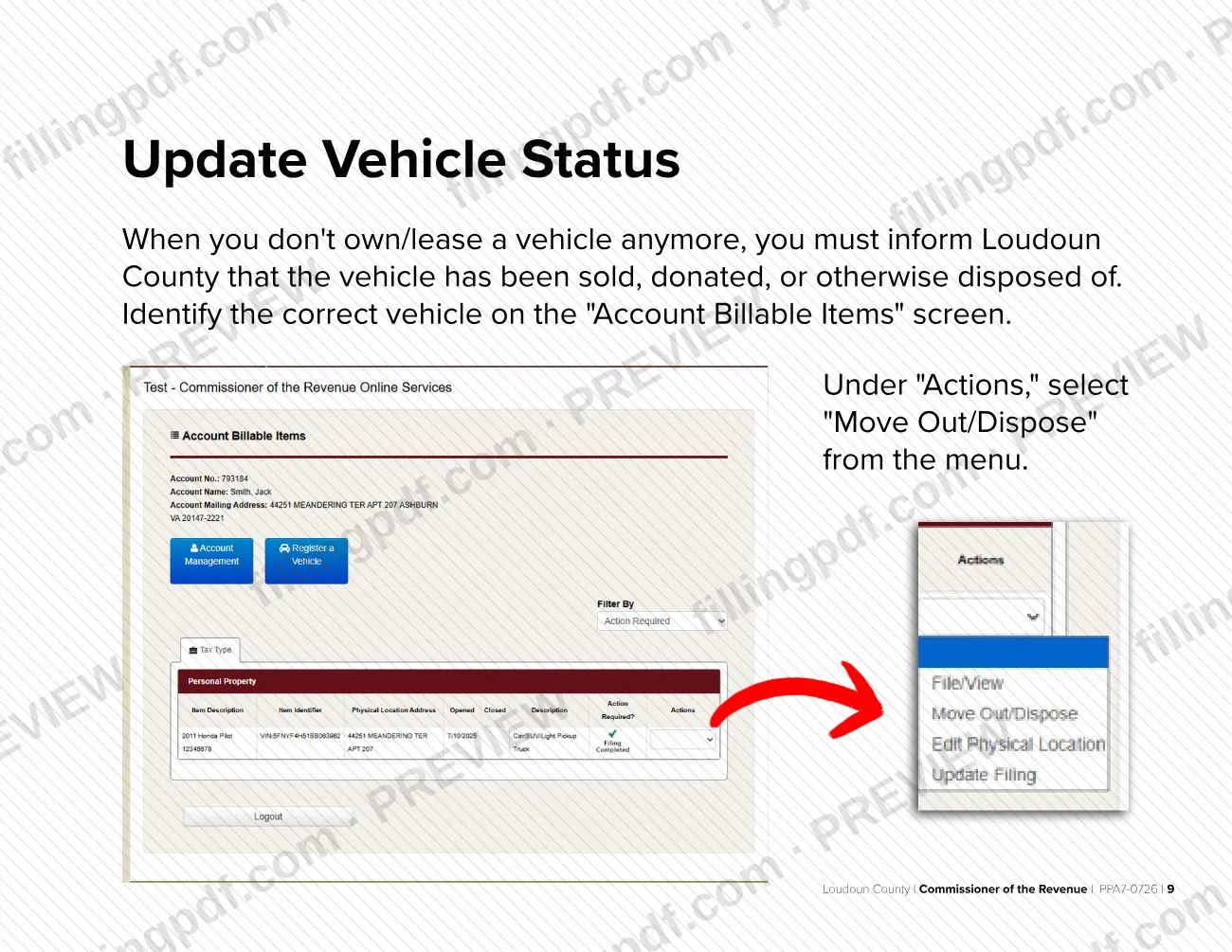
On the "Account Billable Items" screen, find the correct vehicle. Under "Actions," select "Move Out/Dispose" from the menu.
Confirm the vehicle information
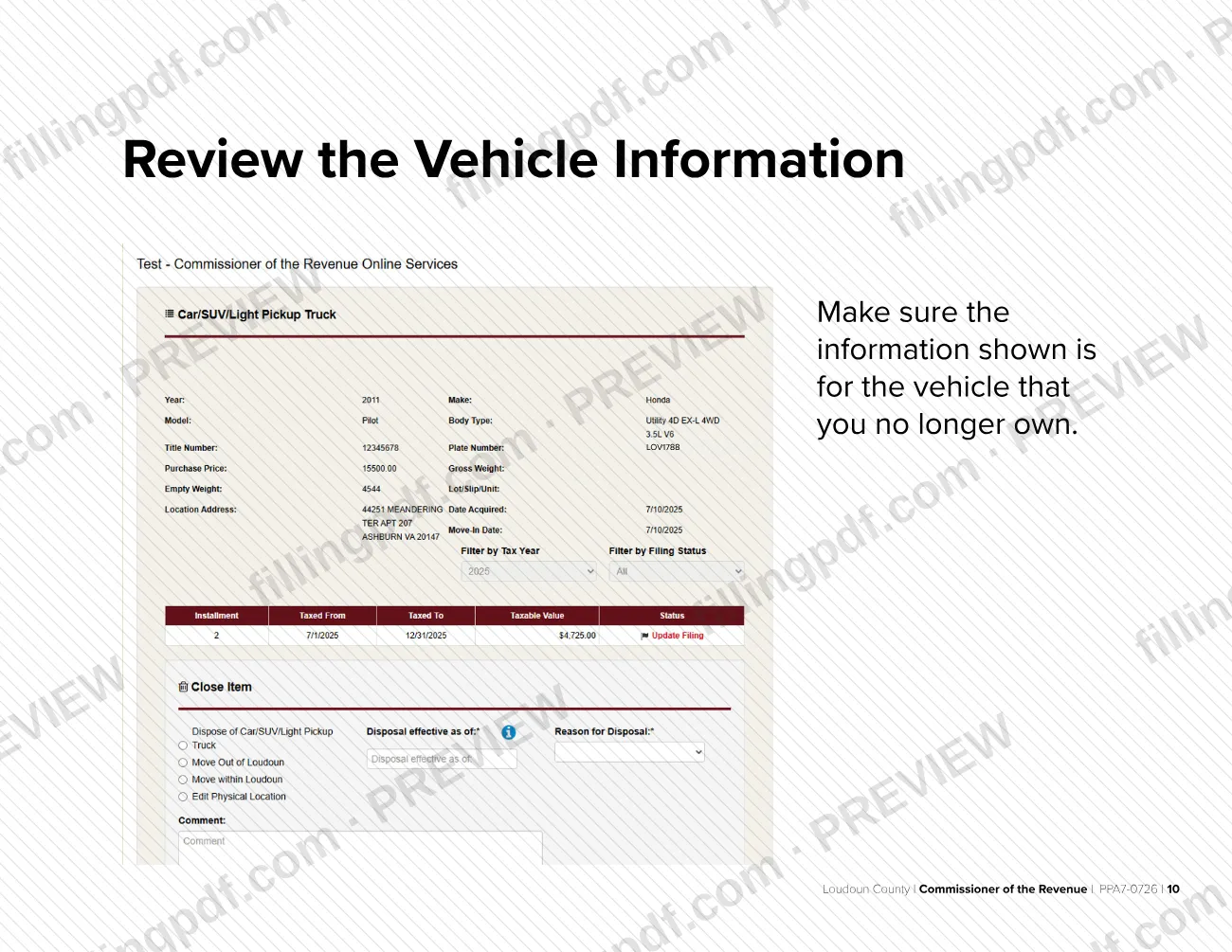
Make sure the information shown is for the vehicle you no longer own.
Enter the disposal information
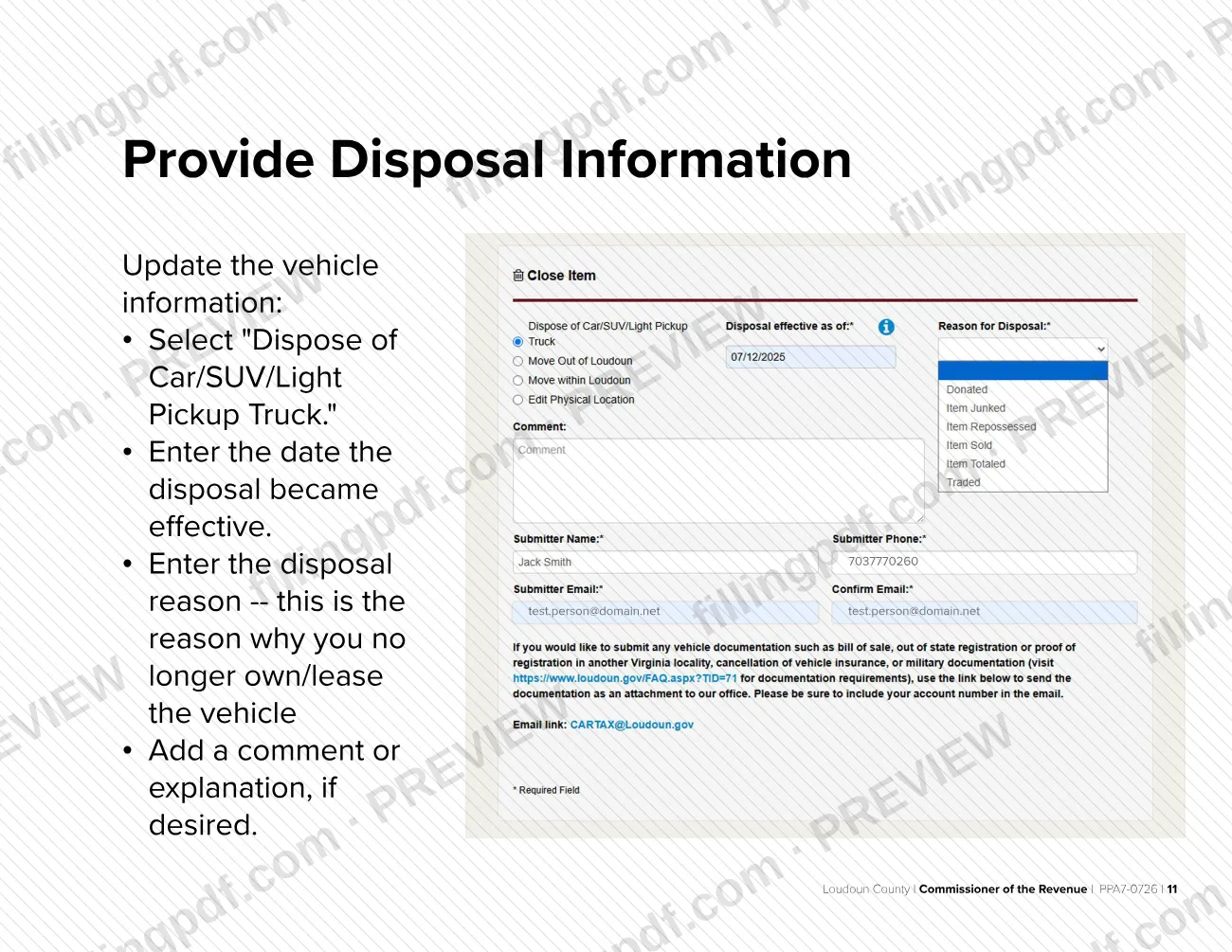
Select "Dispose of Car/SUV/Light Pickup Truck," enter the date the disposal became effective and the reason you no longer own or lease the vehicle. Add a comment if you wish.
Provide submitter information
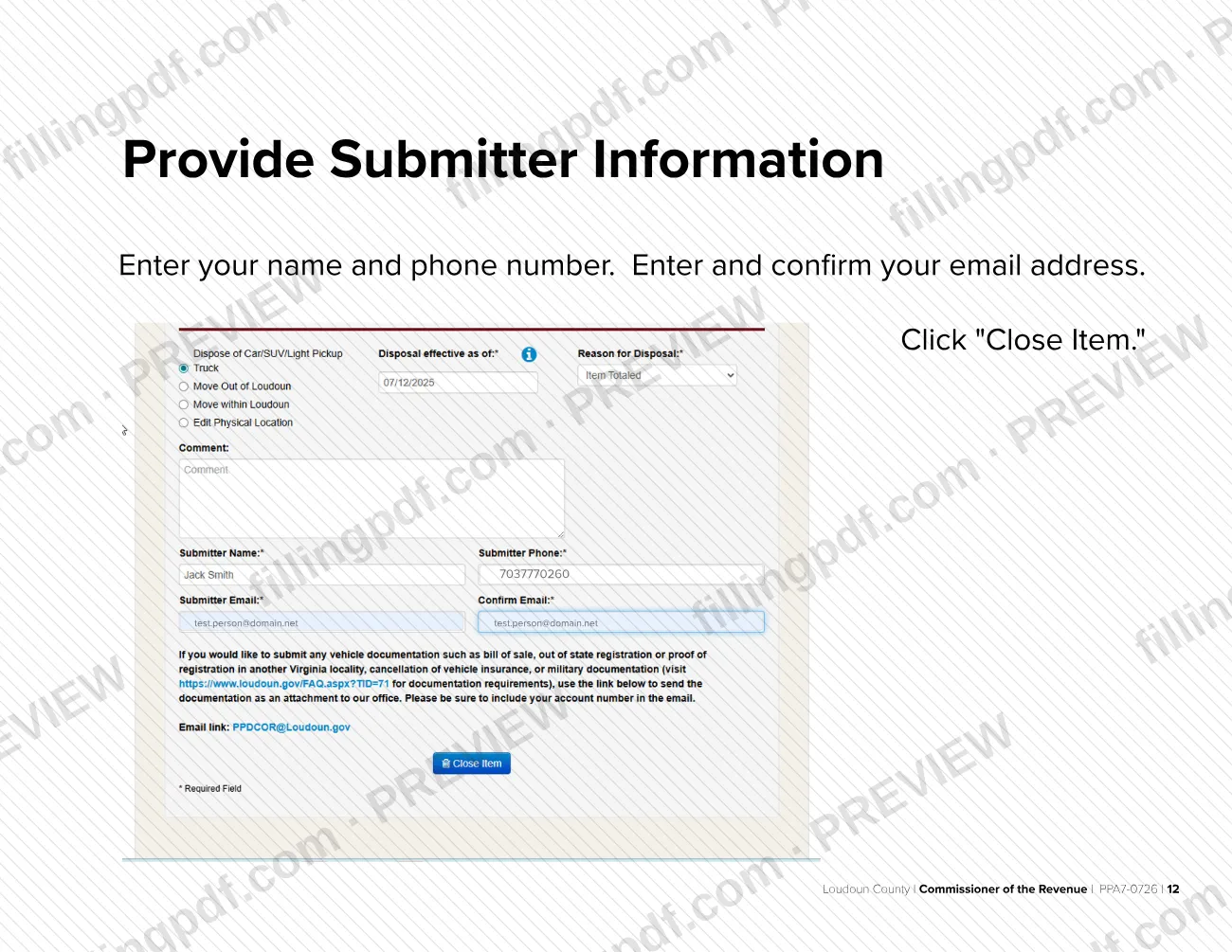
Enter your name and phone number without dashes. Enter and confirm your email address, then click "Close Item."
Confirm the update is complete
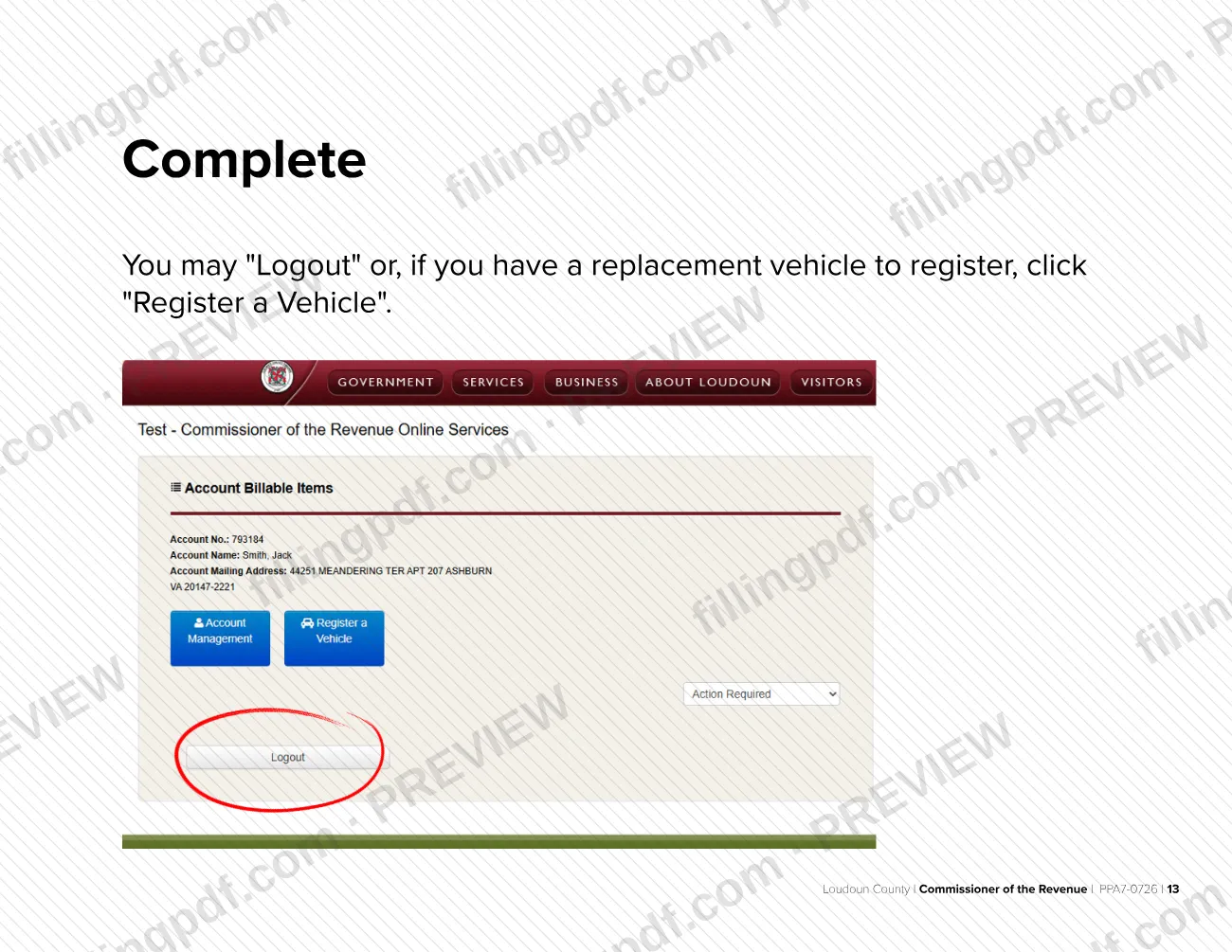
The "Update Complete" page confirms your report. You may log out or, if you have a replacement vehicle, click "Register a Vehicle".
How to submit PPA7-0726
The report is made online through the Loudoun County account system; the guide describes no mail or in-person channel.
- Online: start at loudoun.gov/efile, or go to loudoun.gov/cor. Click File/Update Vehicle Record, then Review and update your personal property tax records. Accept the disclaimer, select Existing Account Login, and log in with your zip code, account number and Social Security number. Select View/File, continue through the account screens, then use Move Out/Dispose and finish with Close Item.
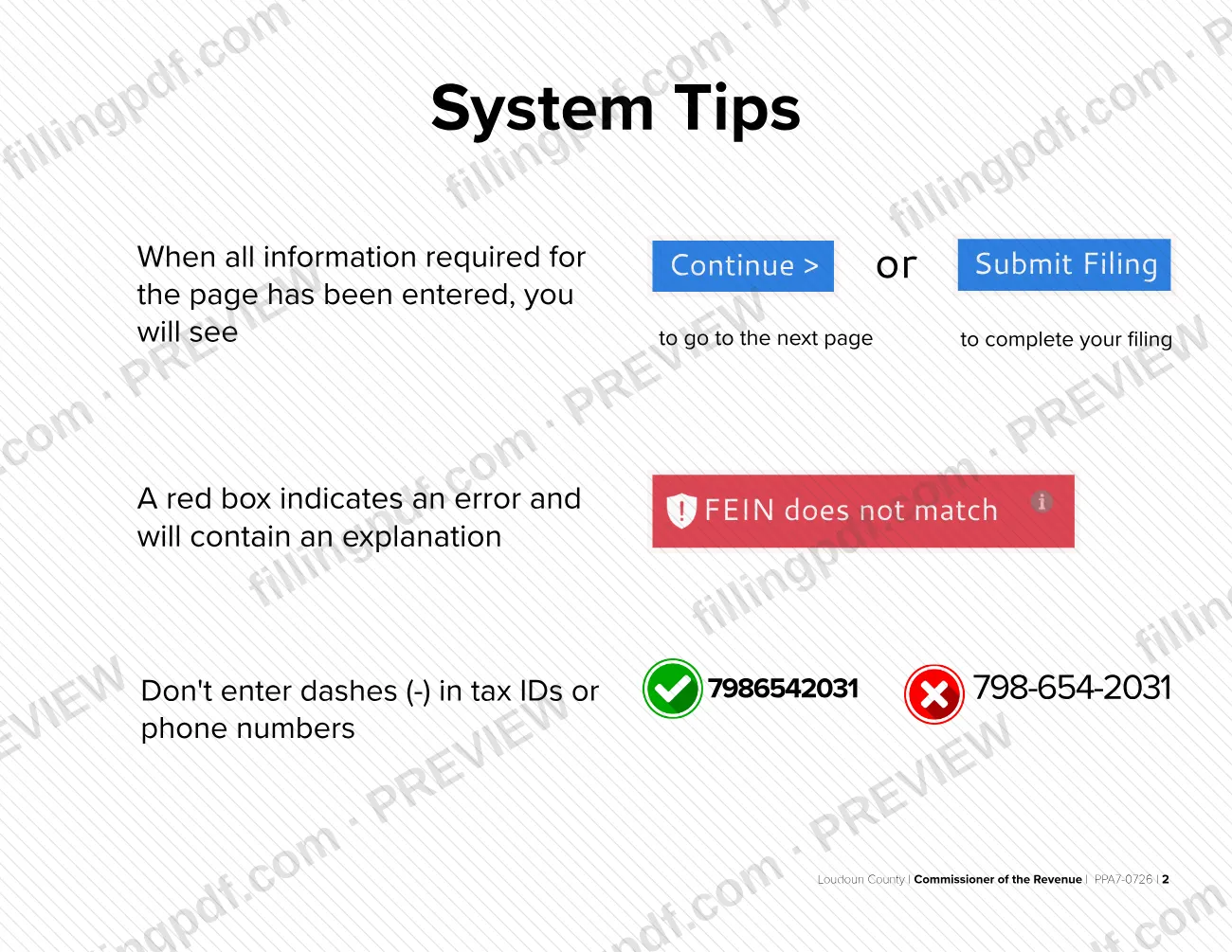
- Typing tips: do not enter dashes in tax IDs or phone numbers (7986542031, not 798-654-2031).
- Payments: to pay a tax bill, go to loudoun.gov/paymybill.
- Help: contact the Commissioner of the Revenue at 703-777-0260 or [email protected].
FillingPDF lets you view and download the official PDF; the report itself is made through the county's online channels above.
Common mistakes to avoid
- Typing dashes in your tax ID or phone number; the system asks you to enter them without dashes.
- Ignoring a red box on a page; it marks an error and contains an explanation you need to fix before continuing.
- Selecting the wrong vehicle on the Account Billable Items screen instead of checking that the information shown is for the vehicle you no longer own.
- Leaving out the date the disposal became effective or the reason you no longer own or lease the vehicle.
- Entering an email address that does not match its confirmation entry in the submitter information.
- Stopping before clicking Close Item, which finishes the report.
- Trying to log in without the six-digit account number, taxpayer identification number (SSN/FEIN) and mailing zip code.
Frequently asked questions
How do I report a sold vehicle for Loudoun County property tax?
Log in to your account at loudoun.gov/efile, open your personal property tax records, find the vehicle, and select Move Out/Dispose. Enter the effective date and the reason, add your submitter details and click Close Item. The county then confirms the update.
Do I have to tell Loudoun County when I sell or donate a vehicle?
Yes. The Commissioner of the Revenue's guide says that when you no longer own or lease a vehicle, you must inform Loudoun County that it has been sold, donated or otherwise disposed of.
What do I need to log in to my Loudoun County account?
You need your six-digit account number, your taxpayer identification number (SSN/FEIN) and the zip code of your mailing address. The login screen asks for the zip code, account number and Social Security number.
Do I type dashes in my SSN or phone number?
No. The system tips say not to enter dashes in tax IDs or phone numbers, so write 7986542031 rather than 798-654-2031.
What if I bought a replacement vehicle?
After the update is complete, the final screen lets you click Register a Vehicle to register a replacement. You can also simply log out if you have nothing more to register.
Who do I contact if I need help with my vehicle taxes?
Contact the Loudoun County Commissioner of the Revenue at 703-777-0260 or [email protected] for help with local vehicle personal property taxes. To pay a tax bill, go to loudoun.gov/paymybill.
Can I fill out this form online on FillingPDF?
FillingPDF lets you view and download the official PDF guide. It does not make the report: you complete it in the county's online account system at loudoun.gov/efile. FillingPDF is independent and not connected to Loudoun County.
Ready to fill out PPA7-0726?
Fill out PPA7-0726 now