
Personal Property Printable Returns are the paper returns the Loudoun County Commissioner of the Revenue provides for reporting vehicles, airplanes, boats and watercraft, and manufactured homes for county personal property tax. They are one of the Loudoun County property tax forms, and the county says they may be used for property registered in a state other than Virginia or by anyone who prefers to file by mail rather than online. On this page you can fill out the returns online on FillingPDF and download or print the completed PDF; the original is published by the county at loudoun.gov.
Last updated
What is Personal Property Printable Returns – Loudoun County, VA?
Personal Property Printable Returns is the Loudoun County Commissioner of the Revenue's PDF containing two printable personal property tax returns, one for vehicles and one for aircraft, boats and manufactured homes, which an owner completes and sends to the Commissioner's office by mail or fax.
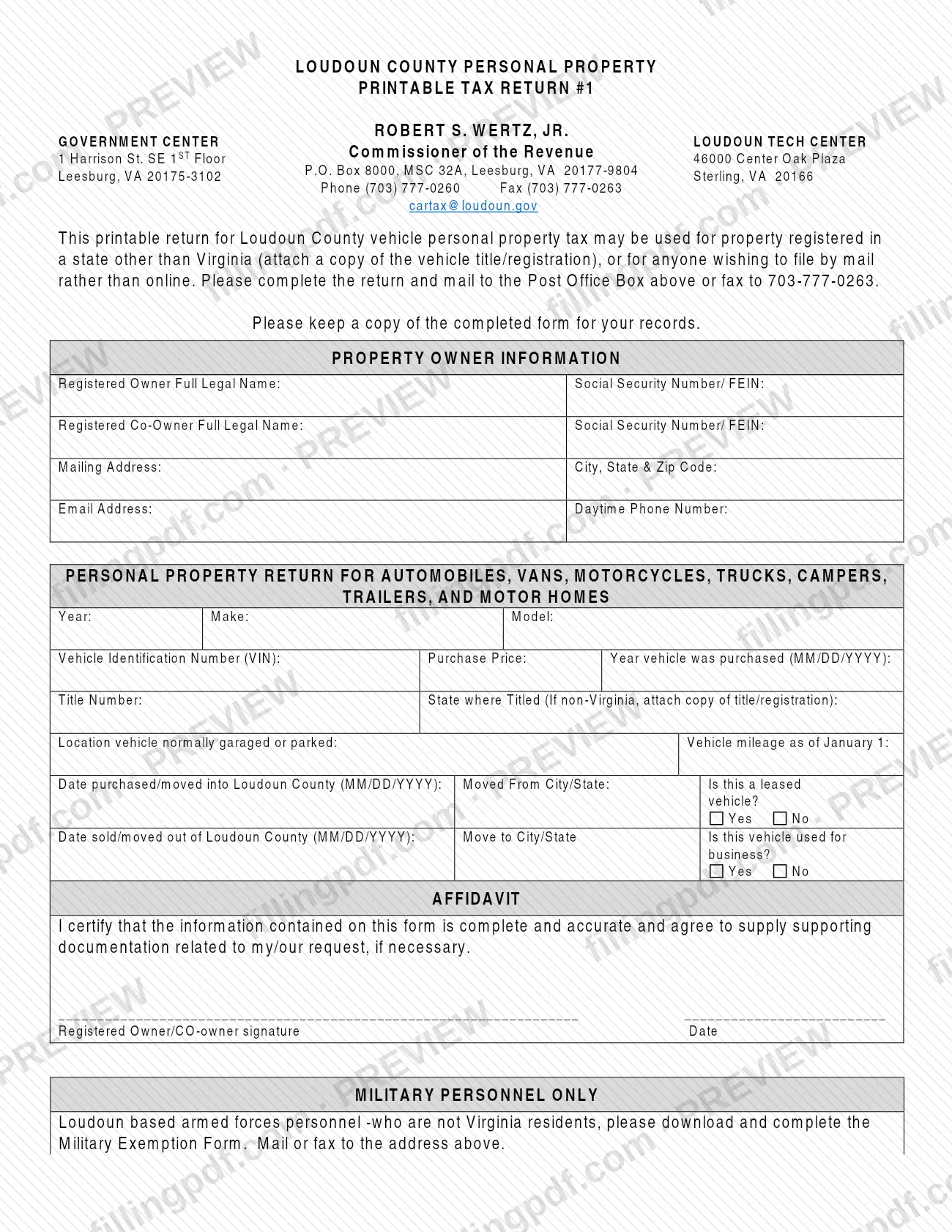
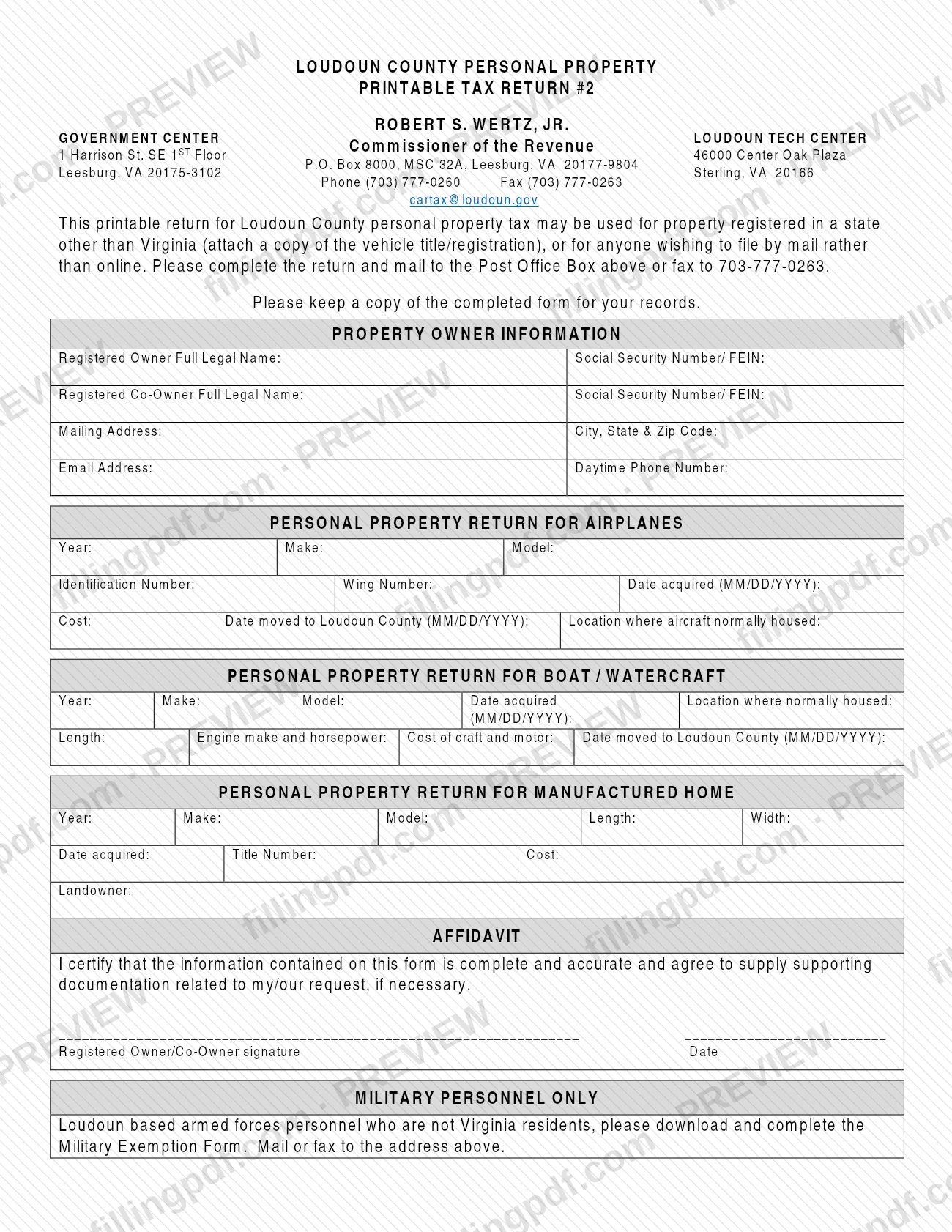
The PDF holds two separate returns, each headed "Loudoun County Personal Property Printable Tax Return":
- Printable Tax Return #1 covers automobiles, vans, motorcycles, trucks, campers, trailers and motor homes. It asks for year, make, model, Vehicle Identification Number (VIN), purchase price, title number, state where titled, where the vehicle is normally garaged or parked, mileage as of January 1, move-in and move-out dates, and whether the vehicle is leased or used for business.
- Printable Tax Return #2 covers airplanes, boats and watercraft, and manufactured homes. Each category has its own block: the airplane block asks for identification number, wing number and cost; the boat block asks for length, engine make and horsepower, and cost of craft and motor; the manufactured home block asks for length, width, title number, cost and landowner.
Both returns open with a Property Owner Information block and close with an affidavit in which the registered owner or co-owner certifies that the information is complete and accurate and agrees to supply supporting documentation if necessary. The county's Tax Assessment & Tax Relief Forms page says most of its forms remain available as downloadable PDFs while select forms are also offered for digital submission.
These returns are not the Military Exemption Form, which Loudoun-based armed forces personnel who are not Virginia residents complete separately.
Who needs to file Personal Property Printable Returns – Loudoun County, VA?
Owners of personal property in Loudoun County who want to report it on paper use these returns. The Commissioner of the Revenue's form says they may be used in two situations:
- the property is registered in a state other than Virginia, in which case you attach a copy of the vehicle title or registration; or
- you wish to file by mail rather than online.
Use Return #1 for automobiles, vans, motorcycles, trucks, campers, trailers and motor homes. Use Return #2 for airplanes, boats and watercraft, and manufactured homes. Return #1 is worded for vehicle personal property tax; Return #2 for personal property tax generally.
The registered owner completes the return, and a registered co-owner is listed in a separate block. The affidavit is signed by the registered owner or co-owner. The form does not describe signing for someone else.
Loudoun-based armed forces personnel who are not Virginia residents should download and complete the Military Exemption Form and mail or fax it to the Commissioner's office; both returns carry this note under Military Personnel Only.
When to file Personal Property Printable Returns – Loudoun County, VA
You complete a printable return when you need to report a vehicle, aircraft, boat or manufactured home to the Commissioner of the Revenue and either the property is registered outside Virginia or you prefer to file by mail or fax rather than online. The returns print no due date of their own. For a deadline, call the office at (703) 777-0260 or email [email protected].
The form does tie the return to events in the life of the property. Return #1 asks for the date the vehicle was purchased or moved into Loudoun County, the date it was sold or moved out, and the mileage as of January 1. Return #2 asks for the date an aircraft or boat was acquired and the date it was moved to Loudoun County. Have those dates ready before you start, in the MM/DD/YYYY format the form prints.
Documents you need
- A copy of the vehicle title or registration, only if the vehicle is registered or titled in a state other than Virginia; the form asks for it next to the State where Titled field and in the introductory note.
How to fill out Personal Property Printable Returns – Loudoun County, VA
Choose the right return
Use Printable Tax Return #1 for automobiles, vans, motorcycles, trucks, campers, trailers and motor homes. Use Printable Tax Return #2 for airplanes, boat/watercraft and manufactured homes.
Enter the property owner information
Give the Registered Owner Full Legal Name with Social Security Number/FEIN, and the Registered Co-Owner Full Legal Name with Social Security Number/FEIN if there is one. Then enter the mailing address, city, state and ZIP code, email address and daytime phone number.
Describe the vehicle (Return #1)
Enter Year, Make and Model, then the Vehicle Identification Number (VIN), Purchase Price and the purchase date in MM/DD/YYYY format. Enter the Title Number and the State where Titled; for a non-Virginia title or registration, attach a copy.
Enter garaging location and mileage
On Return #1, give the location where the vehicle is normally garaged or parked and the vehicle mileage as of January 1.
Complete move, lease and business lines
Enter the date purchased or moved into Loudoun County and the Moved From City/State. If the vehicle was sold or moved out, enter that date and the Move to City/State. Check Yes or No for whether the vehicle is leased and whether it is used for business.
Describe an airplane (Return #2)
Enter Year, Make, Model, Identification Number, Wing Number, Date acquired (MM/DD/YYYY), Cost, the date moved to Loudoun County and where the aircraft is normally housed.
Describe a boat or watercraft
Enter Year, Make, Model, date acquired, where it is normally housed, Length, engine make and horsepower, cost of craft and motor, and the date moved to Loudoun County.
Describe a manufactured home
Enter Year, Make, Model, Length and Width, Date acquired, Title Number, Cost and the Landowner.
Sign and date the affidavit
The registered owner or co-owner signs and dates the affidavit certifying that the information is complete and accurate and agreeing to supply supporting documentation if necessary.
Check the military note
If you are Loudoun-based armed forces personnel and not a Virginia resident, also download and complete the Military Exemption Form and send it to the same address or fax number.
Review and download the completed PDF
Check names, dates and the VIN or identification numbers, then download or print the completed PDF from FillingPDF, keep a copy and send it through one of the channels described under How to submit.
How to submit Personal Property Printable Returns – Loudoun County, VA
You can send a completed return by mail or by fax, and the county's forms page also points to a secure upload portal for forms with sensitive personal information.
- By mail: Commissioner of the Revenue, P.O. Box 8000, MSC 32A, Leesburg, VA 20177-9804. The form tells you to mail the return to this Post Office Box.
- By fax: 703-777-0263.
- Document Upload Portal: the Tax Assessment & Tax Relief Forms page at https://www.loudoun.gov/6018/Tax-Assessment-Tax-Relief-Forms says completed forms that contain sensitive personal identifying information should be submitted through the secure Document Upload Portal. These returns ask for a Social Security number or FEIN.
For vehicles registered in a state other than Virginia, attach a copy of the vehicle title or registration. Keep a copy of the completed form for your records. The office's street addresses printed on the form are the Government Center, 1 Harrison St. SE 1ST Floor, Leesburg, VA 20175-3102, and the Loudoun Tech Center, 46000 Center Oak Plaza, Sterling, VA 20166. For help, call (703) 777-0260 or email [email protected]. FillingPDF lets you fill out and download the PDF; submission follows the channels above.
Common mistakes to avoid
- Using Return #1 for an airplane, boat or manufactured home, or Return #2 for a car, truck, camper or trailer; each return is built for its own property types.
- Leaving out the copy of the vehicle title or registration when the vehicle is titled or registered in a state other than Virginia.
- Mailing the return to the street address of the Government Center or the Loudoun Tech Center instead of the P.O. Box 8000, MSC 32A address the form gives for mailing.
- Leaving the affidavit unsigned or undated; the registered owner or co-owner must sign and date it.
- Writing dates in another format than the MM/DD/YYYY the form prints for purchase, move-in, move-out and acquisition dates.
- Skipping the move-out date and destination (Move to City/State) when a vehicle was sold or moved out of Loudoun County.
- Overlooking that completed forms containing sensitive personal identifying information should go through the secure Document Upload Portal; these returns ask for a Social Security number or FEIN.
- Assuming a nonresident member of the armed forces can use this return instead of the Military Exemption Form, which must be completed separately.
- Not keeping a copy of the completed return; the form asks you to keep one for your records.
Frequently asked questions
What are the Loudoun County Personal Property Printable Returns?
They are two printable returns from the Loudoun County Commissioner of the Revenue. Return #1 reports automobiles, vans, motorcycles, trucks, campers, trailers and motor homes; Return #2 reports airplanes, boats and watercraft, and manufactured homes. You complete one and mail or fax it to the Commissioner's office.
Who can use the printable Loudoun County property tax return?
The county says it may be used for property registered in a state other than Virginia, or by anyone who wants to file by mail rather than online. For a non-Virginia vehicle, attach a copy of the title or registration to the return.
Where do I mail the Loudoun County personal property return?
Mail it to the Commissioner of the Revenue at P.O. Box 8000, MSC 32A, Leesburg, VA 20177-9804, or fax it to 703-777-0263. Forms with sensitive personal identifying information should go through the county's secure Document Upload Portal.
Do I need to attach anything to the return?
Only for property registered or titled outside Virginia: attach a copy of the vehicle title or registration. The form lists no other attachment, but the affidavit says you agree to supply supporting documentation related to your request if necessary.
When is the printable personal property return due?
The returns print no due date. They ask for dates such as when you bought or moved the property into Loudoun County and the vehicle mileage as of January 1. For a deadline, call the office at (703) 777-0260 or email [email protected].
What should military personnel who are not Virginia residents do?
Loudoun-based armed forces personnel who are not Virginia residents should download and complete the Military Exemption Form and mail or fax it to the Commissioner of the Revenue's address on the return. The note appears on both Return #1 and Return #2.
Can I fill out the Loudoun County printable return online on FillingPDF?
Yes. On FillingPDF you can fill out the PDF online and download or print it. FillingPDF is independent of Loudoun County and does not file the return; you mail or fax it, or use the county's channels, yourself.
Who do I contact with questions about the return?
The Commissioner of the Revenue's office lists phone (703) 777-0260, fax (703) 777-0263 and email [email protected] on the form. Its forms page also encourages you to contact staff by email or phone if you need help with a form.
Ready to fill out Personal Property Printable Returns – Loudoun County, VA?
Fill out Personal Property Printable Returns – Loudoun County, VA now