
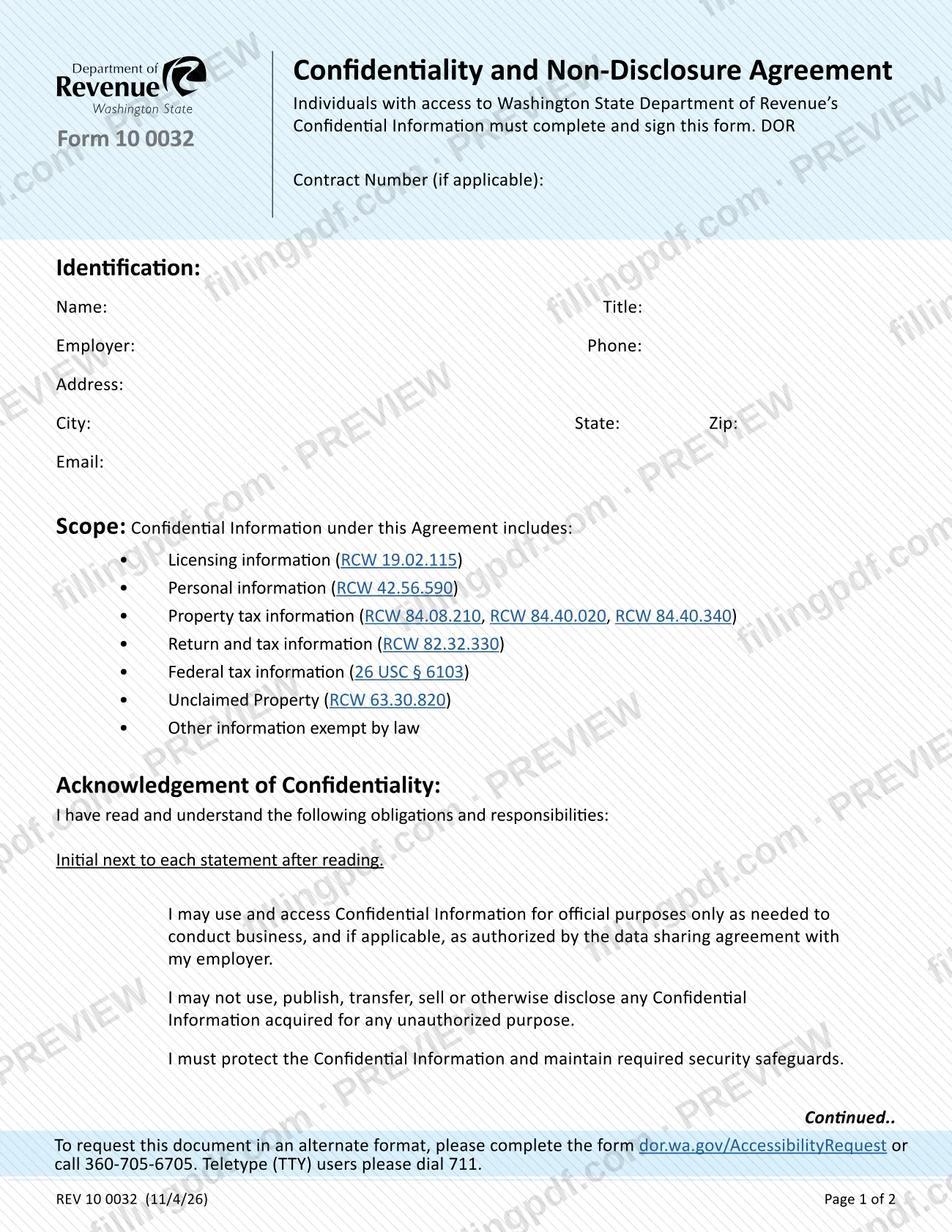
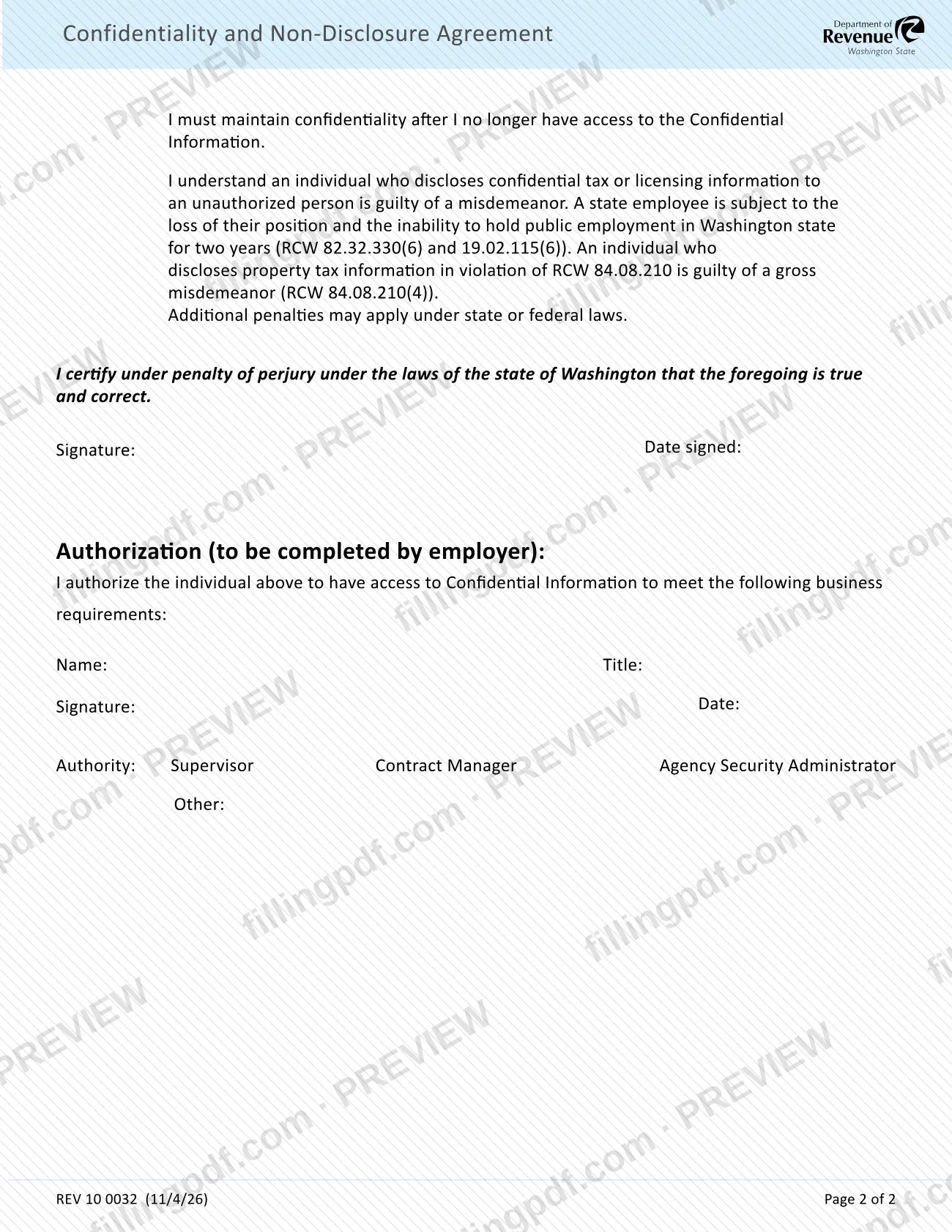
The Confidentiality and Non-Disclosure Agreement (Form 10 0032) is the Washington State Department of Revenue (DOR) form that individuals with access to DOR Confidential Information must complete and sign. The person with access fills in the identification block, initials each obligation and signs a certification; an employer representative then completes the authorization block. On this page you can fill out the form online on FillingPDF and download or print the completed PDF; the form itself is published by DOR at dor.wa.gov.
Last updated
What is 10 0032?
Form 10 0032, Confidentiality and Non-Disclosure Agreement, is the Washington State Department of Revenue (DOR) form on which a person with access to DOR Confidential Information acknowledges the duty to protect it, certifies that acknowledgement, and has an employer authorize the access.
The form is a two-page agreement. Page 1 collects the person's identification (name, title, employer, phone, address, email) and an optional DOR contract number, and lists what counts as Confidential Information under the agreement:
- licensing information (RCW 19.02.115);
- personal information (RCW 42.56.590);
- property tax information (RCW 84.08.210, RCW 84.40.020, RCW 84.40.340);
- return and tax information (RCW 82.32.330);
- federal tax information (26 USC § 6103);
- unclaimed property (RCW 63.30.820);
- other information exempt by law.
The acknowledgement section then lists the obligations the person reads and initials: use and access for official purposes only, no unauthorized use, publication, transfer, sale or disclosure, protecting the information with required security safeguards, and keeping it confidential after access ends. It also states the penalties for unauthorized disclosure. The person certifies the statements under penalty of perjury under Washington law and signs.
Page 2 ends with an authorization block that the employer completes, naming the business requirements for the access and the authority of the person who signs: Supervisor, Contract Manager, Agency Security Administrator or Other. DOR lists the form among its forms under C, next to separate authorization forms for confidential licensing and tax information.
Who needs to file 10 0032?
Individuals with access to Washington State Department of Revenue Confidential Information must complete and sign Form 10 0032, as the form itself states. That includes people who reach the information through an employer, such as under a data sharing agreement with that employer, which the form mentions in the first obligation, and people working under a DOR contract, for whom the form has a DOR Contract Number line "if applicable".
A second person is also involved: the employer. The Authorization block at the end is to be completed by the employer, who authorizes the individual to have access for stated business requirements. The employer's representative signs as a Supervisor, Contract Manager, Agency Security Administrator or Other.
The form states consequences that apply to the signer. Disclosing confidential tax or licensing information to an unauthorized person is a misdemeanor; a state employee can lose their position and be barred from public employment in Washington state for two years; disclosing property tax information in violation of RCW 84.08.210 is a gross misdemeanor; other state or federal penalties may apply. The form names no exclusions and does not describe signing on someone else's behalf.
When to file 10 0032
Complete and sign Form 10 0032 when you are given access to Washington State Department of Revenue Confidential Information: the form says individuals with access must complete and sign it. The employer's authorization section is filled in as part of the same agreement, naming the business requirements for the access.
No separate due date, renewal cycle or validity period is printed on the form. The obligations you initial do not end with the job or the contract: the form states that you must maintain confidentiality after you no longer have access to the Confidential Information.
How to fill out 10 0032
Enter the DOR contract number
At the top of page 1, type the DOR Contract Number if one applies to your access. If no DOR contract is involved, leave it as the form allows ("if applicable").
Complete the identification block
Under Identification, enter your Name, Title, Employer, Phone, Address, City, State, Zip and Email.
Read the scope of Confidential Information
Review the Scope list: licensing, personal, property tax, return and tax, federal tax and unclaimed property information, and other information exempt by law. Nothing is entered in this section.
Initial each acknowledgement statement
Read each obligation under Acknowledgement of Confidentiality, then initial next to each statement. They cover official-purpose use, no unauthorized disclosure, security safeguards and confidentiality after access ends.
Read the penalty statement
Review the statement on misdemeanor and gross misdemeanor penalties and the two-year bar on state employment, and the note that additional penalties may apply.
Sign and date the certification
Under the certification made under penalty of perjury under Washington law, enter your Signature and the Date signed.
Have the employer complete authorization
In the Authorization block, the employer states the business requirements for the access, then enters Name, Title, Signature and Date.
Mark the employer's authority
Check one Authority box: Supervisor, Contract Manager or Agency Security Administrator. If Other applies, write the authority on the Other line.
Review and download the completed PDF
Check that every identification field, initial, signature and date is complete. Download or print the completed PDF from FillingPDF and deliver it as DOR or your employer directs.
How to submit 10 0032
The form prints no mailing address, email, portal or office to return it to, so the channels for delivering the signed agreement are not stated on the document. Check with the DOR contact or the employer representative who asked you to sign it. A signed form needs both parts: your own signature and date on page 2, and the employer's name, title, signature, date and authority in the Authorization block.
To request the document in an alternate format, call 360-705-6705. Teletype (TTY) users may use the Washington Relay Service by calling 711.
FillingPDF lets you fill out and download the PDF; submission follows the channels that DOR or your employer gives you.
Common mistakes to avoid
- Signing without initialing each obligation; the form says to initial next to each statement after reading it.
- Leaving the Authorization block blank; it is to be completed by the employer, not by the individual who needs access.
- Skipping the authority box (Supervisor, Contract Manager, Agency Security Administrator or Other) or leaving the Other line empty when Other is checked.
- Omitting the DOR Contract Number when the access is tied to a DOR contract; the line is marked "if applicable".
- Leaving the business requirements line in the employer authorization empty, so the access is not tied to a stated purpose.
- Forgetting the signature date on page 2 or the date in the employer block; both signatures have their own date field.
- Assuming the duty ends when access ends; the form states confidentiality must be maintained after access to the information is lost.
Frequently asked questions
What is the Confidentiality and Non-Disclosure Agreement, Form 10 0032?
It is a Washington State Department of Revenue form that individuals with access to DOR Confidential Information complete and sign. It records their obligations, their certification under penalty of perjury and their employer's authorization for the access.
Who has to sign Form 10 0032?
Individuals with access to Washington State Department of Revenue Confidential Information must complete and sign it. The employer also completes the Authorization block, naming the business requirements for the access and signing as Supervisor, Contract Manager, Agency Security Administrator or Other.
What counts as Confidential Information on this form?
The scope covers licensing information, personal information, property tax information, return and tax information, federal tax information, unclaimed property, and other information exempt by law. Each category cites its statute, such as RCW 82.32.330 or 26 USC § 6103.
What are the penalties for disclosing confidential information?
Disclosing confidential tax or licensing information to an unauthorized person is a misdemeanor, and a state employee can lose their position and be barred from public employment in Washington for two years. Property tax disclosure under RCW 84.08.210 is a gross misdemeanor.
Does the confidentiality duty end when my access ends?
No. One of the statements you initial says you must maintain confidentiality after you no longer have access to the Confidential Information. The form sets no end date for this obligation.
Can I fill out the confidentiality and non-disclosure agreement online?
Yes. You can fill out the PDF online on FillingPDF and download or print it. FillingPDF is an independent service and does not send the form to the Department of Revenue or your employer; you deliver it as DOR or your employer directs.
Where do I send the completed Form 10 0032?
The form does not print an address, email or portal for returning it, so ask the DOR contact or the employer representative who requested it. To get the form in an alternate format, call 360-705-6705, or use the Washington Relay Service at 711 for TTY.
Who completes the Authorization section of Form 10 0032?
The employer completes it, not the individual seeking access. It states the business requirements for the access and carries the employer representative's name, title, signature, date and authority: Supervisor, Contract Manager, Agency Security Administrator or Other.
Ready to fill out 10 0032?
Fill out 10 0032 now