

Attachment C - Budget Worksheet is the detailed line-item budget that the West Virginia Department of Health and Human Resources (DHHR), Bureau for Public Health, uses for the 2021 Addressing COVID-19 Health Disparities Among Racial and Ethnic Minorities in West Virginia grant. If you searched for a budget worksheet for this program, this is the document: it breaks the grant into cost categories A through H, adds a Budget Summary and records grantee funds and program income. On this page you can fill out the form online on FillingPDF and download or print the completed PDF; the form itself is published by DHHR at the official link.
Last updated
What is Attachment C?
Attachment C - Budget Worksheet is the West Virginia Department of Health and Human Resources (DHHR) form on which a grant applicant lays out a detailed line-item budget for the 2021 Addressing COVID-19 Health Disparities Among Racial and Ethnic Minorities in West Virginia grant, issued through the Bureau for Public Health.
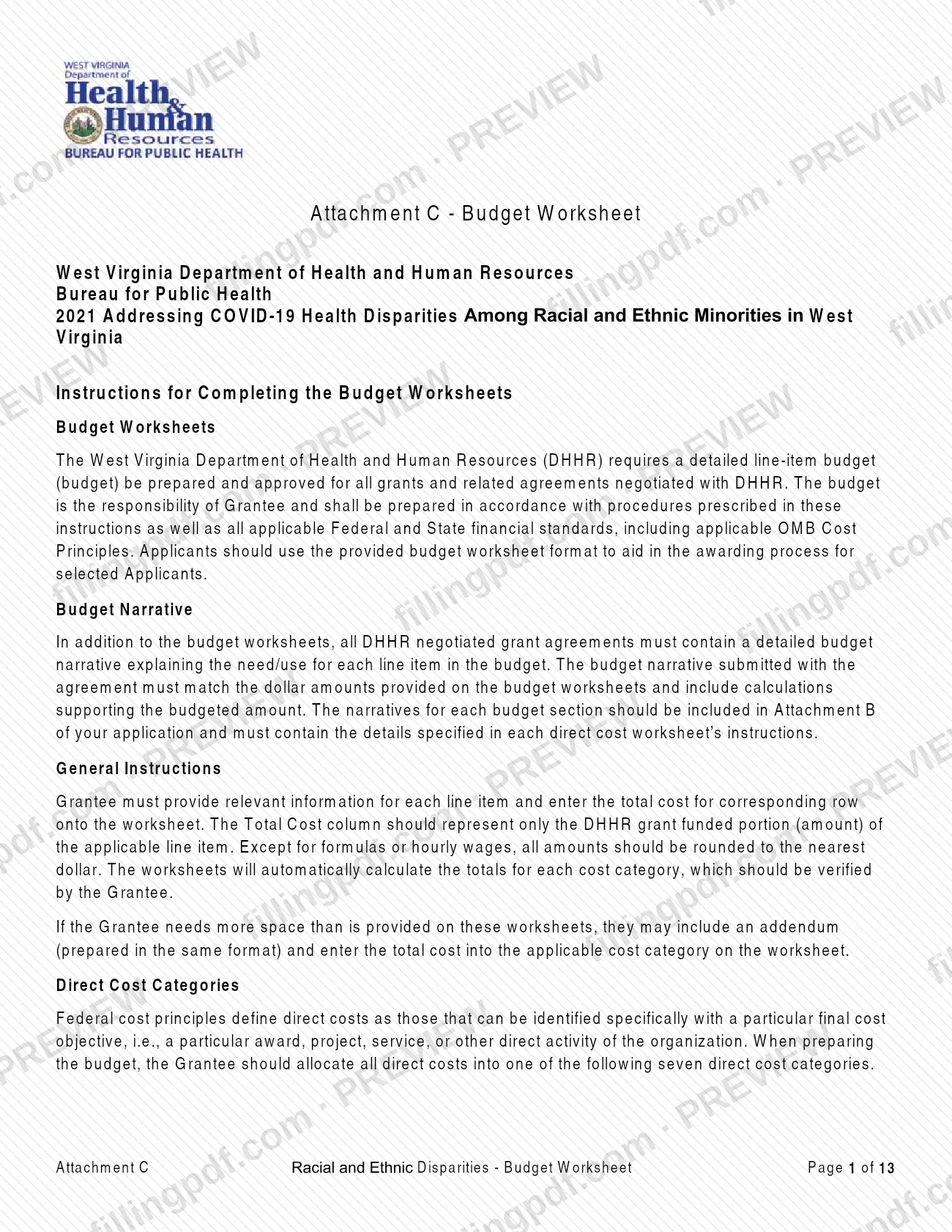
DHHR requires a detailed line-item budget, prepared and approved, for all grants and related agreements it negotiates. The budget is the grantee's responsibility and must follow the form's instructions and the applicable Federal and State financial standards, including OMB Cost Principles.
The worksheet is organized as follows:
- Header items 1 to 8: grantee, preparer, dates, grant agreement and change order numbers, original and revised grant amounts.
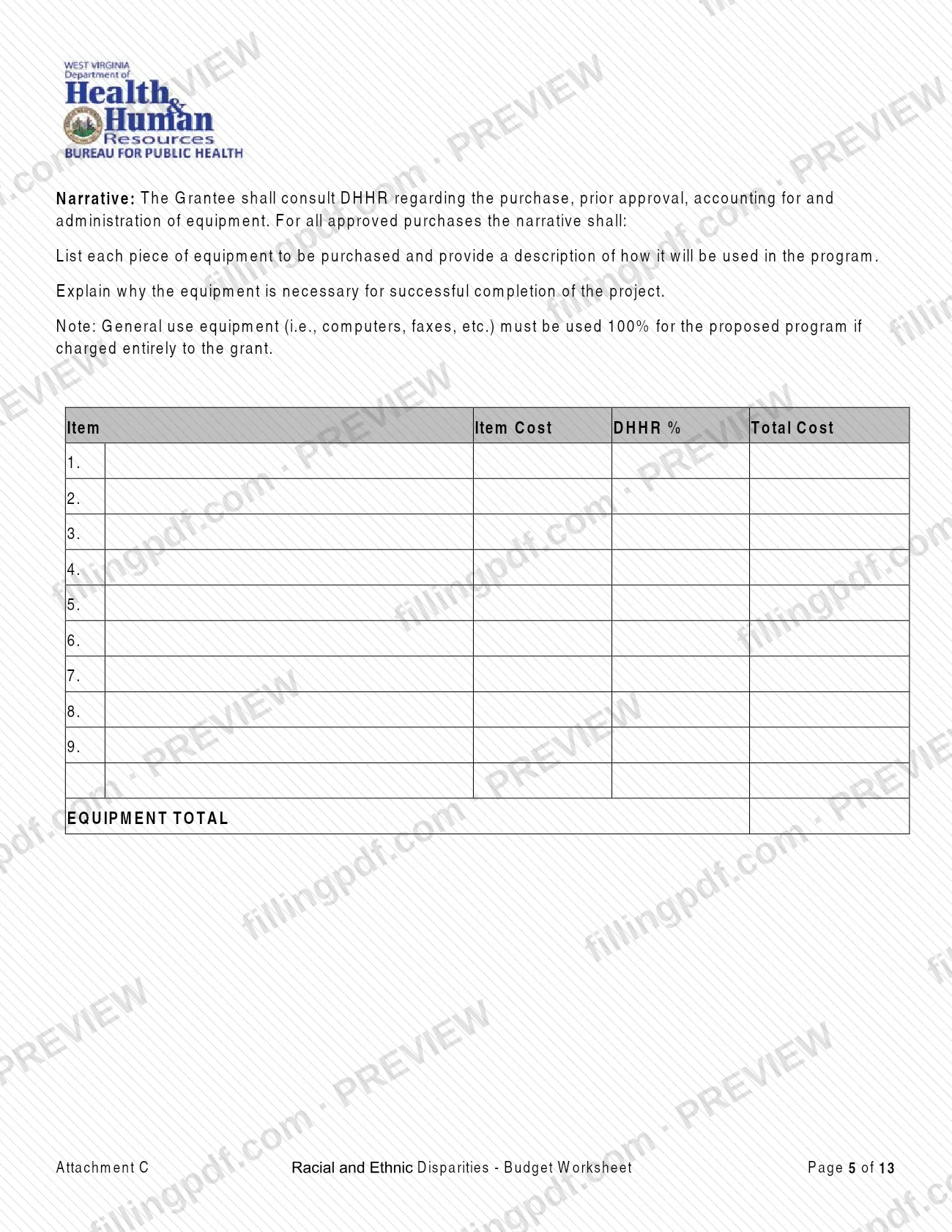
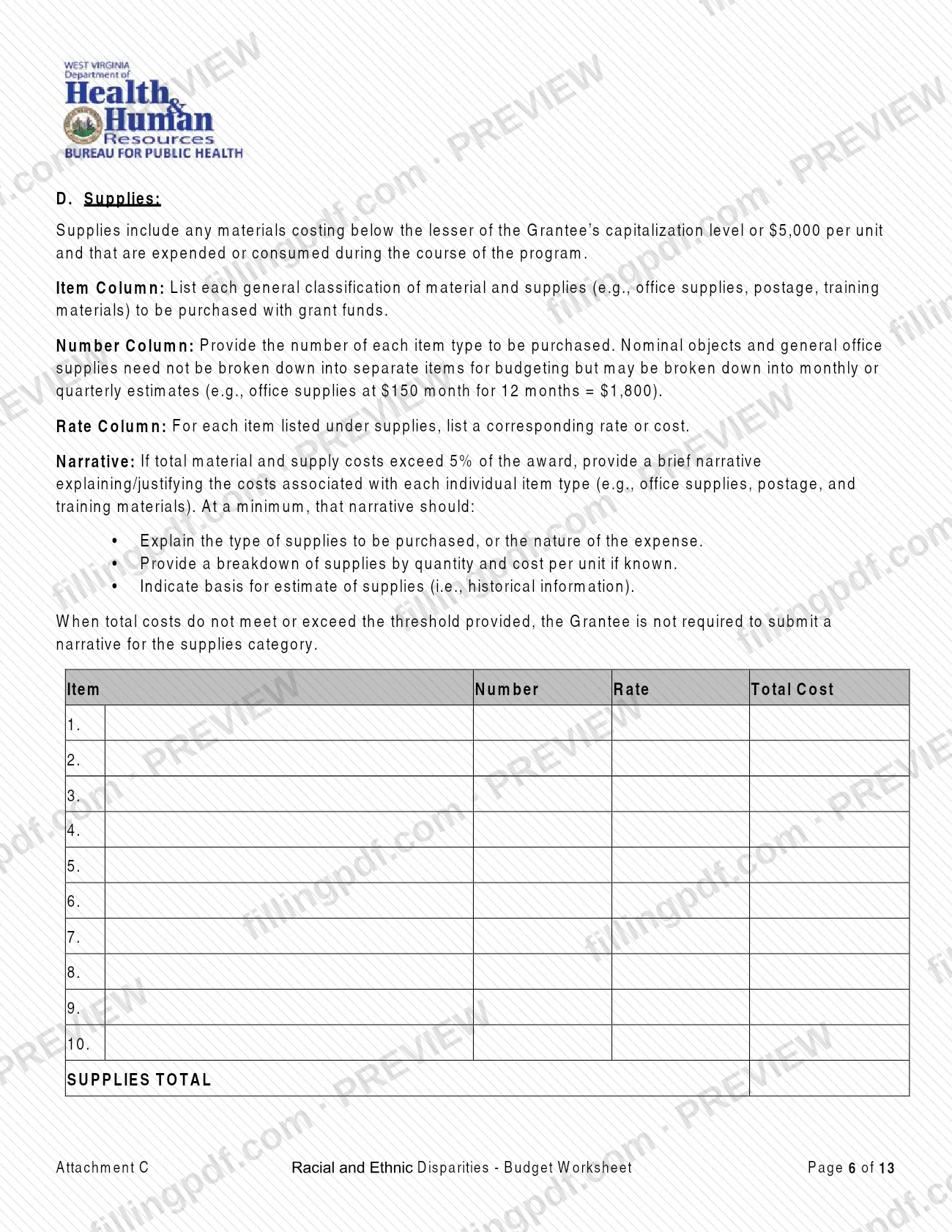
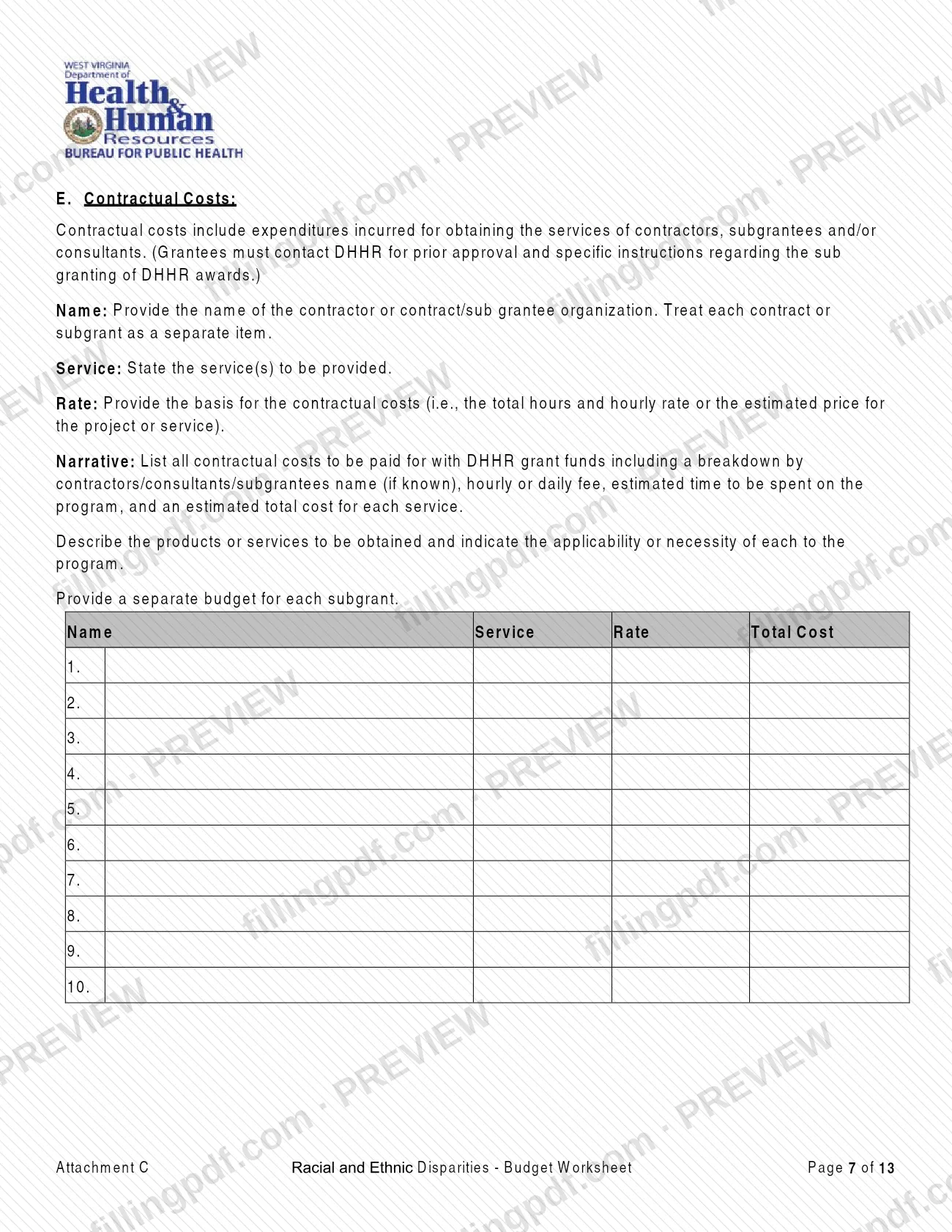
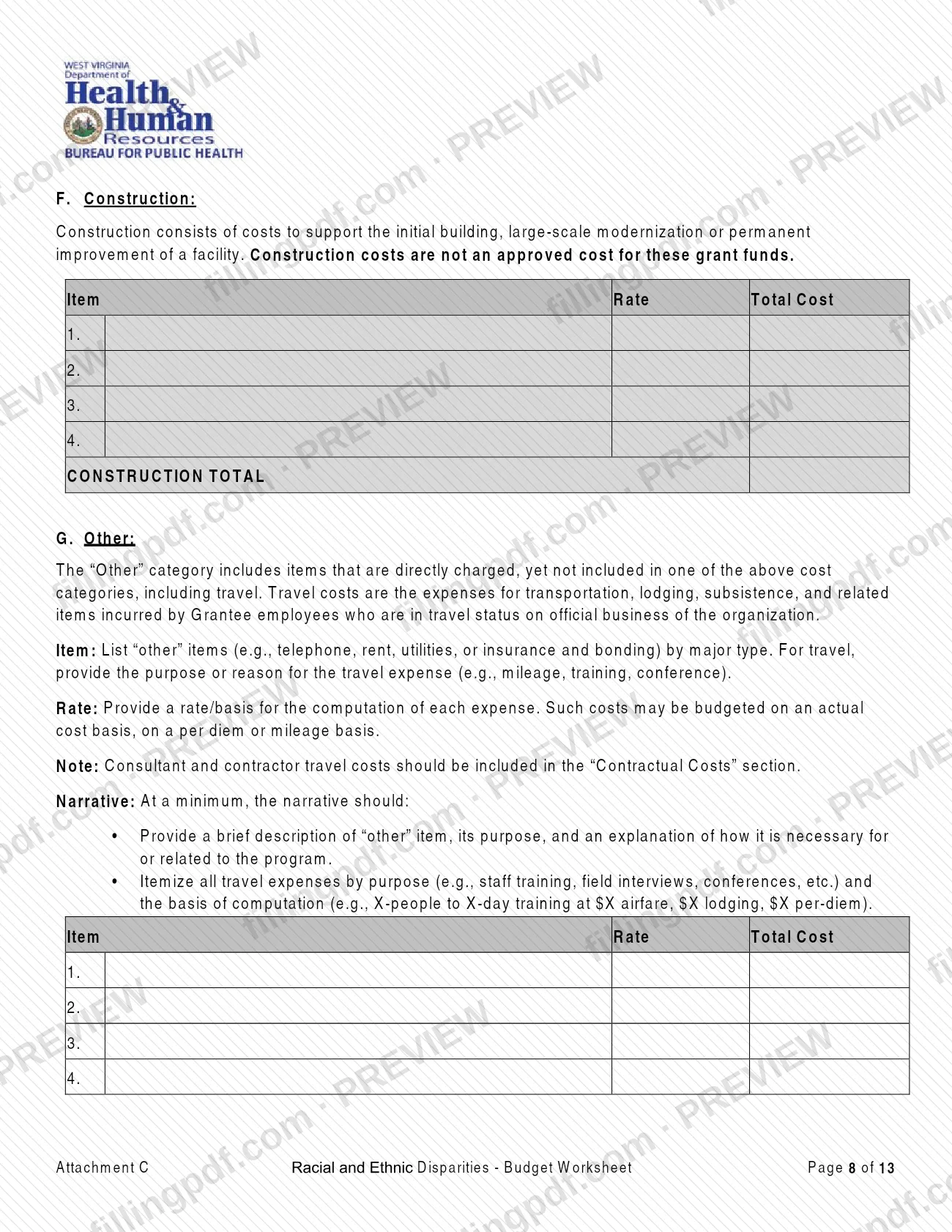
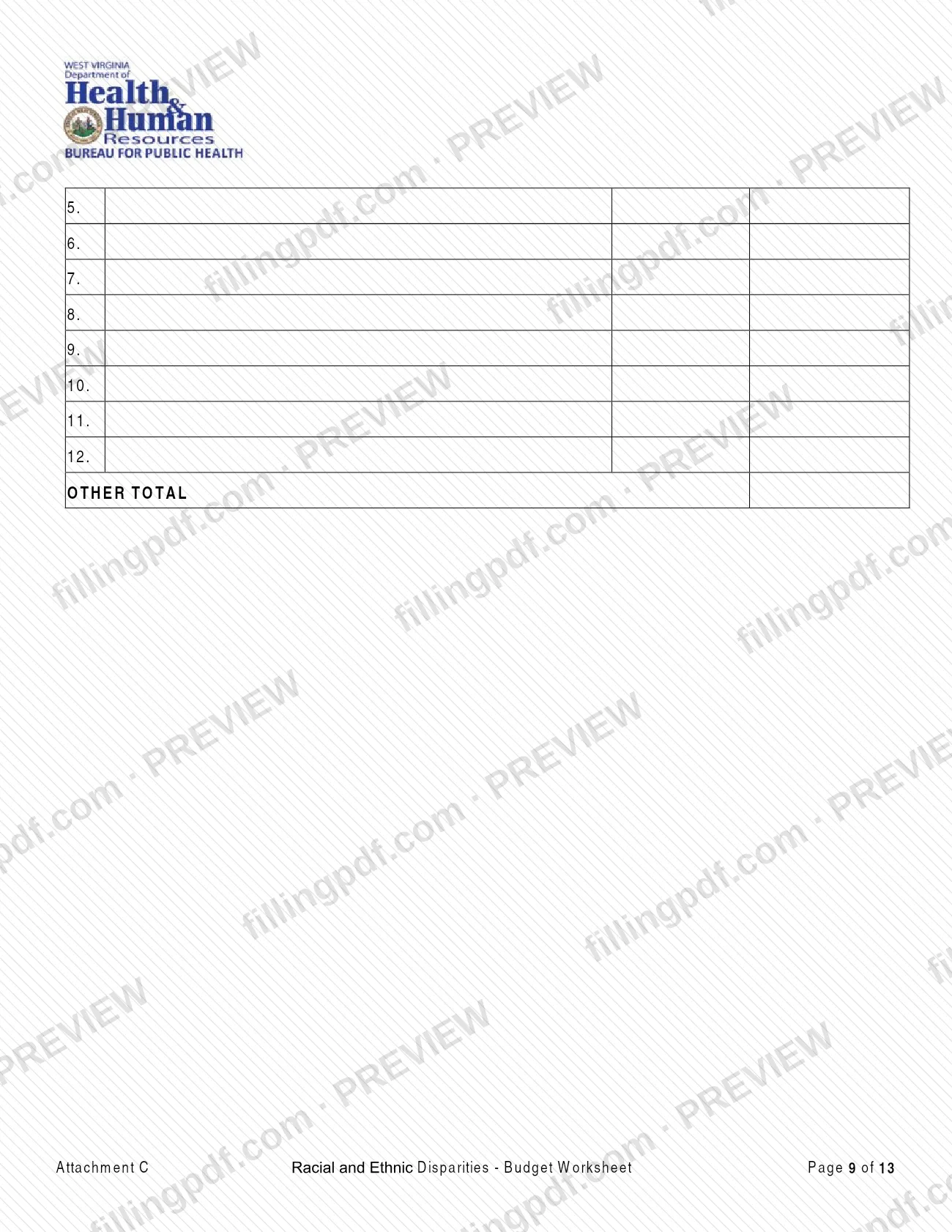
- Direct cost categories: A. Personnel, B. Fringe Benefits, C. Equipment, D. Supplies, E. Contractual Costs, F. Construction and G. Other.
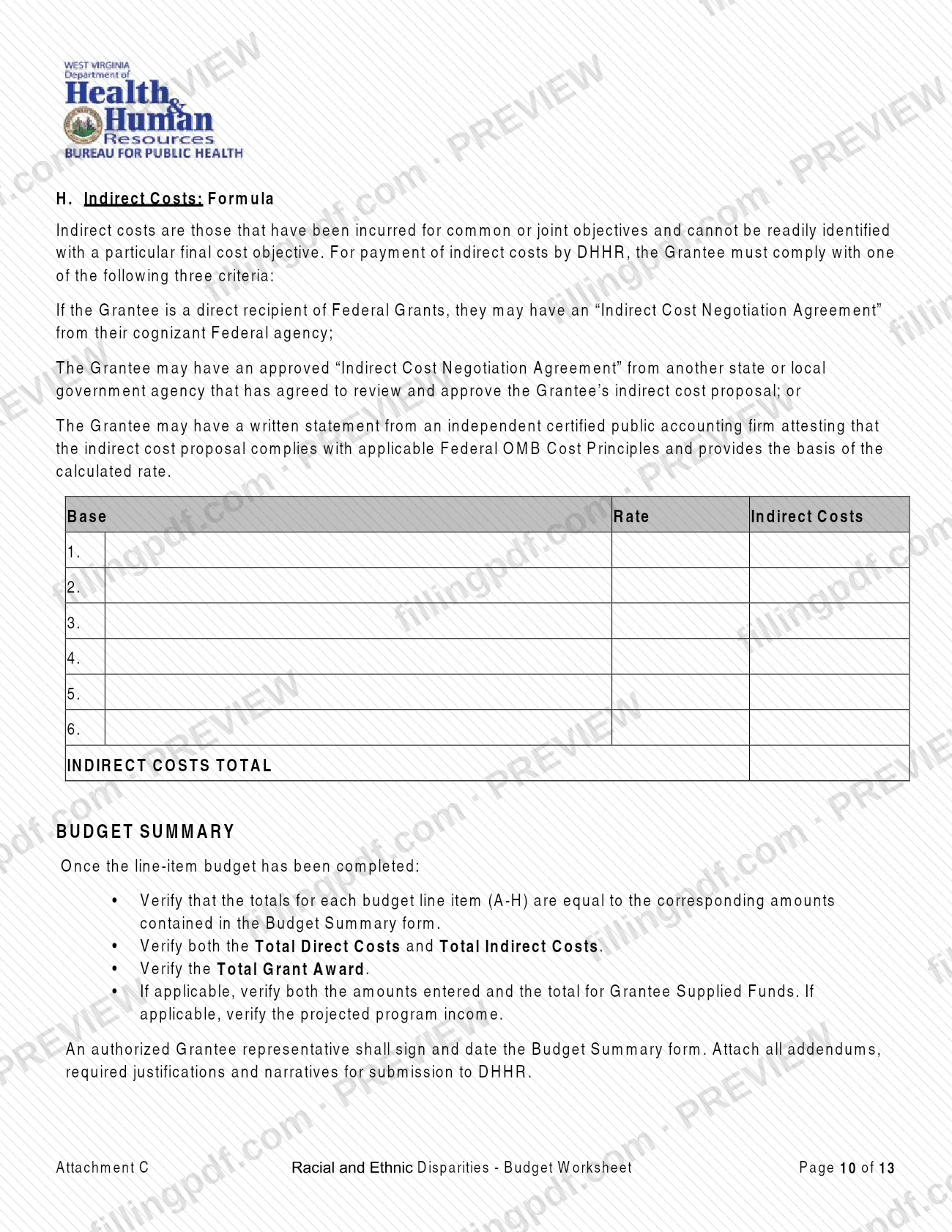
- H. Indirect Costs.
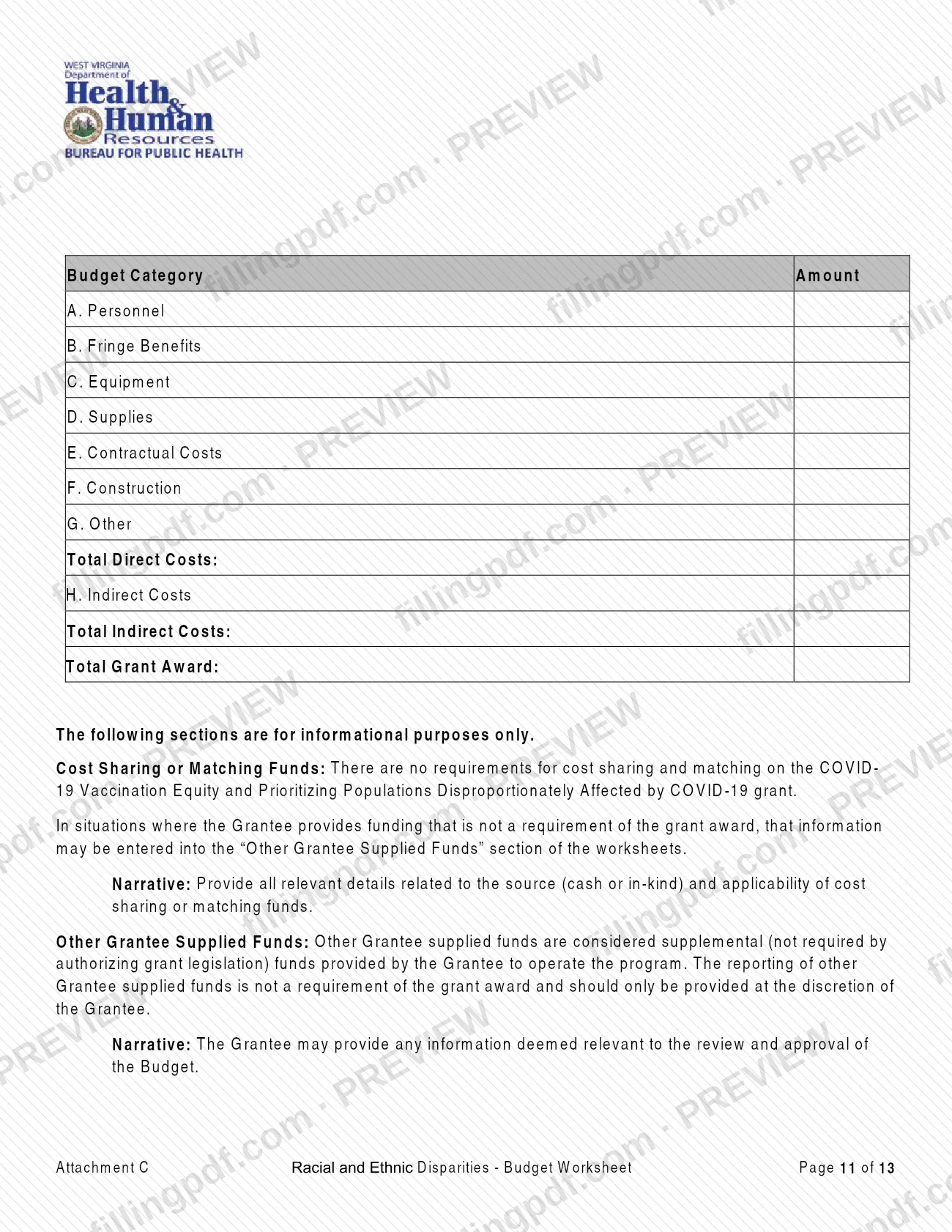
- A Budget Summary that totals direct costs, indirect costs and the Total Grant Award.
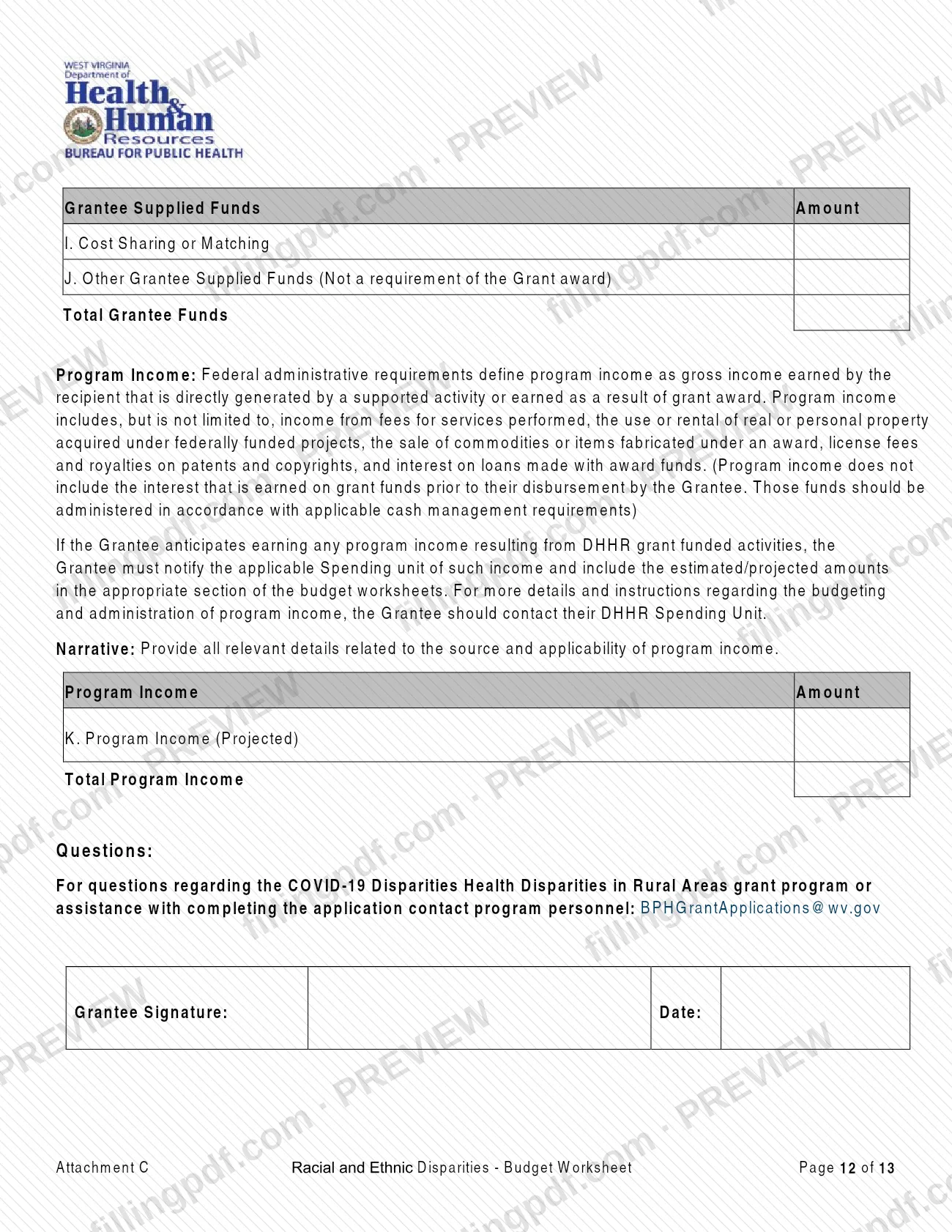
- Informational sections: I. Cost Sharing or Matching, J. Other Grantee Supplied Funds and K. Program Income (Projected).
The worksheet is paired with a budget narrative that explains each line item. The narratives go in Attachment B of the application. The worksheet is not the project narrative or the application form, which are separate required forms.
Who needs to file Attachment C?
Applicants and grantees for the 2021 Addressing COVID-19 Health Disparities Among Racial and Ethnic Minorities in West Virginia grant complete this worksheet. DHHR's page lists the Budget Worksheet among the required forms for that announcement, together with the Application Form and the Project Narrative Worksheet.
The instructions tell applicants to use the provided worksheet format to aid the awarding process for selected applicants.
- The preparer's name and title are entered at the top, so the person who builds the budget is identified.
- An authorized Grantee representative must sign and date the Budget Summary form.
- A DHHR approval signature block follows on the last page; it is for DHHR, not the applicant.
- Grantees who need more room than the worksheet gives may add an addendum in the same format.
- Grantees that are consultants or subgrantees do not complete a separate worksheet for themselves; their costs go in category E, and a separate budget is provided for each subgrant.
Sections I, J and K are informational. Cost sharing or matching is not required for this grant, and reporting other Grantee supplied funds is at the Grantee's discretion.
When to file Attachment C
The worksheet is submitted with the application for the 2021 Addressing COVID-19 Health Disparities Among Racial and Ethnic Minorities in West Virginia grant, so it follows that application's timing; it has no separate due date printed on it. DHHR's funding page shows this announcement as closed on 11/18/2021 and states that there are no current funding announcements, so check that page before preparing the worksheet for any new use.
If the grant is awarded, the same budget format is used for the agreement: header items 5 to 8 record the grant agreement number, a change order number and the original and revised grant amounts. Contact the program at [email protected] with questions about timing or completion.
Documents you need
- Budget narrative: a detailed explanation of the need and use for each line item, with calculations, matching the dollar amounts on the worksheet. Include it in Attachment B of the application.
- Position description for each employee listed under A. Personnel, outlining responsibilities; if the description does not show the employee's relationship to the program, add a narrative.
- Equipment narrative for approved purchases: each piece of equipment, how it will be used in the program and why it is necessary. Consult DHHR on prior approval first.
- Supplies narrative, only if total material and supply costs exceed 5% of the award: the type of supplies, quantity and unit cost if known, and the basis for the estimate.
- Contractual costs narrative: contractor, consultant or subgrantee names if known, fee, estimated time and total cost per service, plus a separate budget for each subgrant.
- Other costs narrative: a brief description and purpose of each item, plus travel itemized by purpose and basis of computation.
- Addendum in the same format as the worksheet, only if you need more space than the worksheet provides; enter its total in the matching cost category.
- For H. Indirect Costs, one of: an Indirect Cost Negotiation Agreement from the cognizant Federal agency, one from another state or local government agency, or a written statement from an independent certified public accounting firm.
How to fill out Attachment C
Complete the header items
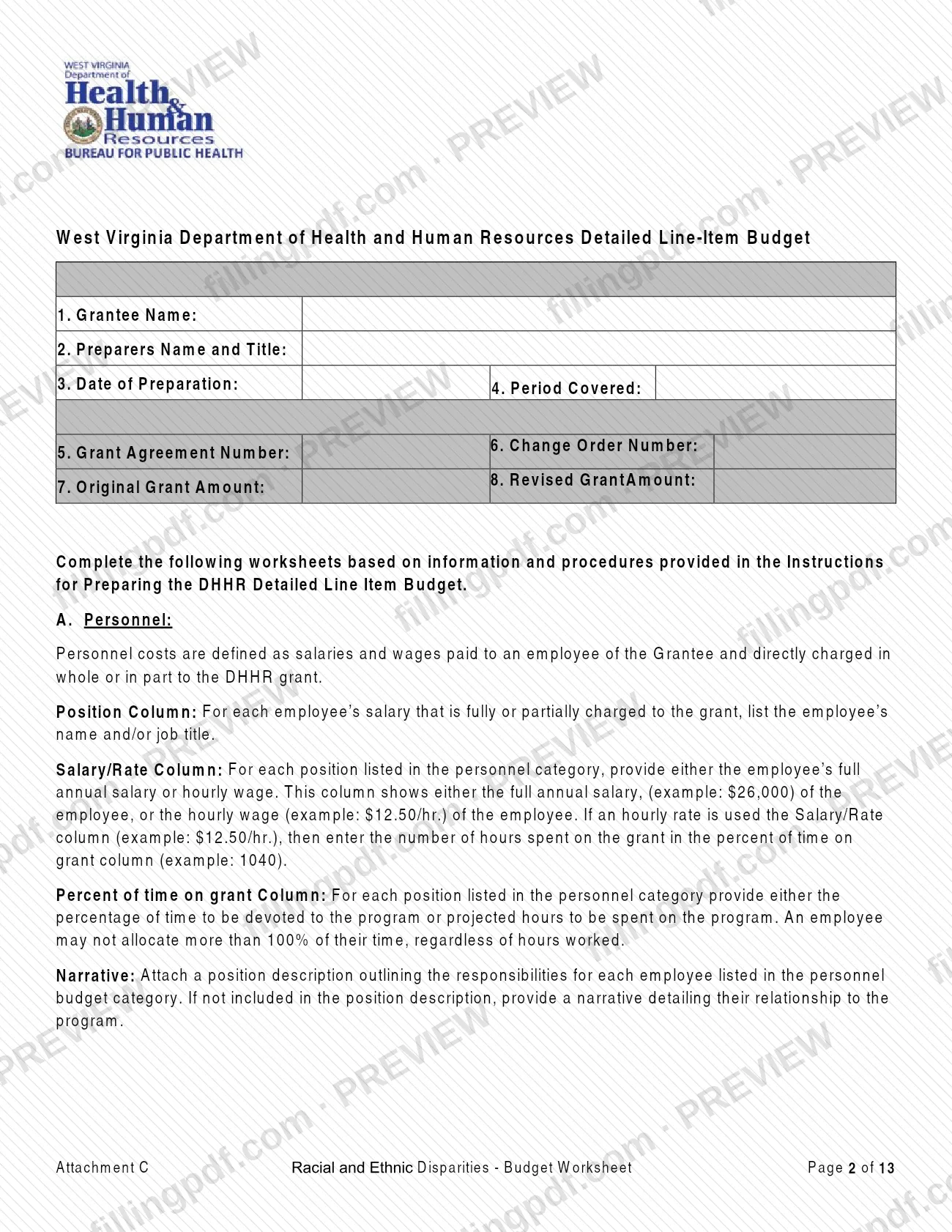
Enter the Grantee Name (1), Preparers Name and Title (2), Date of Preparation (3), Period Covered (4), Grant Agreement Number (5), Change Order Number (6), Original Grant Amount (7) and Revised Grant Amount (8).
List personnel under A
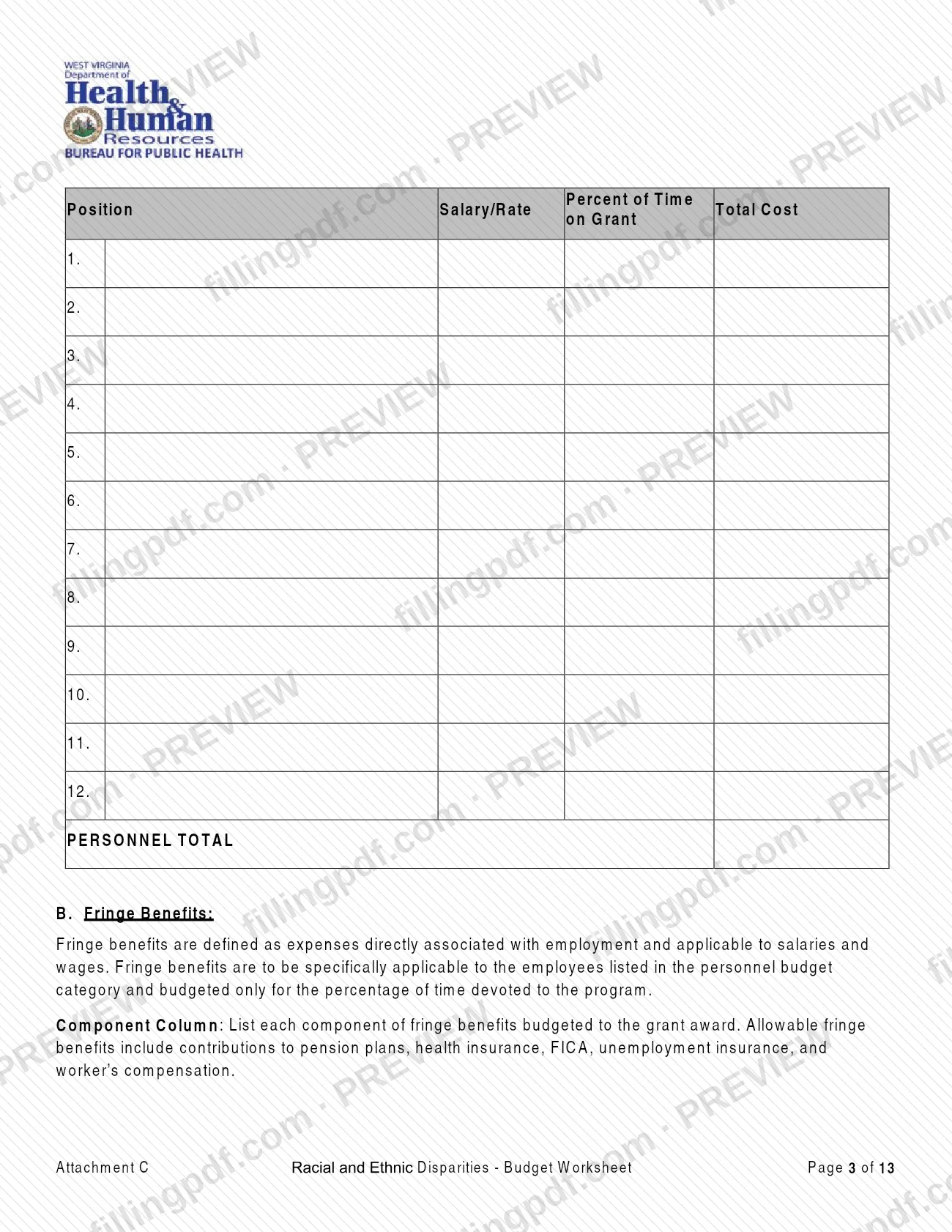
For each employee charged fully or partly to the grant, enter the name or job title, the full annual salary or hourly wage, and the percent of time on grant or projected hours. Do not allocate more than 100% of anyone's time, and attach position descriptions.
Enter fringe benefits under B
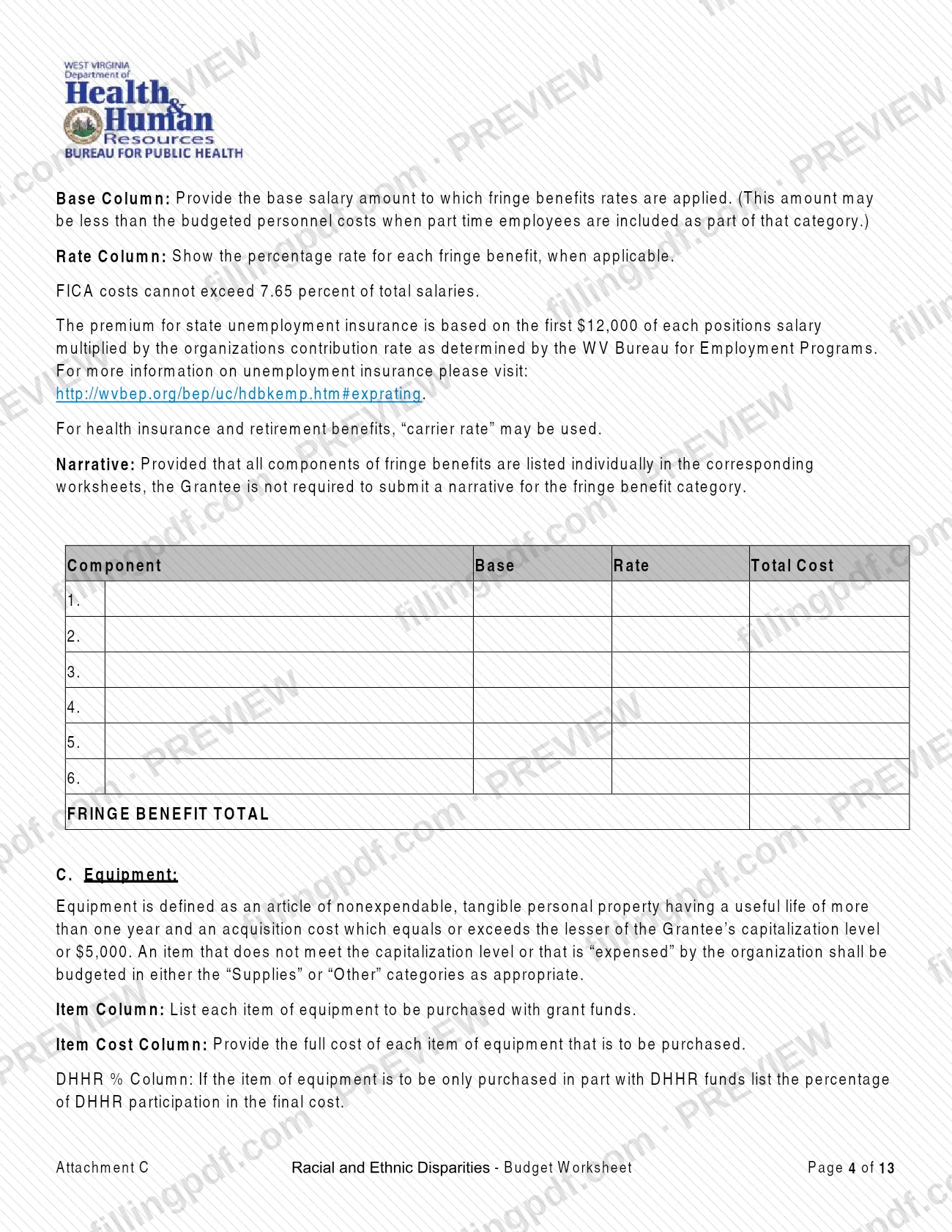
List each fringe component, such as pension, health insurance, FICA, unemployment insurance or worker's compensation, with its base salary and rate. Budget fringe only for the employees in A and only for their time on the program.
Add equipment under C
List each item to be purchased with grant funds, its full item cost and, if DHHR pays only part, the DHHR %. Consult DHHR on prior approval before budgeting equipment.
Itemize supplies under D
List each general classification of materials, the number and the rate. Office supplies may be estimated monthly or quarterly; add a narrative if supply costs exceed 5% of the award.
Record contractual costs under E
For each contract or subgrant, enter the contractor name, the service and the rate basis, treating each as a separate item. Contact DHHR for prior approval before subgranting.
Leave construction at zero under F
The form states that construction costs are not approved for these grant funds, so do not budget costs in this category.
Enter other costs under G
List items such as telephone, rent, utilities or insurance and bonding by major type, and travel by purpose, each with its rate or basis of computation. Consultant and contractor travel belongs in E.
Calculate indirect costs under H
Enter the base, the rate and the resulting indirect costs, only if you hold one of the three accepted bases. Verify the totals that the worksheet calculates.
Check the Budget Summary
Confirm that the category amounts A to H equal the worksheets, then verify Total Direct Costs, Total Indirect Costs and the Total Grant Award.
Complete the informational sections
If applicable, enter I. Cost Sharing or Matching, J. Other Grantee Supplied Funds and K. Program Income (Projected), with narratives. These sections are optional or informational as the form describes.
Review, sign and download the PDF
Have an authorized Grantee representative sign and date the form. Download or print the completed PDF from FillingPDF and assemble it with the addendums and narratives described under How to submit.
How to submit Attachment C
The worksheet is submitted to DHHR as part of the grant application package; the form prints no separate mailing address, portal or appointment rule.
- With the application: attach the completed worksheet, all addendums, the required justifications and the narratives to the package submitted to DHHR. The narratives for each budget section are included in Attachment B of the application, and the narrative amounts must match the worksheet.
- Signatures: an authorized Grantee representative signs and dates the Budget Summary form before submission.
- Questions: contact program personnel at [email protected] for help completing the application.
The DHHR funding page, https://dhhr.wv.gov/bph/funding/Pages/Funding.aspx, lists the required forms for this grant announcement and its closing date. FillingPDF lets you fill out and download the PDF; submission follows the DHHR channels for the application.
Common mistakes to avoid
- Entering the full cost of a line item in Total Cost when DHHR funds only part of it; the Total Cost column must show only the DHHR grant funded portion.
- Not rounding amounts to the nearest dollar, except for formulas or hourly wages.
- Allocating more than 100% of an employee's time to the grant, regardless of hours worked.
- Budgeting any amount under F. Construction; the form states construction costs are not an approved cost for these grant funds.
- Putting consultant or contractor travel under G. Other instead of E. Contractual Costs.
- Submitting narrative amounts that do not match the dollar amounts on the worksheets, or leaving out the required narratives.
- Not verifying the automatically calculated category totals against the Budget Summary before submitting.
- Requesting indirect costs without one of the three accepted bases: a federal or other government Indirect Cost Negotiation Agreement or a CPA firm statement.
- Leaving the Budget Summary unsigned; an authorized Grantee representative must sign and date it.
Frequently asked questions
What is the Attachment C Budget Worksheet?
It is the detailed line-item budget form from the West Virginia DHHR Bureau for Public Health for the 2021 Addressing COVID-19 Health Disparities Among Racial and Ethnic Minorities in West Virginia grant. It covers cost categories A to H, a Budget Summary and informational sections I to K.
Who has to complete this budget worksheet?
Applicants and grantees for that DHHR grant. DHHR lists the Budget Worksheet among the required forms with the Application Form and the Project Narrative Worksheet. An authorized Grantee representative signs the Budget Summary.
Do I need a budget narrative with the worksheet?
Yes. All DHHR negotiated grant agreements must contain a detailed budget narrative explaining each line item. It must match the dollar amounts on the worksheets and include supporting calculations, and it goes in Attachment B of the application.
Is construction an allowed cost on this worksheet?
No. Section F. Construction states that construction costs are not an approved cost for these grant funds. Building, large-scale modernization or permanent improvement of a facility should not be budgeted here.
Are cost sharing or matching funds required?
No. The form says there are no cost sharing or matching requirements for the grant. Other Grantee supplied funds can be entered in section J at the Grantee's discretion; reporting them is not a requirement of the award.
Can I fill out the Budget Worksheet online?
Yes. You can fill out the PDF online on FillingPDF and download or print it. FillingPDF is independent of DHHR and does not submit the worksheet; it goes to DHHR with the application through the agency's channels.
Is the grant still open for applications?
DHHR's funding page lists the 2021 announcement as closed on 11/18/2021 and says there are no current funding announcements. Check that page for any new announcement before preparing the worksheet.
Who do I contact with questions about completing the worksheet?
Program personnel at [email protected]. The form directs questions about the grant program or help completing the application to that address.
Ready to fill out Attachment C?
Fill out Attachment C now