
The Substitution of Trustee is the document a beneficiary signs to appoint a new trustee in place of the original trustee named in a previously recorded deed of trust. The Ventura County Clerk-Recorder lists it among the commonly recorded documents on its County Recorder forms page. It must be signed by the beneficiary and acknowledged before a notary. On this page you can fill out the form online on FillingPDF and download or print the completed PDF; the original PDF is published by the Clerk-Recorder at the official link.
Last updated
What is Substitution of Trustee – Ventura County, CA?
The Substitution of Trustee is a recordable document that evidences the appointment of a new trustee in place of the original trustee shown on a previously recorded deed of trust. The Ventura County Clerk-Recorder publishes it among its commonly recorded documents.
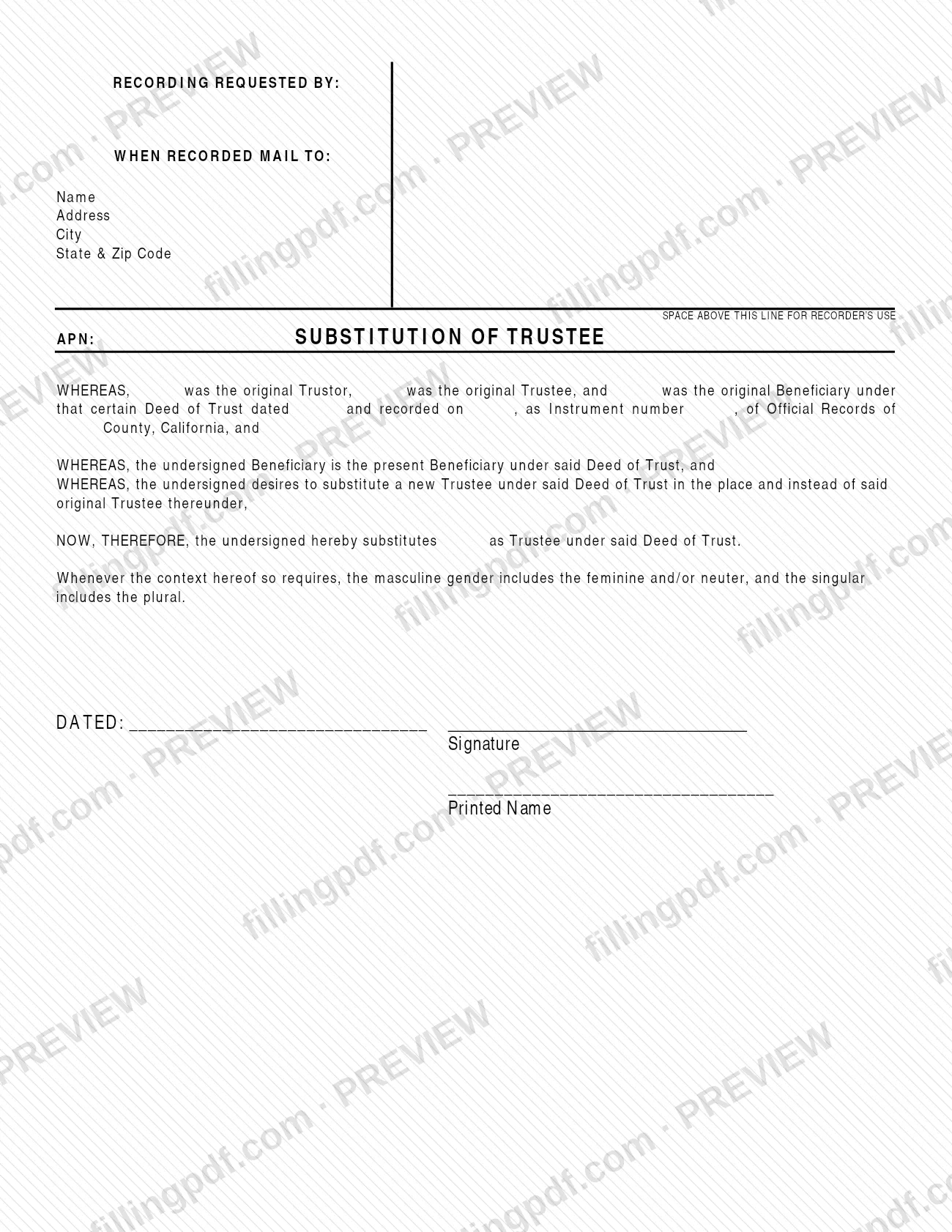
The form is built as a short series of recitals. It names the original trustor, the original trustee and the original beneficiary under the deed of trust, gives the date of the deed and the date and instrument number under which it was recorded in the Official Records of a California county, states that the undersigned is the present beneficiary, and then substitutes the named new trustee. The beneficiary dates and signs it, and prints their name.
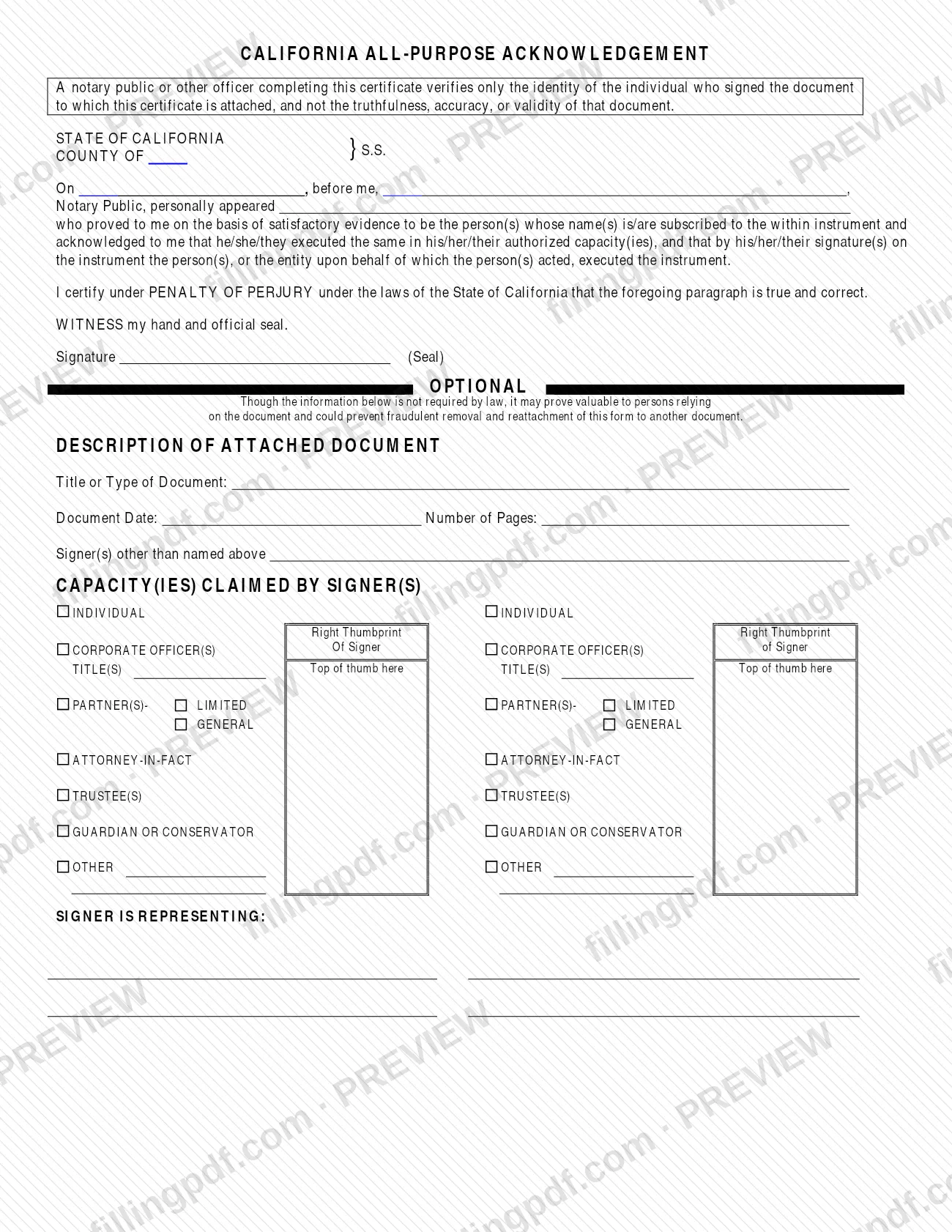
The page also carries a space above the line for the Recorder's use, a block for the recording request and the address to mail the document to once recorded, a line for the Assessor's Parcel Number (APN), and a California All-Purpose Acknowledgement that the notary completes. The notary verifies only the identity of the signer, not the truthfulness, accuracy or validity of the document.
The form is not a deed of trust and does not release one. A different form, the Deed of Full Reconveyance, is listed on the same Clerk-Recorder page to evidence full or partial payment of a loan under a Deed of Trust.
Who needs to file Substitution of Trustee – Ventura County, CA?
The beneficiary under a recorded deed of trust uses this form when they want to substitute a new trustee for the original trustee. The form is written for the present beneficiary, who signs it as the undersigned.
Points the Ventura County Clerk-Recorder attaches to this document:
- It is for a deed of trust that has already been recorded: you need the trustor name(s), the recording reference to the original deed of trust and its recording date.
- The new trustee(s) must be named, and the beneficiary's signature(s) must be acknowledged.
- A single substitution that covers multiple deeds of trust recorded in the same county, with the same trustee and the same beneficiary, may be recorded without the trustor names and the recording date of the deed of trust.
The form is not for transferring title to property (the Clerk-Recorder lists the Grant Deed and Quitclaim Deed for that) and it is not the document that shows a loan has been paid (the Deed of Full Reconveyance). A notary public or other officer completes the acknowledgment; the notary is not a party to the substitution.
When to file Substitution of Trustee – Ventura County, CA
Use the form when the beneficiary decides to replace the original trustee under a recorded deed of trust. No due date is printed on it, and the Ventura County Clerk-Recorder's forms page sets no deadline for this document, so it is completed and recorded whenever the substitution is to take effect on the public record.
The deed of trust must already be recorded, because the form refers to its date of recording and instrument number. Signing and the notary acknowledgment are completed before the document is presented for recording.
How to fill out Substitution of Trustee – Ventura County, CA
Complete the recording request block
Under RECORDING REQUESTED BY and WHEN RECORDED MAIL TO, enter the name, address, city, state and ZIP code to which the recorded document should be returned. Leave the space above this line for the Recorder's use empty.
Enter the Assessor's Parcel Number
In the APN line next to the title SUBSTITUTION OF TRUSTEE, write the parcel number of the property described in the deed of trust.
Identify the original parties
In the first WHEREAS clause, enter the names of the original Trustor, the original Trustee and the original Beneficiary under the Deed of Trust.
Enter the deed of trust references
Enter the date of the Deed of Trust, the date it was recorded, its Instrument number and the California county whose Official Records contain it.
Name the new trustee
In the NOW, THEREFORE clause, write the name of the person or entity substituted as Trustee under the Deed of Trust.
Date and sign as beneficiary
Enter the date after DATED, then have the present Beneficiary sign above the signature line and print their name on the Printed Name line.
Have a notary complete the acknowledgment
The California All-Purpose Acknowledgement is completed by the notary public or other officer: county, date, the notary's name, the name of the person who appeared, and the notary's signature and seal. Sign before the notary, not earlier.
Review the optional notary section
The description of the attached document, the capacity claimed by the signer and the thumbprint box are marked optional by the form; they are not required by law but may help persons relying on the document.
Review and download the completed PDF
Check names, dates, the instrument number and the new trustee's name against the recorded deed of trust. Download or print the completed PDF from FillingPDF, sign it before a notary and submit it as described under How to submit.
How to submit Substitution of Trustee – Ventura County, CA
This is a recordable document, so it is presented to the Ventura County Clerk-Recorder's County Recorder for recording. Neither the form nor the Clerk-Recorder's forms page gives a separate mailing address, portal or appointment rule for it; use the County Recorder contact details on the Clerk-Recorder's website.
- Before you send it: the document must carry the beneficiary's signature and a completed notary acknowledgment, and must meet the Clerk-Recorder's recording requirements for a substitution of trustee (trustor name(s), recorder's reference to the original deed of trust, date of recordation, new trustee name(s), beneficiary signature(s), signature(s) acknowledged).
- Return address: enter in the WHEN RECORDED MAIL TO block the name and address where the recorded document should be sent.
- Copies: Ventura County does not conform copies. Do not send additional copies to be conformed, because they will be returned to you.
- Fees: the Clerk-Recorder publishes a list of fees for the County Recorder on its forms page; check it for amounts.
FillingPDF lets you fill out and download the PDF; submission follows the channels above.
Common mistakes to avoid
- Leaving the beneficiary's signature off the form; the Clerk-Recorder lists the signature(s) of the beneficiary(ies) as a recording requirement.
- Submitting the form without a completed notary acknowledgment; the Clerk-Recorder requires the signature(s) to be acknowledged.
- Leaving out the recording reference to the original Deed of Trust, or its date of recordation, when the substitution covers a single deed of trust.
- Omitting the name of the new trustee in the final recital, so the form does not say who is being substituted.
- Using the multiple-deeds shortcut for deeds of trust that are in different counties or have a different trustee or beneficiary; it applies only to the same county, same trustee and same beneficiary.
- Writing in the space above the line reserved for the Recorder's use.
- Sending extra copies to be conformed; Ventura County does not conform copies and returns them.
- Leaving the WHEN RECORDED MAIL TO block blank, so the recorded document has no return address.
Frequently asked questions
What is a Substitution of Trustee used for?
It evidences the appointment of a new trustee in place of the original trustee shown on a previously recorded deed of trust. The beneficiary signs it, the signature is acknowledged by a notary, and the document is presented to the Ventura County Clerk-Recorder for recording.
Who signs a Substitution of Trustee?
The present Beneficiary under the deed of trust signs it, dates it and prints their name. The Clerk-Recorder lists the signature(s) of the beneficiary(ies) as a recording requirement, and those signatures must be acknowledged before a notary.
Does a Substitution of Trustee need to be notarized?
Yes. The Ventura County Clerk-Recorder lists acknowledged signature(s) as a recording requirement, and the form includes a California All-Purpose Acknowledgement that a notary public or other officer completes. The notary verifies only the signer's identity.
What information do I need from the original deed of trust?
You need the name of the original trustor, trustee and beneficiary, the deed's date, its recording date, the instrument number and the county of the Official Records. The Clerk-Recorder also lists the recorder's reference to the original deed of trust as a requirement.
Can one form cover several deeds of trust?
Yes, in one case. A substitution pertaining to multiple deeds of trust recorded in the same county with the same trustee and beneficiary may be recorded without the trustor names and the date of recordation of the deed of trust.
Does Ventura County conform copies of recorded documents?
No. The Clerk-Recorder states that Ventura County does not conform copies and asks you not to send additional copies to be conformed, because they will be returned to you.
Can I fill out the Substitution of Trustee online on FillingPDF?
You can fill out the PDF online on FillingPDF and download or print it. FillingPDF is an independent service, not connected to the Ventura County Clerk-Recorder, and does not record or file the document; you present it to the County Recorder yourself.
Ready to fill out Substitution of Trustee – Ventura County, CA?
Fill out Substitution of Trustee – Ventura County, CA now